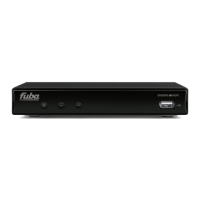
ODE821CI+HD
4.3.3.2 DiSEqC Mode
This function is used for multiple converter antenna plants. For a typical Italian two LNB or dual-feed antenna plant, with the first
LNB pointing on Hotbird 13
○
East and the second on Astra
○
East, use the following settings:
• Satellite: Hotbird 13
○
East
• LNB Type: Universal 9750/10600
• DiSEqC 1.0: Port 1
• DiSEqC 1.1: Disabled
• Polarization: Automatic
• Satellite: Astra 19
○
East
• LNB Type: Universal 9750/10600
• DiSEqC 1.0: Porta 2
• DiSEqC 1.1: Disabilita
• Polarization: Automatic
4.3.3.3 Motor Mode
This receiver can command a motorised antenna either by the DiSEqC 1.2 or USALS protocol, depending on the type of motor
used in the plant. To use this mode the DiSEqC in the Antenna Setup menu must be set to Disable. Then go to Positioner and
select the correct protocol (i.e. DiSEqC 1.2 or USALS).
DiSEqC1.2
• LNB Freq: Universal 9750/10600
• Motor Type: DiSEqC1.2
• Delete All: to reset motor settings
• Motor Setting:
– Satellite: satellite to search for
– Transponder : transponder related to the satellite (press OK to open the list of transponders on
memory). Make sure that you select a transponder that can still be received and not out of date so
that the signal strength and quality bars are satisfactory.
– Position N.&Save: the satellite position reference is assigned and saved when a satellite has been
detected (to save the position press OK). This will automatically recall the position.
• Limit Setup:
– Limit Setup : to enable/disable the limit for moving motor towards east/west
– Go to reference: to reset motor position
USUALS
• LNB Freq: Universal 9750/10600
• Motor Type: USUALS
• Longitude: local longitude
• Latitude: local latitude
• Delete All: resetting motor settings
• Motor Settings:
– Satellite: satellite to search for
– Transponder : transponder related to the satellite (press OK to open the list of transponders on
memory). Make sure that you select a transponder that can still be received and not out of date so
that the signal strength and quality bars are satisfactory.
• Limite Setup:
– Limit Setup: to enable/disable the limit for moving motor towards east/west
– Go to reference: to reset motor position
4.3.4 Single-Satellite Search
Single Satellite Search menu functions automatically detect and memorise the transponders and channels of the satellite received
by the antenna. With this function new channels can be added to the list and existing channels can be updated if the broadcaster
has varied their PID (transmission parameters that identify the programme’s audio and video). The features of this search are:
10


 To Next Page