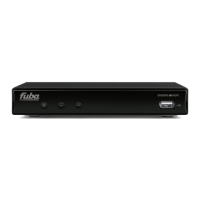
ODE821CI+HD
4.4.2 TV System
TV System settings:
• Video Resolution: the user can choose these resolutions: 480i / 480p, 576i / 576p, 720p_50 / 720p_60, 1080i_25 /
1080i_30, 1080p_50 / 1080p_60 / 1080p_25 / 1080p_30 / 1080p_24
• Aspect Mode: the user can choose tv format: 16:9 (Pillar-Box or Full) o 4:3 (Pan-Scan or Full)
• Digital Audio Out: choosing between LPCM (Linear Pulse-Code Modulation) and BS (BitStream).
4.4.3 Display Settings
From this menu you can change the value of Brightness, Contrast, Saturation, Hue and Sharpness.
4.4.4 Local Time Settings
This menu can be used to set the clock required by the receiver to be able to view all the programmes related to the electronic
programme guide (EPG) and to set event timers. The items that can be set are:
• GMT Offset: define difference between GMT and local time
• Summer Time: enable/disable summer time
4.4.5 Timer Setting
The Timer Setting menu can be used to set up to 8 timers on the receiver to schedule the viewing of programmes or memo
messages. The timers can be set directly in the EPG electronic programme guide for channels that transmit this information. To
access timer setting functionalities just press OK on one of the 8 timers; a window with the following items will appear:
• Timer Mode: select timer mode (once, daily, weekly, Mon-Fri, Sat-Sun or OFF)
• Timer Service: select if the timer is only for viewing (Channel)or also for recording (Record)
• Wakeup Channel: channel to view/record
• Wakeup Date: set date
• On time: set starting time
• Duration: set record duration
• After Record: action to perform when the timer/record finishes, that is Automatic (the receiver will remain in the same
status before timer/record), Power On (the receiver will remain ON after timer/record) or Standby (the receiver will power
down after timer/record).
4.4.6 Parental Lock
The Parental Lock menu functions can be used to create safety locks for the Installation menu, for certain important functions
and for channels. The lock is opened by a four-figure PIN code or password. There are two different PIN passwords:
- system PIN: the one used for locking Installation menu or other menu important functions (this password has as default
value 0000)
- channel PIN: the one used for locking channels (this password is choosen by the user in the first installation procedure)
This menu offers the following functions:
• Menu Lock: Enable/Disable menu protection. The system PIN password is asked everytime the user will perform an
action that can change system settings
• Channel Lock: Enable/Disable channel protection
• New Menu Password: for changing system PIN password
• Confirm Password: confirm the new inserted system PIN password
• New CH Password: for changing channel PIN password
• Confirm Password: confirm the new inserted channel PIN password
CAUTION
The default system PIN password is 0000 while the channel PIN password is set by the user on first installation proceudre. Keep
these passwords in a safe place.
12


 To Next Page