Before using
7
Paring Setting
Before performing wireless shooting, follow the procedure
below to set up EF-W1 and flash for pairing.
…
Turn off the commander and flash power.
… Follow the procedure below to make
pairing settings.
Be sure to set the pairing when using for the first time.
Flash
EF-60 Setting
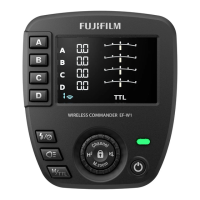
Press and hold " ( ) button
of the Control Wheel and
buttons" and Power On / Off
Button ( ) at the same time
for 3 seconds.
Since the beep sound will be heard,
do the setting of " Commander
EF-W1 Setting" as it is.
Press and hold
for 3 seconds.
Beep sound
(with built-in NAS reception function) settings
Step
1
Step
2
Caution
!



 To Next Page