CR-IR341
Service Manual
MU - 10
009-051-04
05.31.99 FM2460
2 3 4 5 6 7 9 101 8
C
ONTENTS
MU - 10
4. Common Operating Procedures for M-Utility
The same selection and closing procedures apply to all the M-Utility menus.
4.1 Selecting a Menu
There are two methods to select a menu in M-Utility.
■ While the “>” cursor is displayed, enter a menu number.
The system displays the lower-level menu or immediately executes the designated menu
and shows the result.
■ Automatic menu selection upon a menu selection
When you select a menu, the system automatically selects the associated menu.
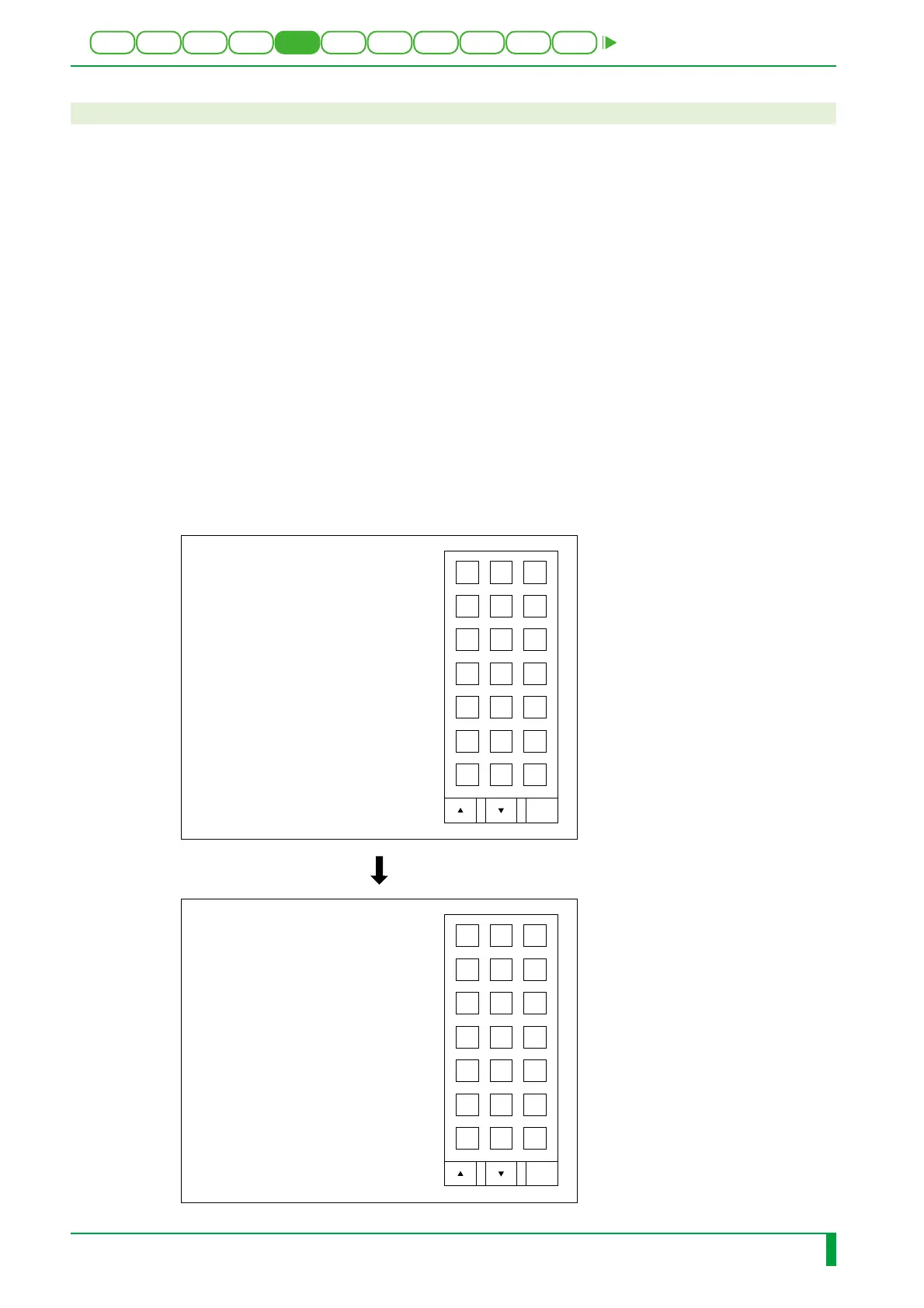
Example) When you select “6. MECHANICAL UTILITY”, “3. SENSOR”, and “2.
MONITOR” in sequence
➮
The sensor list menu appears.
0. QUIT
1. ERROR LOG UTILITY
2. CONFIGURATION SETTING
3. TEST MODE
4. ELECTRICAL UTILITY
5. SCANNER UTILITY
6. MECHANICAL UTILITY
7. FILE UTILITY
8. BACKUP MEMORY
9. HV OFF
10. MENU SETTING
> 6
0.QUIT
1.MOTOR
2.ACTUATOR
3.SENSOR
4.UNIT
MU > 3
0.QUIT
1.NUMBER
2.MONITOR
3.MONITOR ALL
MU:SEN > 2
MU:SEN > 2
1:SA1 2:SA2 3:SA3 4:SA4 5:SA5
6:SA6 7:SA7 8:SA8 9:SA9 10:SA10
11:SA11 12:SA12 13:SA13 14:SA14 15:SA15
16:SA16 17:SA17 18:SB1 19:SB2 20:SB3
21:SB4 22:SB5 23:SC1 24:SC2 25:SD1
26:SD2 27:SD3 28:SE1 29:SF1 30:SF2
31:SF3 32:SF4 33:SZ2 34:SZ3
INPUT THE NUMBER OF SENSOR
1 - 34 : 4
SA4 ----> Close
SA4 ----> Open
SA4 ----> Close
0
0.QUIT
1.NUMBER
2.MONITOR
3.MONITOR ALL
MU:SEN >
FR1H1235.EPS
0.SP
DEF
ABC
789
456
123
DEL BS ENT
Caps
0.SP
DEF
ABC
789
456
123
DEL BS ENT
Caps











 To Next Page