EasyManua.ls Logo

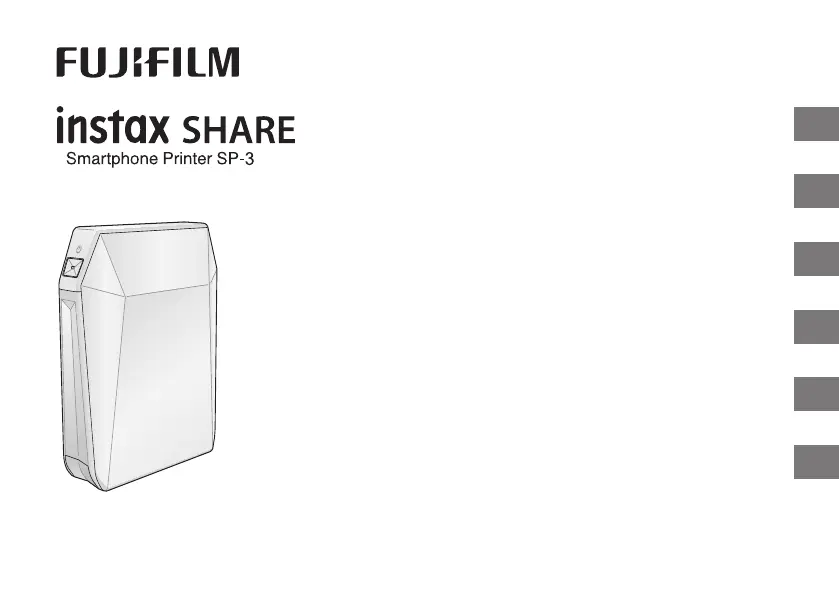
FujiFilm instax SHARE SP-3 - User Manual

FujiFilm instax SHARE SP-3
170 pages
Print Icon
To Next Page IconTo Next Page
Loading...
EN
DE
FR
ES
TW
KO
BOC703-200
User’s Guide/Trouble shooting/Safety precautions
Bedienungsanleitung/Fehlerbehebung/Sicherheitsmaßnahmen
Guide d’utilisation/Guide de dépannage/Précautions de sécurité
Manual de instrucciones/Solución de problemas/Precauciones de seguridad
使用說明書/現象、可能的原因及解決措施/安全注意事項
사용설명서/문제 해결/안전을 위한 주의사항
instax_BO-C_6lang.indb 1instax_BO-C_6lang.indb 1 2017/9/14 15:21:092017/9/14 15:21:09

Table of Contents

Questions and Answers

  • S
    Susan GonzalezAug 20, 2025
    How to fix a FujiFilm Printer that will not turn on?
    • B
      bmorganAug 20, 2025
      If your FujiFilm printer cannot be turned on, there might be several reasons: * The battery power could be low: Charge the battery fully. * The battery might not be inserted correctly: Ensure the battery is correctly inserted. * You may not have pressed the POWER button long enough: Press and hold the POWER button for about 1 second.
  • E
    Emily SmithAug 22, 2025
    What to do if the FujiFilm instax SHARE SP-3 doesn't print when pressing REPRINT?
    • W
      wheelersheilaAug 22, 2025
      If you press the REPRINT button on your FujiFilm printer and nothing happens, it could be due to a few reasons: * No images are stored in the printer. To fix this, transmit an image to print. * There's no film in the printer. Load a new film pack. * The film pack isn't loaded. Again, load a new film pack.
  • T
    trevorwongAug 25, 2025
    Why does the FujiFilm Printer film LED flash but not print?
    • K
      Kyle MasonAug 25, 2025
      If the remaining film LED flashes during communication and printing doesn't start on your FujiFilm printer, it means communication has been interrupted. Turn the printer on, and then restart the application on your device.
  • J
    josephstewartAug 26, 2025
    How to load film into a FujiFilm Printer?
    • B
      Bridget StokesAug 26, 2025
      If you can't load the film pack into your FujiFilm printer smoothly, ensure you are using the correct film, which is FUJIFILM Instant Film “instax SQUARE”. Also, make sure you are loading the film pack correctly by matching the yellow line on the film pack with the yellow positioning mark in the printer.
  • V
    Veronica KennedyAug 28, 2025
    How to reset FujiFilm Printer password?
    • J
      Joseph KirkAug 28, 2025
      If you entered the password and your device still cannot connect to the FujiFilm printer, the password might be incorrect. Reset the password to the factory default (1111) by turning the printer on while holding the REPRINT button.
  • M
    Madison EricksonAug 29, 2025
    Why is my FujiFilm instax SHARE SP-3 printing white pictures?
    • A
      Antonio BoydAug 30, 2025
      If part or the entire finished print from your FujiFilm printer is white, it's likely because the back cover was opened before all the film was used. Avoid opening the back cover until all the film has been used to prevent exposing and ruining the remaining film.
  • A
    Ashley KramerAug 31, 2025
    Why does my FujiFilm instax SHARE SP-3 turn off and the battery LED flashes red?
    • T
      Tiffany GonzalezAug 31, 2025
      If the remaining battery LED flashes red slowly and the FujiFilm printer turns off, it means the battery is low. To resolve this, fully charge the battery. Note that you might not be able to turn on the printer immediately, even when connected to a power outlet via USB. Allow some charging time before attempting to turn it on.
  • T
    Tonya BrownSep 3, 2025
    Why does the FujiFilm instax SHARE SP-3 Printer turn off and the film LED flashes rapidly?
    • A
      Alexis HenrySep 3, 2025
      If the remaining film LED on your FujiFilm printer flashes rapidly and the printer turns off, it indicates a printer error. Try turning the printer on again to resolve this.
  • C
    Carrie JonesSep 5, 2025
    What does it mean when the FujiFilm Printer battery LED flashes green and red?
    • R
      Ryan MurraySep 5, 2025
      If your FujiFilm printer's remaining battery LED alternately flashes green and red rapidly, it means the battery life has expired, or there's an issue with the USB cable or AC power adapter. Replace the battery, USB cable, or AC power adapter with a new one.
  • T
    Tim PriceSep 7, 2025
    Why does the FujiFilm instax SHARE SP-3 battery LED flash red while charging?
    • V
      Victor RyanSep 7, 2025
      If the remaining battery LED flashes red and turns off while charging your FujiFilm printer, it means the battery is being charged outside of the optimal temperature range. Charge the battery between +5°C and +40°C.

Summary

Parts Name

Inserting;Charging the Battery

Inserting the Battery

Instructions on how to insert the printer battery.

Charging the Battery

Loading the instax SQUARE Film Pack

Connecting and Printing

When establishing connection for the first time:

Initial steps to connect the printer to a device.

When connection is already established:

Reprinting

About the LED Indication

SPECIFICATIONS

TROUBLE SHOOTING

During printing

Troubleshooting common printing problems.

IMPORTANT SAFETY NOTICE

COMMON SENSE PRINTER CARE

PRINTER CARE

General advice and precautions for printer maintenance.

INSTAX SQUARE FILM AND PRINT CARE

Wireless Network Devices: Cautions

Handling the Battery

The Battery

FujiFilm instax SHARE SP-3 Specifications

General IconGeneral
Power sourceBattery
Charging time3 h
Power consumption (printing)3 W
Print technology-
Maximum resolution800 x 600 DPI
Time to first page (color, normal)13 s
CertificationCE
Product colorBlack
Printing colorsBlue, Green, Red
Built-in displayNo
Grayscale levels256
Market positioningHome & office
Operating temperature (T-T)5 - 40 °C
Total output capacity160 sheets
Maximum input capacity10 sheets
Maximum print size2.4\
USB portYes
USB connectorMicro-USB Type-A
USB 2.0 ports quantity1
Weight and Dimensions IconWeight and Dimensions
Depth130.5 mm
Width116 mm
Height44.4 mm
Weight312 g

Related product manuals