-9-
Oven Settings
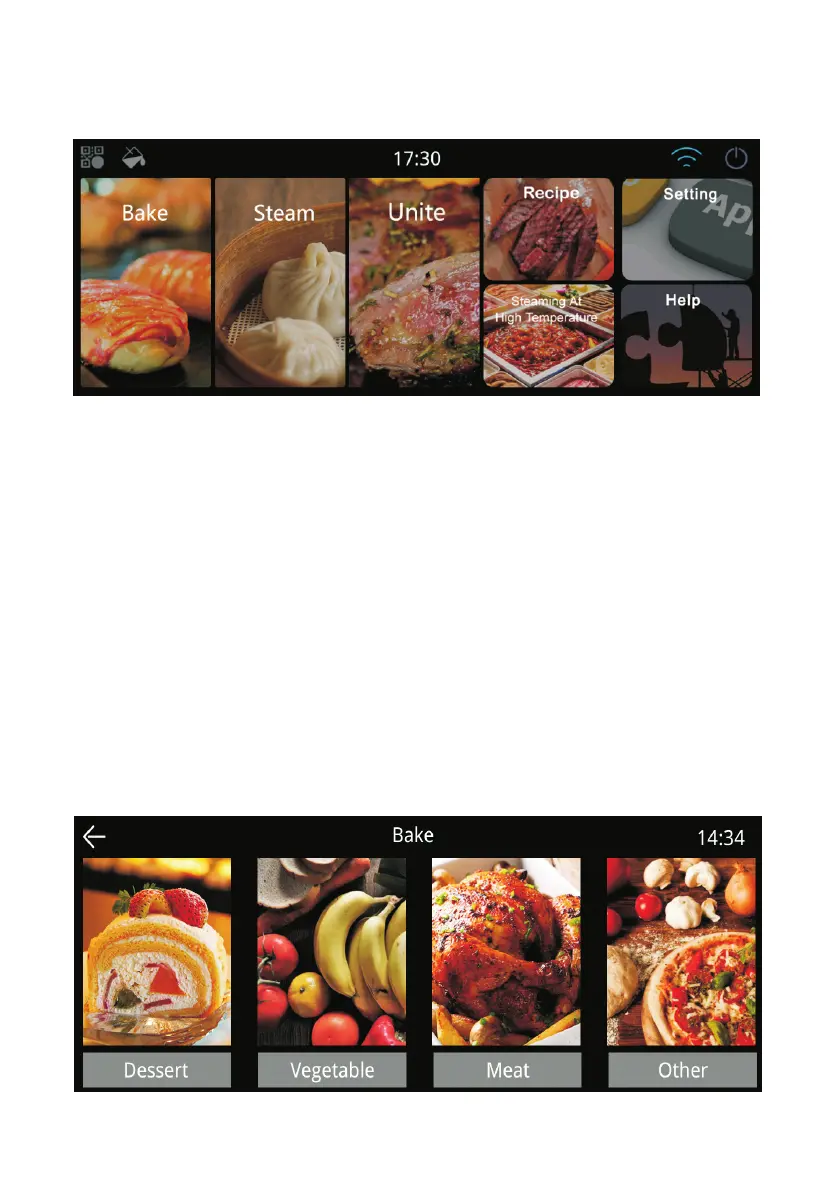
1. Plug in the oven, touch the display screen to turn on the oven.
Bake: Choose the cooking function/food to bake or grill the food.
Steam: Choose the food to steam cooking.
Unite: Choose the food you cook, and set the cooking for steaming first then
grilling/baking to make the food juicy inside and crispy outside.
Recipe: There are some set recipes available to choose, so make the cooking
get easier.
Setting: To set the date & time, language, latest version of the software,
brightness and Wi-Fi connection.
Connect to internet: Press “Setting” icon, then press Wi-Fi to connect to
internet; or press the Wi-Fi icon on the top right corner of homepage to
connect to internet.
2. Bake Setting
You can choose the food you want to cook by pressing Bake icon.



 To Next Page