Using your notebook
36 10600690568, edition 1
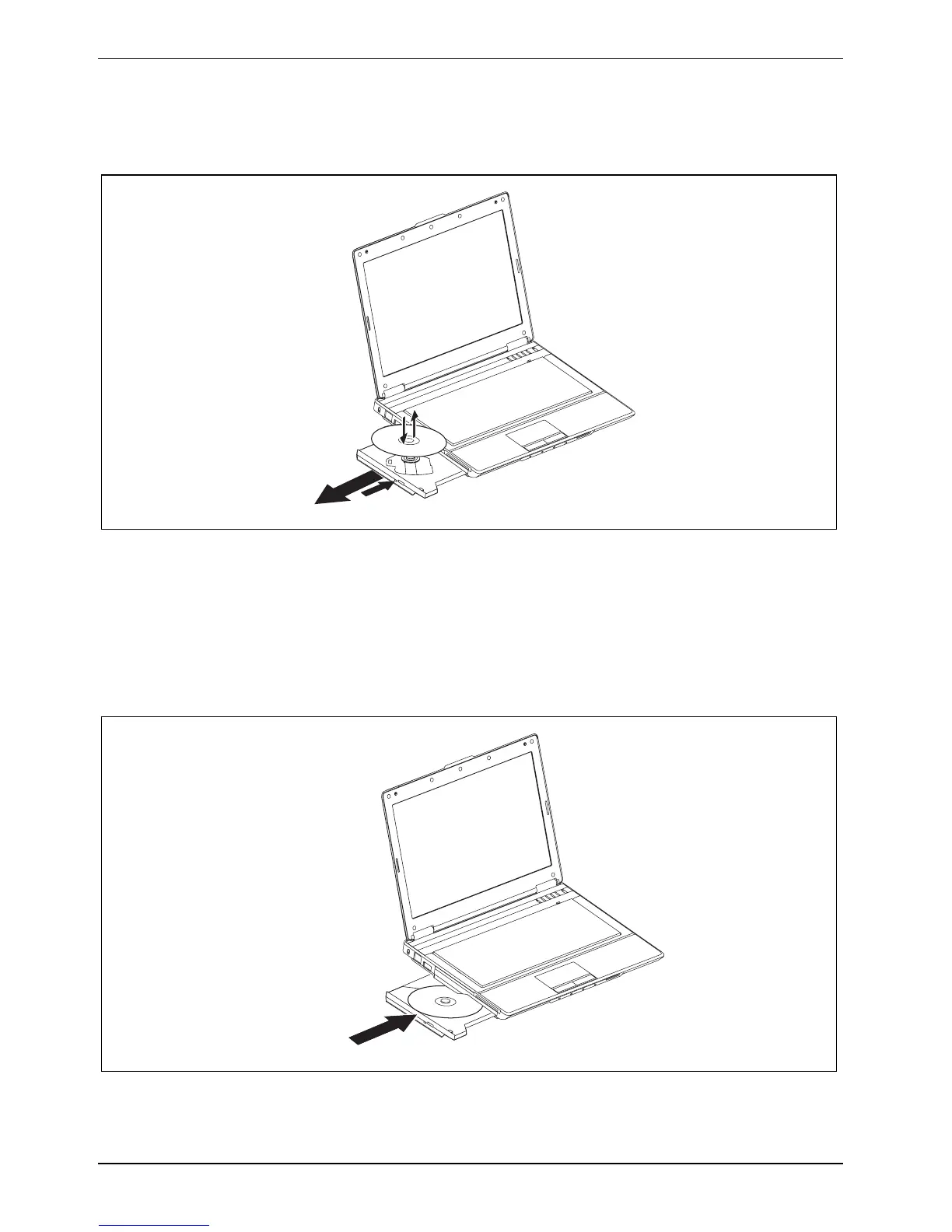
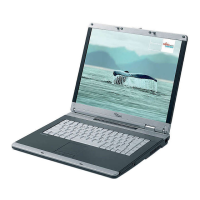
Inserting or removing a CD/DVD
The notebook must be switched on.
2
1
► Push the insert/eject button (1).
The drive tray will open.
► Gently pull the drive tray (2) completely out.
► Place the CD/DVD in the drive tray with the label facing upwards.
or
► Take out an inserted CD/DVD.
► Push in the drive tray until you feel it lock into place.


 To Next Page