•Occasionally the same track happens to be played
(selected) two or more times in a row, but it is no sign of
a problem.
•When any of the functions - “Playing the beginning of
tracks,” “Repeating the same track” and “Playing tracks
in random order” - is selected, a message such as
[SCAN], [ALL-SCAN], [REPEAT], [ALL-REPEAT],
[RANDOM] or [ALL-RANDOM] is displayed at the
bottom of the screen to verify the current function.
▼▼
Skipping to the next or previous CD
1. Press button [1 (DISC )] or [2 (DISC )].
Button [2(DISC )]: Selects the next higher number disc.
Button [1 (DISC )]: Selects the next lower number disc.
▼▼
Specifying a CD to play
A CD of your choice is directly selectable out of the loaded
discs.
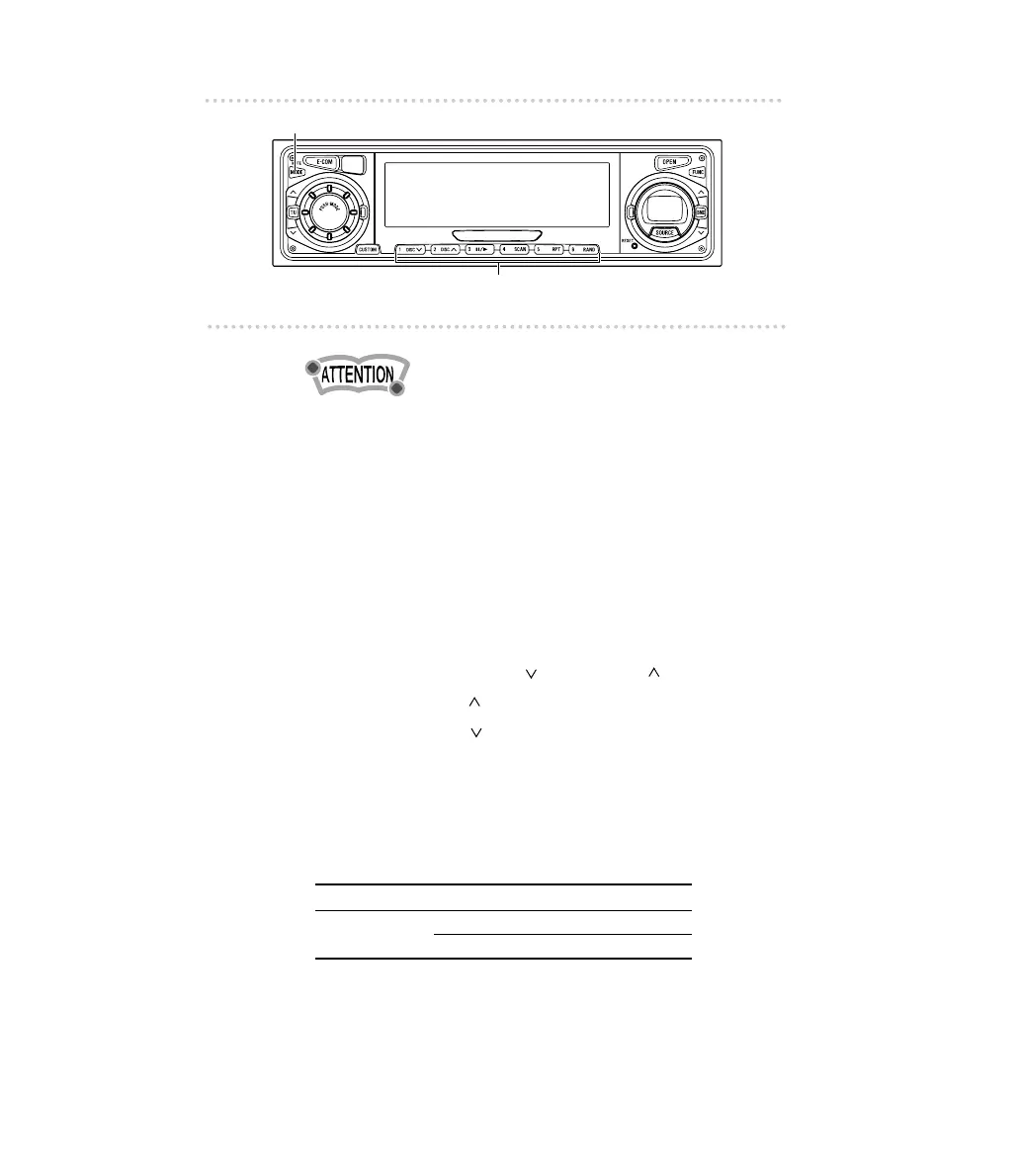
1. Press the [MODE] button for less than one second.
2. Press a button from [1] to [6].
Buttons 1 2 3456
CD 123456
7 8 9101112
To select a CD from nos. 7 to 12, press the desired button
considerably longer.



 To Next Page