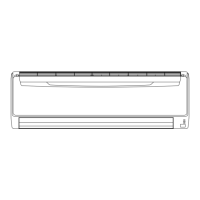
2-3. E: 12.X. Wired remote controller communication error
(Indoor unit)
Indicator
Indoor unit
Operation indicator 1 time flash
Timer indicator 2 time flash
Economy indicator Continuous flash
Error code E: 12
outdoor unit Refer to "Error code table (Outdoor unit)" on page 03-4
Detective actuator
Indoor unit Main PCB →hen the indoor unit cannot receive the signal from
→ired remote controller more than 1 minute during
normal operation.
→ired remote control
Forecast of cause
Terminal connection abnormal
→ired remote control failure
Main PCB failure
Check point 1. Check the connection of terminal
After turning off the power, check & correct the
followings.
• Check the connection of terminal between
remote controller and indoor unit, and check
if there is a disconnection of the cable.
Check point 2. Check connection
• If it is DC 5 V (for 18 model) or DC 12 V (for
24 model), remote controller is failure. (Main
PCB is normal)
– Replace Remote Control
• If it is DC 0 V, main PCB is failure. (Check
remote controller once again)
– Replace main PCB
Check voltage at CN2 (terminal 1—3)
of UT↔-T→R↓Z2 (Communication kit)
(for 18 model). Check voltage at CN12
of main PCB (terminal 1—2) (for 24
model). (Power supply to the remote
controller)
Upon correcting the removed connec-
tor or mis-wiring, reset the power.
End
2-3. E: 12.↓. →ired remote controller communication error (Indoor unit) - (03-17) - 2. Troubleshooting with error code
TROUBLESHOOTING
TROUBLESHOOTING



 To Next Page
 Loading...