
 Need help?
Do you have a question about the Fujitsu Halcyon and is the answer not in the manual?
Procedures posing risk of death or serious injury to user or personnel.
Procedures posing risk of death or serious injury to user.
Procedures posing risk of personal harm or property damage.
Steps to set the remote's clock and day.
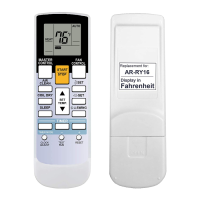
How to start/stop, set mode, temperature, and fan speed.
How to activate and use the energy-saving mode.
Setting operating times for each day of the week.
Step-by-step guide to cleaning the air filters.
How to check for errors and what "E:EE" means.
No operation, noise, smells, mist, steam.
Checks for power, fuse, timer issues.
Checks for dirty filters, blocked vents, incorrect settings.
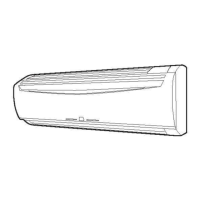
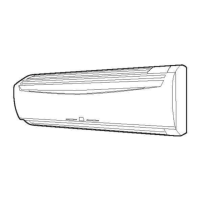
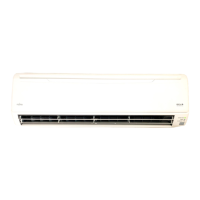
This document serves as the operating manual for a Fujitsu Halcyon cassette-type air conditioner, providing comprehensive instructions for its operation, maintenance, and troubleshooting. It is designed to guide users through the various functions and features of the air conditioning unit, ensuring safe and efficient use.
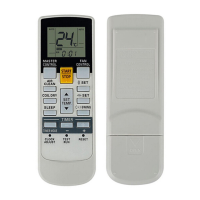
The Fujitsu Halcyon air conditioner is designed to provide comfortable indoor environments through its cooling, heating (for Heat & Cool models), drying, and fan-only operation modes. It utilizes a remote controller for user interaction, offering a wide array of settings and timer functions to customize the user experience.
The core function of the air conditioner is temperature regulation. In AUTO mode, the unit intelligently selects the appropriate operation mode (Cooling or Heating) based on the current room temperature and the thermostat setting. When first activated in AUTO mode, the fan operates at a very low speed for approximately one minute to assess room conditions before settling into the optimal mode. During monitor operation, the fan continues at a very low speed, and the unit will re-adjust its operation if the room temperature changes significantly.
For direct temperature control, users can select COOL mode to lower the room temperature or HEAT mode (available on Heat & Cool models) to raise it. The DRY mode is specifically designed to reduce humidity in the room, often accompanied by a low fan speed. In FAN mode, the unit circulates air without actively cooling or heating, providing ventilation.
The air conditioner incorporates an ENERGY SAVE mode to promote energy efficiency. When activated, this mode subtly adjusts the set temperature: raising it slightly during cooling operation and lowering it during heating operation. This intelligent adjustment helps reduce power consumption while maintaining a comfortable environment. The remote controller's display will not show the adjusted temperature in this mode, but the unit will operate accordingly.
A notable feature for heating is Hot Start, which prevents cold drafts at the beginning of heating operation. The indoor unit's fan will either not operate or run at a very low speed until the heat exchanger reaches the set temperature, ensuring that only warm air is discharged. Similarly, during heating, the unit may enter a Defrosting mode if frost accumulates on the outdoor unit in cold, humid conditions. During defrosting, the indoor fan will shut down, and a specific indicator will appear on the remote controller, typically lasting between 4 to 15 minutes before normal operation resumes.
The unit also features a Room Temperature Sensor Selection, allowing users to choose whether the room temperature is detected by the indoor unit's sensor or by the remote controller. This provides flexibility in ensuring accurate temperature readings, especially in rooms with varied layouts.
For enhanced control, the air conditioner offers a Part Lock function on the remote controller. This feature allows users to lock most buttons, preventing unintentional changes to settings, while still allowing access to essential controls like Start/Stop, Set Temperature, Master Control, and Fan Control.
The remote controller is the primary interface for operating the air conditioner, offering a range of timer functions for automated control:
The Airflow Direction and Swing Button allows users to adjust the vertical airflow direction. Pressing this button cycles through different fixed louver positions. Holding the button for two seconds or more activates the Swing Operation, which continuously moves the vertical louvers, distributing air more evenly throughout the room. The range of the swing can vary depending on the initial fixed airflow direction setting.
For multi-unit installations, the Fujitsu Halcyon supports Group Control, where a single remote controller can manage up to 16 air conditioners simultaneously, all operating with the same settings. Additionally, Dual Remote Controllers (optional) can be set up, allowing two remote controllers to manage the same air conditioner, though timer functions are typically restricted to the main unit.
Regular maintenance is crucial for the optimal performance and longevity of the air conditioner. The manual emphasizes the importance of cleaning the air filter and provides clear, step-by-step instructions:
Beyond filter cleaning, the manual recommends occasional ventilation during use and advises against directing airflow at fireplaces or heating apparatus. It also provides safety warnings, such as turning off the electrical breaker before cleaning or when the unit will not be used for extended periods.
The air conditioner also includes a Self-Diagnosis function. If an "E:EE" error code is displayed, users can initiate a self-diagnosis by pressing the set temperature buttons simultaneously for five seconds or more. This function helps identify potential issues, and if an error code appears, it indicates that professional service personnel should be consulted.
The troubleshooting section further assists users in identifying and resolving common operational issues, such as the unit not operating immediately, unusual noises, smells, or stopped airflow, and provides guidance on when to contact authorized service personnel.
 General
| Brand | Fujitsu |
|---|---|
| Model | Halcyon |
| Category | Air Conditioner |
| Language | English |



 To Next Page