EasyManua.ls Logo

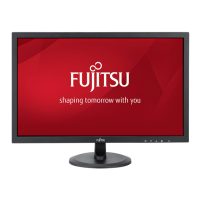
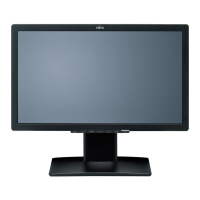
Fujitsu L20T-1 ECO - User Manual

Fujitsu L20T-1 ECO
312 pages
Go to English
Print Icon
To Next Page IconTo Next Page
Loading...
Getting Started
20" wide LCD Display
Deutsch, English, Français,
Español, Português, Italiano,
Svenska, Nederlands, Dansk,
Suomi, Pycck , Norsk, Eesti
keel, , Lietuviškas,
Latviski, Polski, Slovensko,
Slovenský, esky, Magyar,
, Român , Türkçe,
Downloaded from ManualMonitor.com Manuals

Table of Contents

Questions and Answers

  • A
    Arthur BellAug 15, 2025
    How to adjust brightness on Fujitsu L20T-1 ECO?
    • K
      Kathy AllisonAug 15, 2025
      If the picture on your Fujitsu Monitor is too light or too dark, first, try the auto-adjustment function using the AUTO button (if present) or through the OSD menu. If the results are not satisfactory, manually adjust the contrast and brightness settings via the OSD menu.
  • D
    Diana CarterAug 18, 2025
    How to correct the picture position on my Fujitsu L20T-1 ECO?
    • M
      Ms. Kathleen GonzalezAug 18, 2025
      If the picture position on your Fujitsu Monitor is incorrect, it might be due to the monitor recognizing an undefined mode. Try performing the auto-adjustment of the monitor using the AUTO button (if available) or through the OSD menu. If that doesn't correct it, manually set the picture position using the OSD menu.
  • M
    Marcus AdamsAug 21, 2025
    What to do if my Fujitsu L20T-1 ECO has power but no display?
    • T
      Tonya MezaAug 21, 2025
      If your Fujitsu Monitor's power indicator is lit but there's no display, first, ensure your computer is powered on. Next, check that the monitor's data cable is securely connected to the computer's monitor port. If it's still not working, press any key on the keyboard in case the computer is in energy-saving mode. Finally, adjust the brightness and contrast settings until you see a picture.
  • A
    Amy CarrollAug 25, 2025
    How to fix a Fujitsu Monitor with no screen display and no power light?
    • E
      esparzadeborahAug 26, 2025
      If your Fujitsu Monitor's screen isn't displaying anything and the power indicator is off, start by checking if the monitor is switched on. Then, make sure the power cable is correctly connected to the monitor. Finally, verify that your computer is also switched on.
  • T
    Timothy PaceAug 28, 2025
    What to do if my Fujitsu Monitor says 'No Video Input' or 'No Signal'?
    • D
      Danielle HolmesAug 28, 2025
      If your Fujitsu Monitor displays a 'No Video Input' or 'No Signal' message, verify that the data cable is securely connected to the monitor port on your computer. Also, ensure that your computer is turned on.
  • S
    Sherry CunninghamAug 31, 2025
    Why is the picture shaking on my Fujitsu L20T-1 ECO?
    • D
      Deborah ScottAug 31, 2025
      If the picture on your Fujitsu Monitor is shaking, first, ensure the data cable is properly connected to the monitor port on your computer. If the issue persists, perform the auto-adjustment function on the monitor, either using the AUTO button (if available) or through the OSD menu.
  • K
    Keith MclaughlinSep 4, 2025
    How to fix 'Frequency out of range' error on my Fujitsu Monitor?
    • M
      Mr. Derek JohnsonSep 4, 2025
      This message on your Fujitsu Monitor indicates that the input signal's horizontal frequency and refresh rate don't match the monitor's specifications. Adjust the video frequency range using your computer's software, referring to your computer or graphics card documentation. Alternatively, adjust the screen resolution using your computer's software, consulting the documentation for your computer or screen controller.
  • M
    mcknightdanielleSep 7, 2025
    What causes vertical lines on my Fujitsu Monitor screen?
    • M
      Monica ParsonsSep 7, 2025
      If you're seeing vertical lines or other picture disturbances on your Fujitsu Monitor, try performing the auto-adjustment of the monitor. You can do this either by using the AUTO button (if your monitor has one) or through the OSD menu.
  • J
    John BrownSep 12, 2025
    How to eliminate horizontal lines or picture noise on my Fujitsu Monitor?
    • A
      alan11Sep 12, 2025
      If you observe horizontal lines or picture noise on your Fujitsu Monitor, attempt to resolve the issue by carrying out the auto-adjustment of the monitor. This can be done using the AUTO button, if available, or through the OSD menu.

Summary

OSD-Description

Technical data

Dimensions and weight (LCD monitor)

Specifications for the monitor's physical dimensions and weight.

Electrical data

Technical specifications related to power supply and consumption.

Environmental conditions

Operating and storage conditions for temperature and humidity.

Preset operating modes

Factory-set optimal display modes for various resolutions.

Introduction

Target group

Identifies the intended audience for this user manual.

Notational conventions

Explains symbols, fonts, and text conventions used in the manual.

Additional information

Guidance on where to find details on screen resolution and refresh rate.

Important notes

Safety notes

Crucial safety precautions for using the LCD monitor.

Power cable

Transport

Cleaning

CE marking

Checking the contents of the consignment

Connecting the monitor

Connecting cables to the monitor

Instructions for connecting the data and power cables to the monitor.

Connecting cables to the computer

Guidance on connecting the monitor to the computer's ports.

Operation of the monitor

Adjusting rake

How to adjust the tilt angle of the monitor screen.

Switching the monitor on;off

Steps for turning the monitor power on and off.

Troubleshooting

Screen Display Issues

Resolving problems related to no screen display or indicator lights.

No Video Input or Signal

Troubleshooting steps for 'No Video Input' or 'No Signal' messages.

Resolution;Frequency Out of Range

Addressing issues when display mode or frequency is out of range.

Picture Position Adjustment

Correcting incorrect picture position or undefined display modes.

Image Stability and Noise

Picture disturbances

Resolving issues with shaking images, vertical, or horizontal lines.

Picture brightness and contrast

Adjusting brightness and contrast for optimal picture quality.

Pixel defect information

Information on acceptable limits for unlit or lit pixels.

Assembling the monitor base

Fujitsu L20T-1 ECO Specifications

General IconGeneral
Screen Size20 inches
Resolution1600 x 900
Panel TypeTN
Brightness250 cd/m²
Contrast Ratio1000:1
Response Time5 ms
Dynamic Contrast Ratio2, 000, 000:1
Viewing Angle (Horizontal)170°
Viewing Angle (Vertical)160°
Aspect Ratio16:9
Color Support16.7 million colors
ConnectivityVGA, DVI

Related product manuals