7
6. Performance Description
■ Operating Description of BGMA
This chapter describes the BGMA operation.
6.1 Debug Function
Open the project file in SOFTUNE Workbench which supports New 8FX and execute the setup related
to the debug. The following shows the supplemental description about the special settings.
6.1.1 ICE Type
Select, the ICE type MB2146-07.
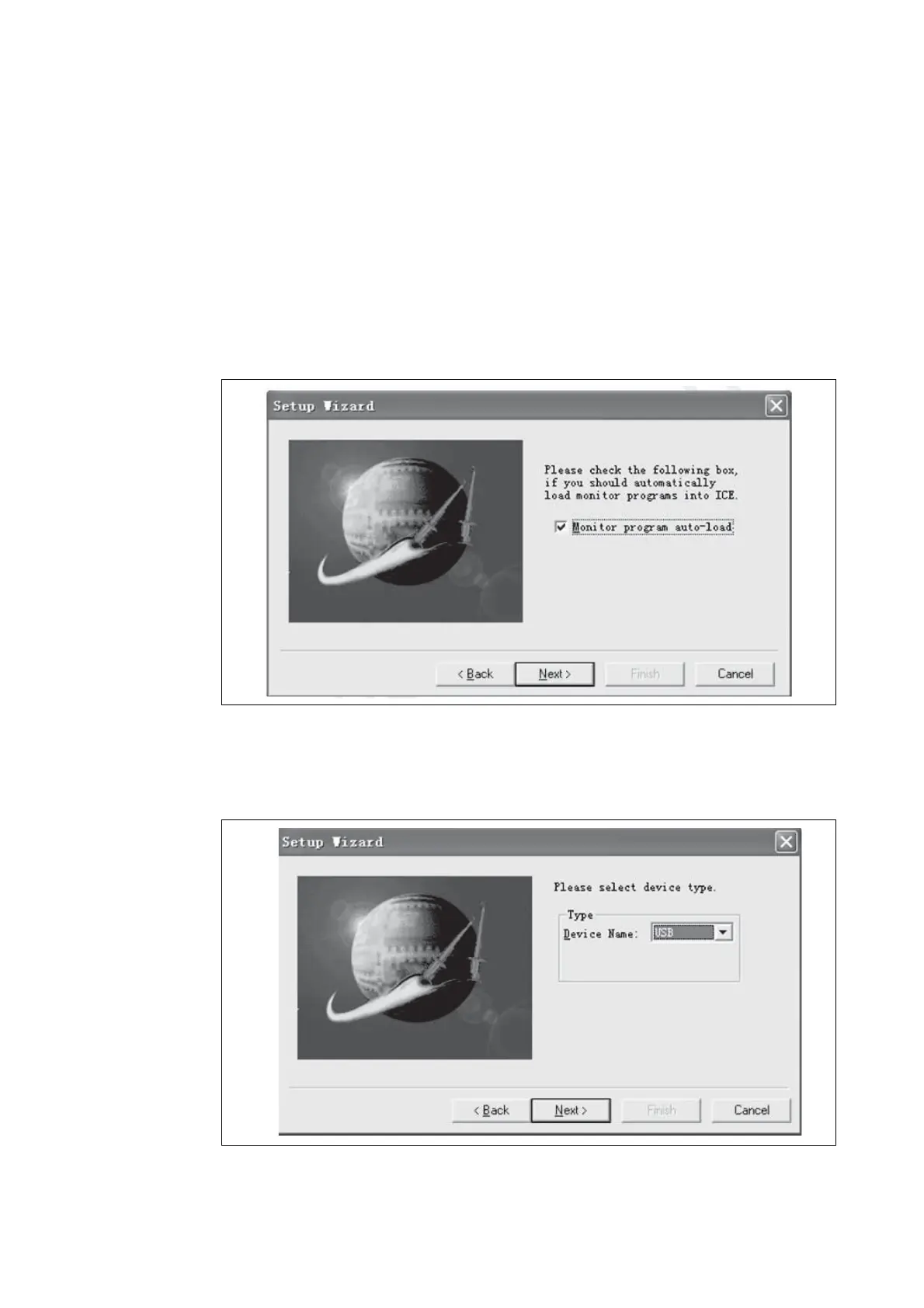
6.1.2 Monitor Program Auto-load
If a user wants to update the internal program code for the BGMA when starting debugging, check
Setup Wizard Dialog Box in Monitor Program Auto-load, as shown in Figure 3.
Figure 3 Monitor Program Auto-load
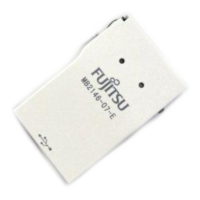
6.1.3 Device Type
Select the device name to USB in Type Field, as shown in Figure 4 below.
Figure 4 Device Type








 To Next Page