11
6.2.2 Set Register
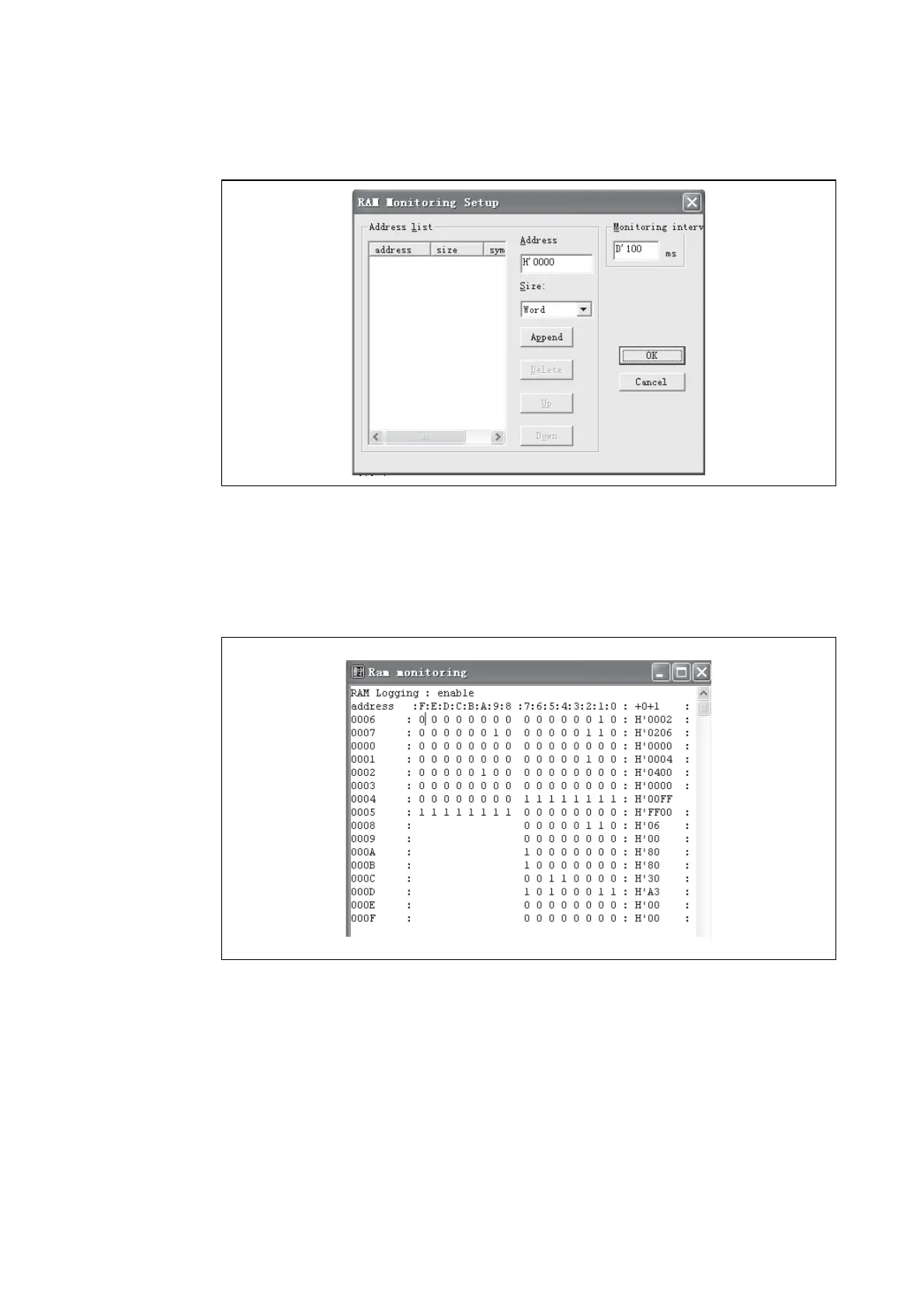
Select Setup from the shortcut menu in Figrue 9, and RAM Monitoring Setup window pops up, as
shown in Figure 10.
Figure 10 RAM Monitoring Setup
Set the RAM to be watched in Address field, and select Word from the Size Drop-down List Box.
When the address and size are selected, a user can click “Append” to confirm this operation and can
select another RAM address. When all RAMs are selected, a user can click “OK” key to ensure those
settings and close the window.
After that, a user can monitor all selected RAMs in RAM Monitoring window, as shown in Figure 11.
Figure 11 RAM Monitoring Status








 To Next Page