CONTENTS
INTRODUCTION
1 NAMES AND FUNCTIONS OF PARTS
2 BASIC SCANNER OPERATIONS
3 SCANNING VARIOUS TYPES OF
DOCUMENTS
4 DAILY CARE
5 REPLACING CONSUMABLES
6 TROUBLESHOOTING
7 DOCUMENT SPECIFICATIONS FOR ADF
8 OPTIONS
9 SCANNER SPECIFICATIONS
Appendix
Appendix 1 Before using "Scan" button and
"Send to" button
Appendix 2 Glossary
Appendix 1 Before using [Scan] button and [Send to] button
1
2
By setting the link of the application software to the [ Scan ] button and [ Send to ] button, you can launch the
linked application by simply pushing the button.
1. Select [ Control panel ] from the [ Start ] menu.
2. Select [ Properties ] from [ Scanner & Cameras ].
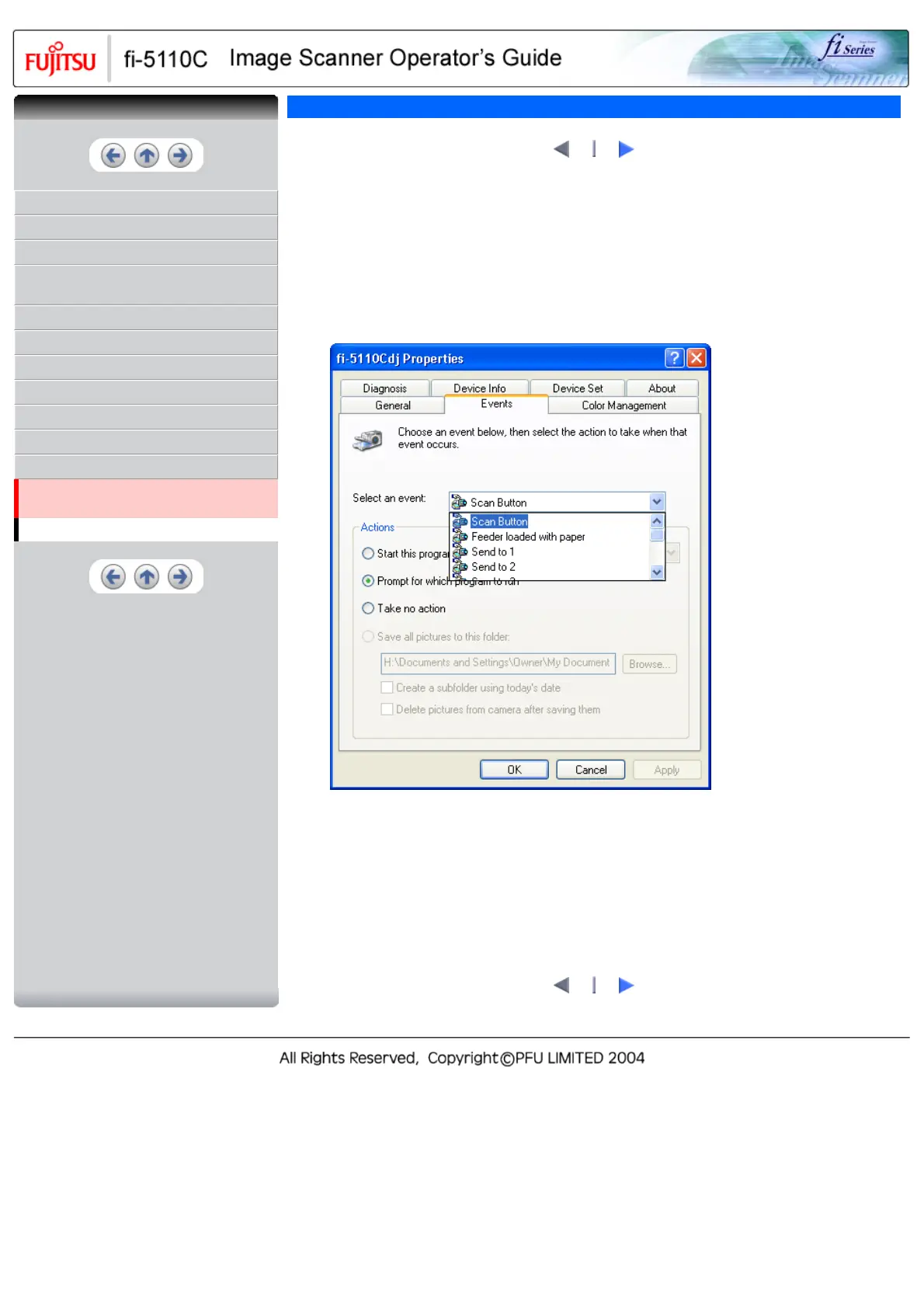
3. Select the [ Event ] tab.
4. Select an event. For Windows XP, select the event to be performed by the application from the
[ Select event ] menu.
With this function, the next events can be selected.
● Scan button (When pressing on [ Scan ] button)
● Feeder loaded with paper (When document are loaded on the ADF)
● Send to 1~9 (When pressing the [ Send to ] button)
1
2
CONTENTS



 To Next Page
 Loading...










