CONTENTS
INTRODUCTION
1 NAMES AND FUNCTIONS OF PARTS
2 BASIC SCANNER OPERATIONS
3 SCANNING VARIOUS TYPES OF
DOCUMENTS
4 DAILY CARE
5 REPLACING CONSUMABLES
5.1 Consumable and Replacement Cycle
5.2 Replacing the Pad ASSY
5.3 Replacing the Pick Roller
6 TROUBLESHOOTING
7 DOCUMENT SPECIFICATIONS FOR ADF
8 OPTIONS
9 SCANNER SPECIFICATIONS
Appendix
5.2 Replacing the Pad ASSY (2)
1
2
6. Reset the Pad Counter.
When turning on the power, check that the scanner is connected to your PC.
Open the [Scanners and Cameras] from the [Control Panel] of your PC.
Open the [Properties] of [fi-5110Cdj] from the [Scanners and Cameras].
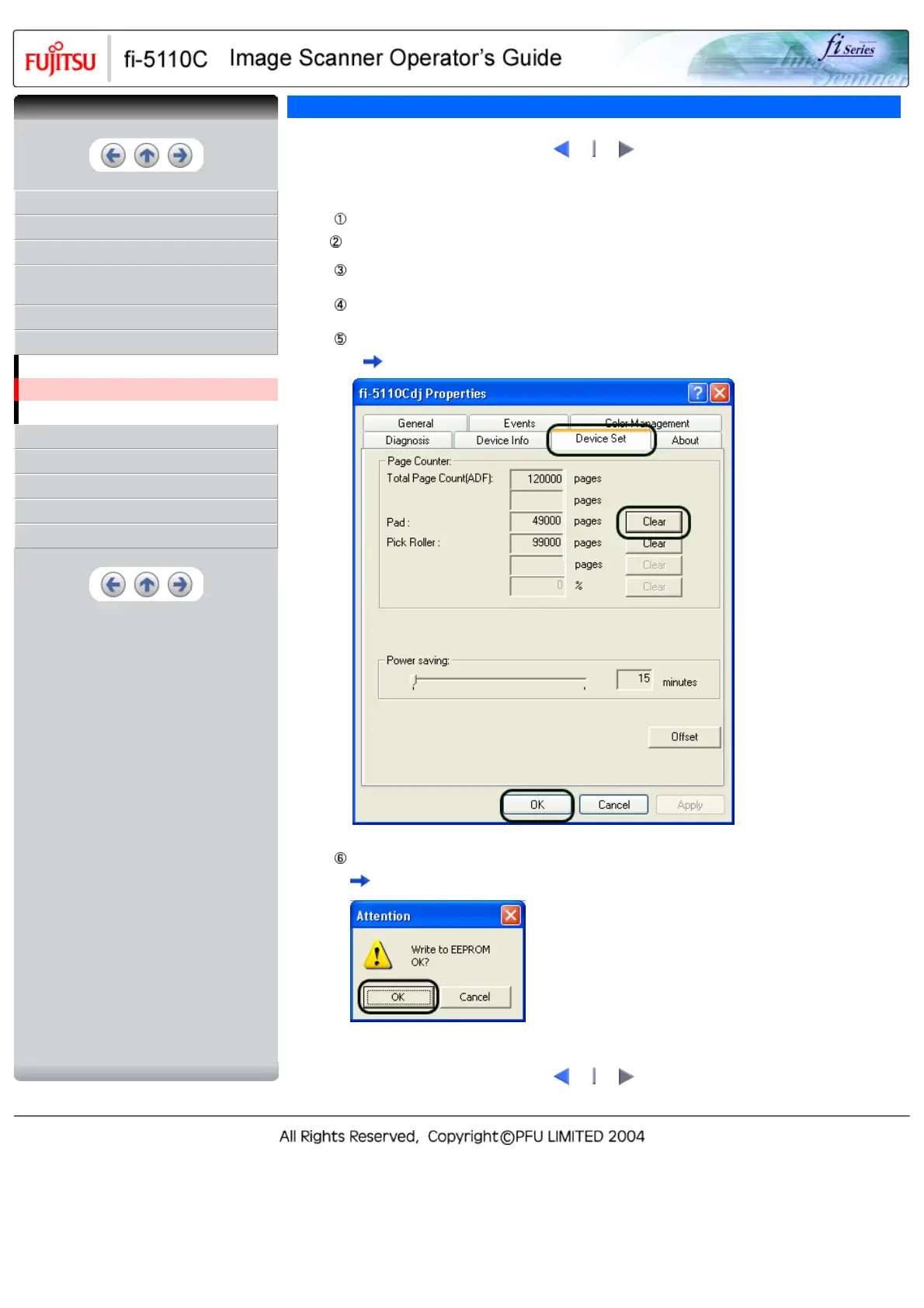
The [fi-5110Cdj Properties] dialogbox appears.
Click the "Device Set" tab.
The following screen is displayed.
After clicking the [Clear] button beside "Pad" in "Page Counter", click the [OK] button.
The following screen is displayed.
Click the [OK] button.
This returns the pad counter to "0".
1
2
CONTENTS



 To Next Page
 Loading...










