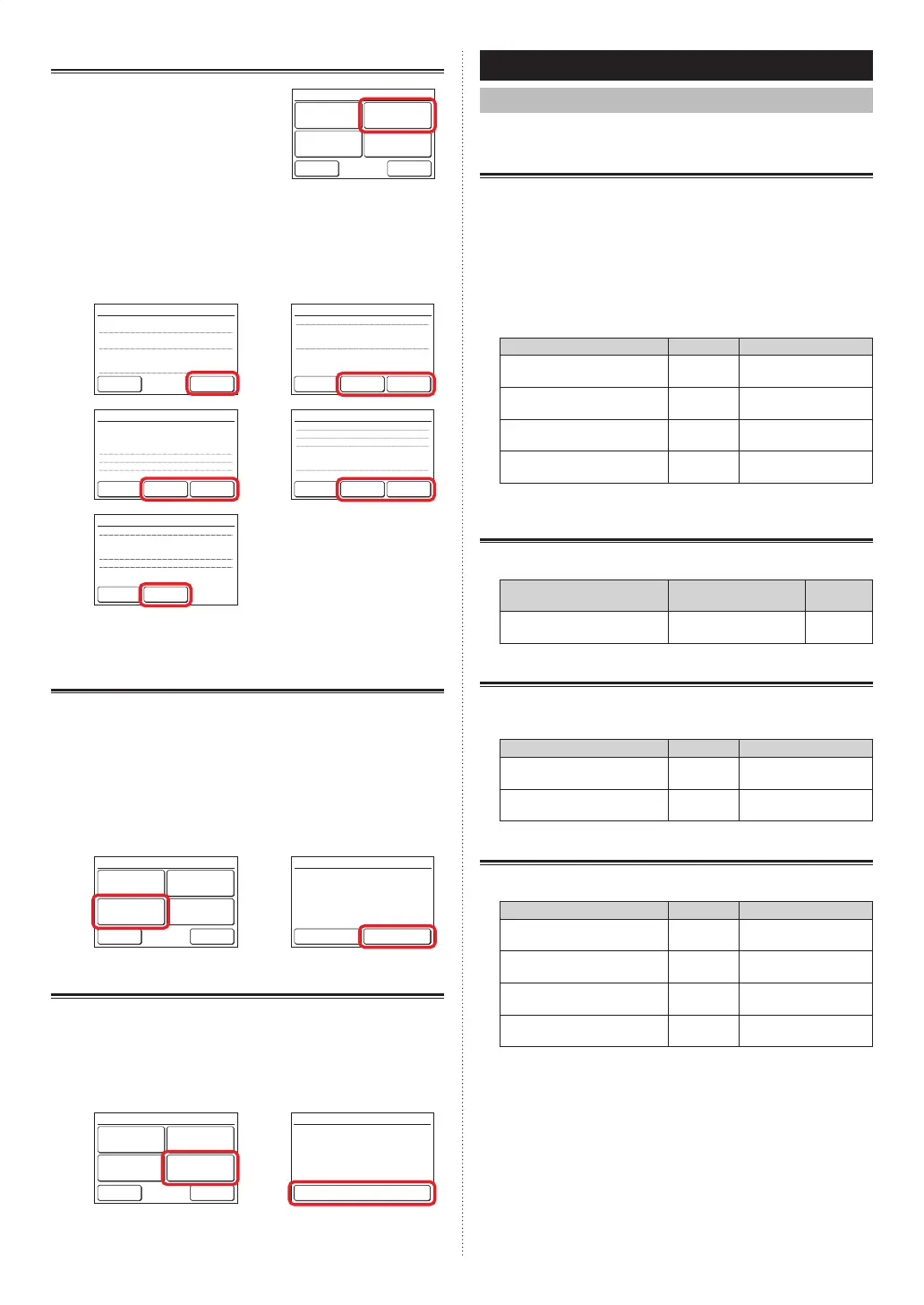
3-10-2 Setting Status List
(1) Touch the [Setting Status List]
on the “Maintenance” screen.
Back
Next
Page
Page 1/ 3
Maintenance
Error History
Setting
Status List
Version
Filter Sign
Reset
(2) “Setting Status List” screen is displayed. The screen
has 5 pages which are switched by touching the [Next
Page] or [Previous Page].
(Items that indoor unit does not support are not dis-
played.)
On Timer
– Operation Start Time
Off Timer
– Operation Stop Time
Auto Off Timer
– Operation Stop Time
– Time Range
[Disable]
[0.5hr]
[Disable]
[0.5hr]
[Disable]
[30min.]
[ – ]
Back
Next
Page
Page 1/ 5
Setting Status List
Weekly Timer
Set Temp. Auto Return
– Cool
– Heat
[Disable]
[Disable]
[60min. / 28.0°c]
[60min. / 23.0°c]
Previous
Page
Back
Next
Page
Page 2/ 5
Setting Status List
Set Temp. Range Setting
– Auto
– Cool/Dry
– Heat
Date Format
Time Format
[Disable]
[18.0°c – 30.0°c]
[18.0°c – 30.0°c]
[10.0°c – 30.0°c]
[Day/Month/Year]
[12:00–11:59
AM/PM
]
Previous
Page
Back
Next
Page
Page 3/ 5
Setting Status List
Summer Time Setting
Temp. Unit Setting
R.C. Sensor Setting
Display Item Setting
– Filter Sign
– Room Temp.
[Disable]
[°C]
[Not Used]
[Visible]
[Invisible]
Previous
Page
Back
Next
Page
Page 4/ 5
Setting Status List
R.C. Master/Slave Setting
Backlight Setting
– Automatic Off Time
– Brightness
Contrast
[Master]
[Enable]
[30s]
[2]
[3]
Previous
Page
Back
Page 5/ 5
Setting Status List
When the [Back] is touched, the display returns to the
“Maintenance” screen.
3-10-3 Filter Sign Reset
(1) Touch the [Filter Sign Reset] on the “Maintenance”
screen.
After the data transmission screen is displayed, the
“Filter Sign Reset” screen is displayed.
(2) When the [OK] is touched, the indoor unit fi lter sign
goes off and the display returns to the “Maintenance”
screen.
(1) (2)
Back
Next
Page
Page 1/ 3
Maintenance
Error History
Setting
Status List
Version
Filter Sign
Reset
Cancel OK
Filter Sign Reset
The filter sign will be reset. OK?
3-10-4 Version
(1) Touch the [Version] on the “Maintenance” screen.
(2) “Version” screen is displayed.
When the [Back] is touched, the display returns to the
“Maintenance” screen.
(1) (2)
Back
Next
Page
Page 1/ 3
Maintenance
Error History
Setting
Status List
Version
Filter Sign
Reset
E000V00P00L00
Version
Back
4 OPERATION TIPS
4-1 Selectable Modes (for VRF system)
There are restrictions on the selectable modes depending on
the system confi guration and operation status.
4-1-1 Heat recovery system
(a) When single indoor unit connected to RB unit
All the modes can be selected.
(b) When a master indoor unit is set in an RB group, only
the mode selected at the master indoor unit* can be
used. (*: “Fan” cannot be selected at the indoor unit
including the master indoor unit .)
(c) When a master indoor unit is not set in the RB Group,
refer to the following table.
Status Selectable Not selectable
Other indoor unit is in cool-
ing operation.
Cool, Dry Auto or Custom Auto,
Heat, Fan
Other indoor unit is in dehu-
midifying operation.
Cool, Dry Auto or Custom Auto,
Heat, Fan
Other indoor unit is in heat-
ing operation.
Heat Auto or Custom Auto,
Cool, Dry, Fan
Other indoor unit is in anti
freeze operation.
Heat Auto or Custom Auto,
Cool, Dry, Fan
4-1-2 When indoor units is connected for cooling
only in heat recovery system
(a) Refer to the following table:
Status Selectable Not se-
lectable
At any time
Auto or Custom Auto,
Cool, Dry, Fan
Heat
4-1-3 RB priority connection in heat recovery system
(a) For indoor units or RB groups by RB priority connec-
tion, refer to the following table:
Status Selectable Not selectable
Cooling priority is set by
external input.
Cool, Dry Auto or Custom Auto,
Heat, Fan
Heating priority is set by
external input.
Heat Auto or Custom Auto,
Cool, Dry, Fan
4-1-4 Heat pump system
(a) Refer to the following table:
Status Selectable Not selectable
Other indoor unit is in cool-
ing operation.
Cool, Dry Auto or Custom Auto,
Heat, Fan
Other indoor unit is in dehu-
midifying operation.
Cool, Dry Auto or Custom Auto,
Heat, Fan
Other indoor unit is in heat-
ing operation.
Heat Auto or Custom Auto,
Cool, Dry, Fan
Other indoor unit is in anti
freeze operation.
Heat Auto or Custom Auto,
Cool, Dry, Fan
(b) When a master indoor unit is set in a refrigerant system,
only the mode selected at the master indoor unit* can
be used. (*: “Fan” cannot be selected at the indoor unit
including the master indoor unit .)
En-24
9373329831-02OMEnUTY-RNRT.indd249373329831-02OMEnUTY-RNRT.indd24 2021/11/1913:23:042021/11/1913:23:04














 To Next Page