EasyManua.ls Logo

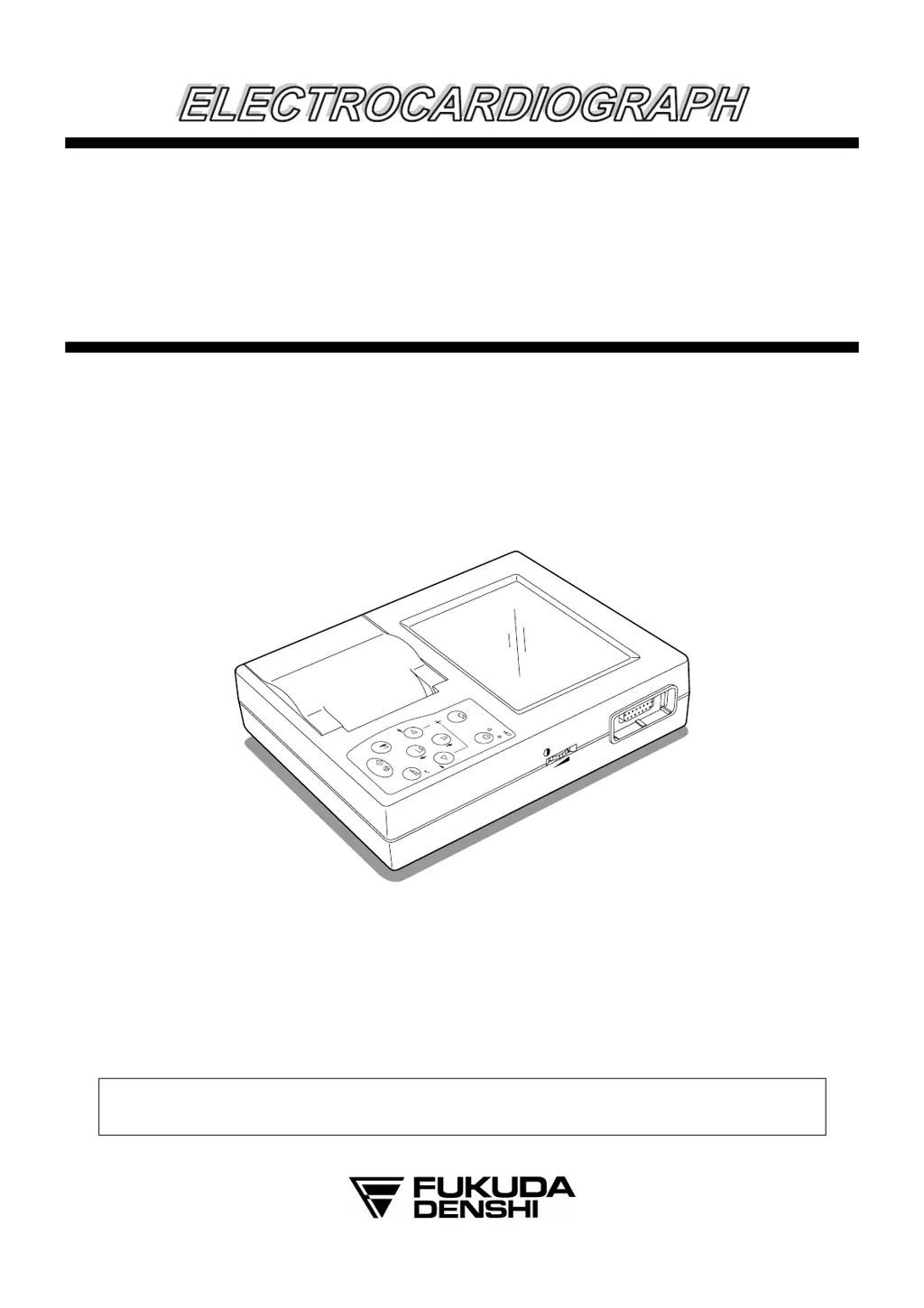
Fukuda Denshi FX-7102 - User Manual

Default Icon
170 pages
Print Icon
To Next Page IconTo Next Page
Loading...
F
F
C
C
P
P
-
-
7
7
1
1
0
0
1
1
/
/
F
F
X
X
-
-
7
7
1
1
0
0
2
2
Service Manual
FCP-7101
Main
Powe r
Charge
M
O
D
E
PO
W
ER
O
F
F
:H
O
L
D
2
s
ec
.
LEAD
1
m
V
RESET
SENSE
START/STOP
ID
ENTER
C
A
N
C
E
L
O
N
/O
FF
(stby)
CONTRAST
Before setting up/maintenance, please read this service manual carefully.
Keep this manual where it can be always referred to.

Table of Contents

Questions and Answers

  • B
    bchenAug 20, 2025
    What to do if Fukuda Denshi Medical Equipment unit doesn't start?
    • S
      Sherri BarnesAug 20, 2025
      If your Fukuda Denshi Medical Equipment unit fails to start, verify that the power cable is properly connected to both the power outlet and the AC adapter, and ensure the DC plug is securely connected to the equipment. If the [Main Power] LED on the operation panel doesn't light up after connecting the DC plug, inspect the KEY cables linking the operation panel and the MAIN BOARD for any breaks. Also, use a voltmeter to check if the F6 fuse is blown. Confirm the presence of +18V, +5V, +3.3V, +1.8V, +3.3VSTB, and +5VSTB at the C100, C311, C312, C317, C314, and C310 terminals of the MAIN BOARD using a voltmeter. Check if the LED of the AC adapter is lit and verify that +18V is present at the DC plug terminal.
  • J
    Joanna MurphyAug 22, 2025
    What to do if Fukuda Denshi FX-7102 Medical Equipment recording paper is not fed?
    • K
      Kevin MackAug 22, 2025
      If the recording paper is not feeding, check that the motor cable is securely connected and undamaged. While recording, verify that a signal is present at P5 pins 1 through 4 on the MAIN BOARD, ensuring the level is not "L" at Q6 and Q7 pins 3. If a signal is present, the motor may be faulty.
  • E
    Eric AdkinsAug 25, 2025
    What to do if Fukuda Denshi FX-7102 LCD does not display?
    • K
      Karla SimonAug 25, 2025
      If the LCD on your Fukuda Denshi Medical Equipment does not display or the display is abnormal, try adjusting the LCD brightness using the contrast control knob. Ensure that the flat cable of the LCD unit and P1 on the KEY • LCD I/F board is securely connected, inserted in the correct direction, and free of cuts or separation. Check the voltage for the main board. Also, verify that LCD control signals FLM, CL1, CL2, and D0-3 are not at fixed H or L levels and that the DISPOFF* signal is at the H level. Check the voltage on P1 pins 12.
  • R
    rebeccapopeAug 26, 2025
    What to do if Fukuda Denshi FX-7102 battery operations are not executed?
    • T
      Tina EricksonAug 26, 2025
      If battery operations are not executing on your Fukuda Denshi Medical Equipment, first ensure the battery pack is securely connected inside the battery compartment. If the device fails shortly after starting operation on battery after a full charge, the battery may be deteriorated and require replacement with a new one. Use a voltmeter to check if the F3 fuse is blown. Also, with a voltmeter, verify that the battery pack voltage, +5V, +3.3V, +1.8V, and +3.3VSTB are present at the C100, C311, C312, C314, and C317 terminals of the MAIN BOARD. When +5V or +3.3V is present, LED4 or LED5 is lit.
  • M
    Michael ReedAug 28, 2025
    Why Fukuda Denshi FX-7102 charge error LED is lit?
    • R
      Randy GonzalezAug 28, 2025
      The charge error LED on the Fukuda Denshi Medical Equipment may light up if the battery voltage is +14.4 V or higher, or if the battery temperature exceeds 70°C. Detach the battery from the equipment and check if the battery is excessively hot.
  • A
    Amanda BallAug 30, 2025
    What to do if Fukuda Denshi FX-7102 Medical Equipment is not detecting paper?
    • P
      phartAug 30, 2025
      If your Fukuda Denshi Medical Equipment does not detect the mark on z-fold paper, the end of paper, or always displays a "No recording paper" warning, first check if the recording paper is set at roll paper. Then, verify that the mark sensor area is free of any foreign matter and that the sensor is securely attached. Ensure the sensor cable is securely connected, not broken, and the soldering of connector P6 on the MAIN BOARD is free of defects. Confirm that 2kHz rectangular waves are input to P6 pin 4; if not, IC8 or IC20 may be faulty. When the magazine is closed and a non-mark area of the recording paper is aligned with the sensor, check if the waveform from IC16 pin 7 is 2 kHz. If this signal isn't detected, inspect the mark sensor and mark drive signals.
  • A
    Anthony NelsonSep 3, 2025
    How to fix date/time changes on Fukuda Denshi Medical Equipment?
    • A
      Andrew JacksonSep 3, 2025
      To address date/time changes on your Fukuda Denshi Medical Equipment, check that the voltage of the lithium battery (BT1) is +2V or higher and that the battery is properly mounted to the MAIN BOARD. Also, verify that RTCCE, RTCDATA, and RTCCLK signals on the IC13 do not become fixed at H or L each time the date/time is changed in the program settings.
  • T
    Timothy VasquezSep 5, 2025
    What to do if Fukuda Denshi FX-7102 cannot perform key operations?
    • L
      Laura CarterSep 5, 2025
      If you cannot perform key operations on the Fukuda Denshi Medical Equipment, check that the KEY cable is connected to P2 and the KEY BOARD and that the parts around P2 are properly mounted. Ensure that the signal corresponding to the key pressed is at “L” level.
  • M
    Monique WillisSep 7, 2025
    Why Fukuda Denshi Medical Equipment battery is nearly uncharged after charging?
    • J
      Joseph SimmonsSep 7, 2025
      The number of charge and discharge cycles of battery is about 300 although it depends on the particular operating environment. The duration in hours after charging shortens as the number of discharges increases. If the battery cannot hardly be charged, replace it.
  • N
    Nicole GutierrezSep 9, 2025
    Why Fukuda Denshi FX-7102 buzzer would not sound?
    • K
      Kristin BranchSep 9, 2025
      If the buzzer on your Fukuda Denshi Medical Equipment does not sound, first check the program settings to ensure that the buzzer is not set to OFF or the volume is not set to an extremely low setting. Verify that the buzzer (Y1) is properly mounted to the MAIN BOARD. Use an oscilloscope to observe the potential at IC8 pin 103 while the buzzer is sounding to confirm it is not a fixed potential.

Summary

Notice and Safety Information

Safety Guidelines and Symbols

Explains graphic symbols used in the manual for safe operation.

Servicing Precautions

Advises on safety measures and proper procedures for servicing.

Chapter 1 Component Names and Functions

Chapter 2 Troubleshooting Guide

Power Supply and Voltage Issues

Addresses problems related to power supply voltages and ECG AMP supply.

General Problem Diagnosis Steps

Provides guidance for identifying and fixing common operational issues.

Specific Functional Troubleshooting

Details troubleshooting steps for various specific functional failures.

Chapter 3 Maintenance Procedures

Software Update and Diagnostics Guide

Details software update procedure and self-diagnostic test functions.

Chapter 4 Disassembly Instructions

Chapter 5 Electric Circuit Diagrams

Chapter 8 Assembly Diagrams and Parts

Chapter 9 EMC Technical Instructions

Fukuda Denshi FX-7102 Specifications

General IconGeneral
ECG3-lead ECG
RespirationYes
SpO2Yes
NIBPYes
IBPNo
CO2No
Power SupplyAC power and battery
WeightApprox. 3.5 kg (without battery)
ParametersECG, SpO2, NIBP

Related product manuals