ENGLISH
Use & Care Manual
27
Sabbath Mode Instruction
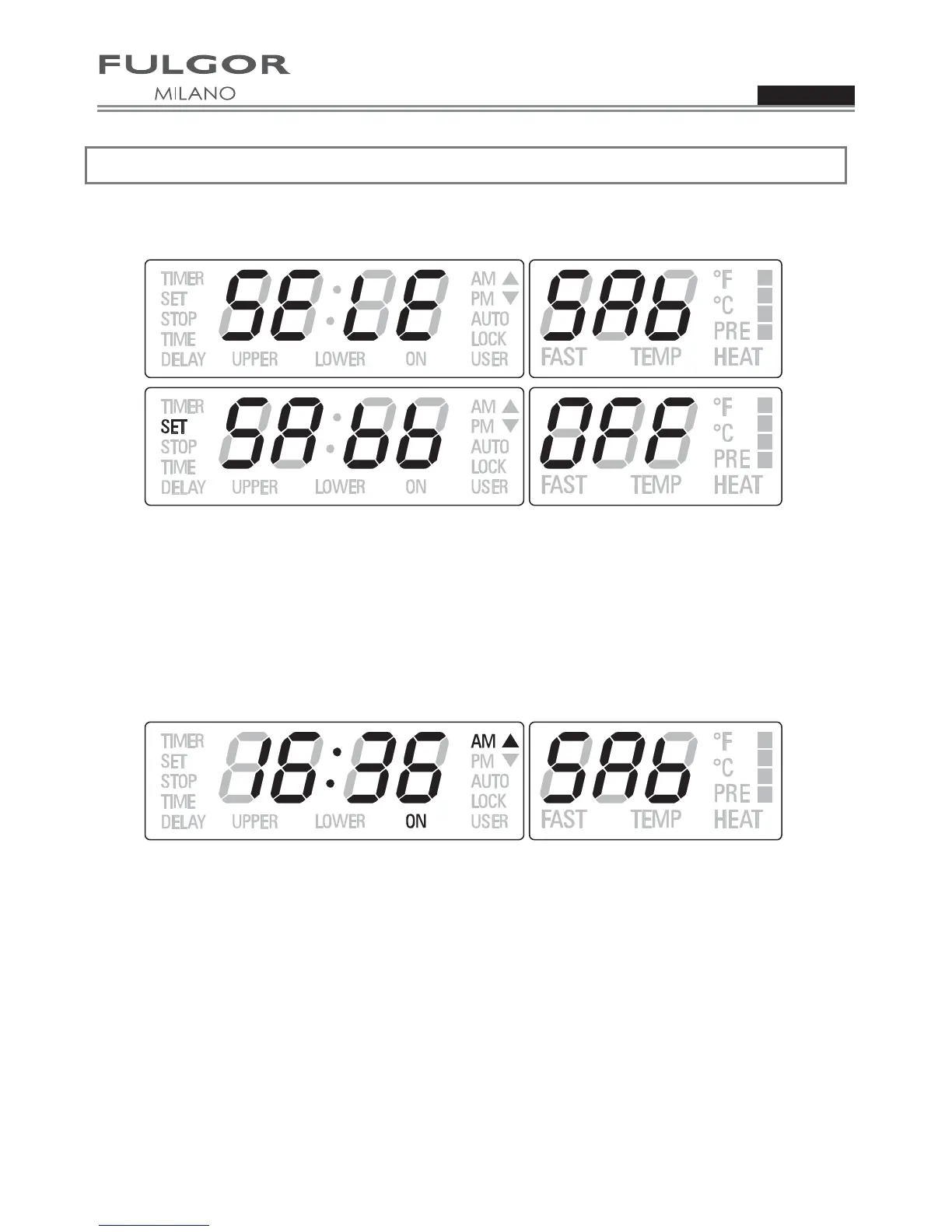
x Enter the user option menu holding [OPTIONS] and [TIME] keys for 3 seconds. Scroll the option list
(dEG, OFS, Hr, Sab), shown by the red temperature module, by pressing [INC]/[DEC], until Sabbath item
is found.
x Touch [OPTIONS] to enter edit mode: the selected item switches to the green digits on the left and its status
in the red digits field starts blinking.
x Touch again [INC]/[DEC] keys to set Sabbath mode ON or OFF
(Default=OFF). Touch [OPTIONS] to confirm
and come back to the option list. Hold [OPTIONS] key for 3 seconds to quit the selection menu and go back
to normal operations.
x Once Sabbath mode is set, only BAKE and OFF positions are available in the cooking mode selector. Move
the selector to BAKE then set the temperature to the desired value within 5 minutes.
x After 5 minutes, the temperature cannot be shown any more and the display appears as below: Sabbath
mode is active.
x Oven lights status cannot be changed during Sabbath time.
x Oven temperature can only be lowered but no information can be displayed.
x The cooling fan must run in Sabbath mode.
x Preheat lights are inhibited during Sabbath mode.
x The buzzer must always be silent, regardless of any fault, end of activity, etc.
x The meat probe can never be used in Sabbath mode.
x Maximum allowed cooking time must be 72 hours.
x The user is allowed to stop the oven manually, also during Sabbath, moving the cooking mode selector to
OFF position.
x Heating elements cycling must not depend on the door switch status. Opening or closing the door must not
switch the relays directly.



 To Next Page