EasyManua.ls Logo

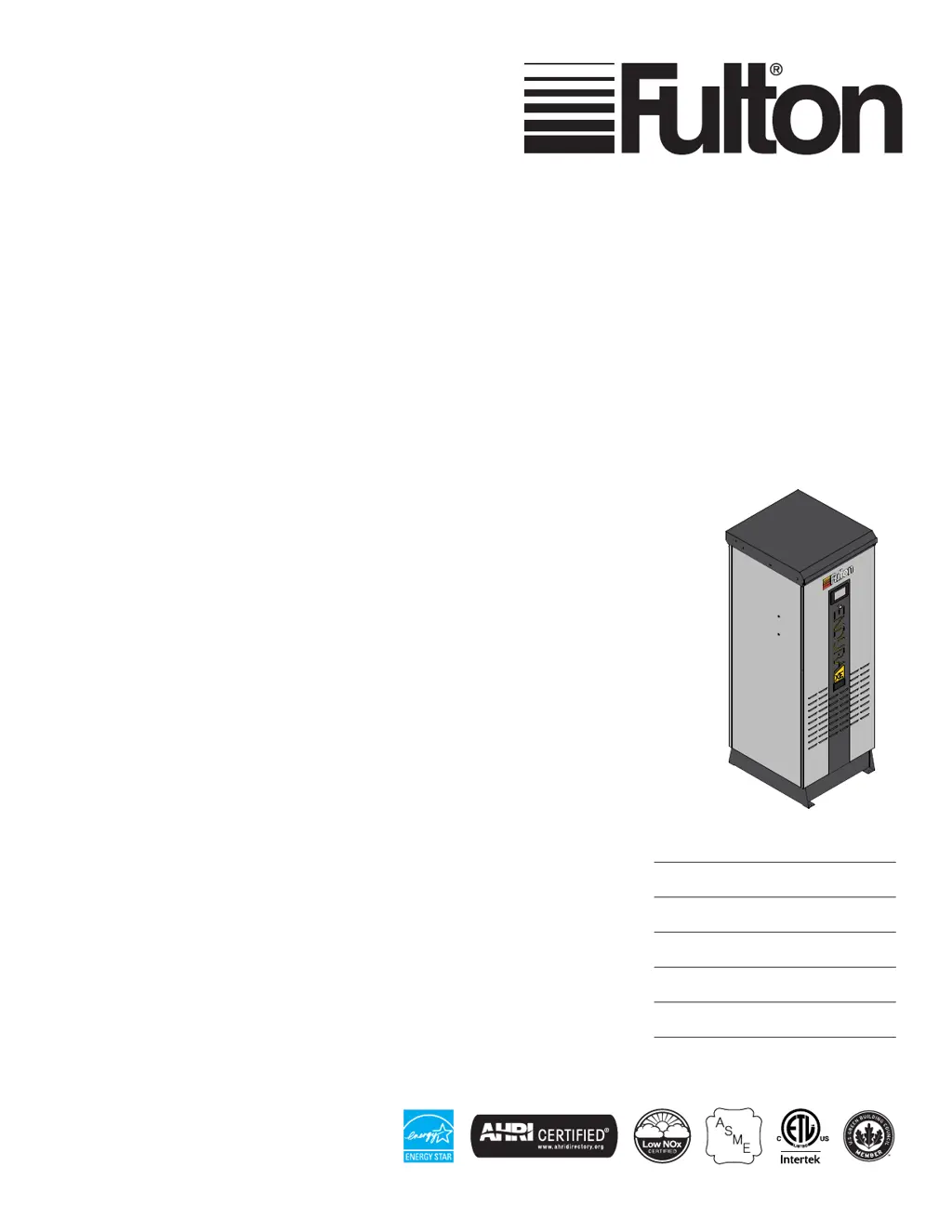
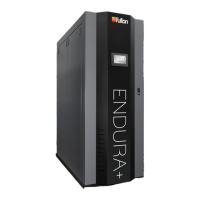
FULTON Endura XE - User Manual

FULTON Endura XE
100 pages
Print Icon
To Next Page IconTo Next Page
Loading...
INSTALLATION,
OPERATION AND
MAINTENANCE MANUAL
Endura XE (EXE)
Condensing Hydronic Boilers
399,000 - 750,000 BTU/HR
Featuring PURE Control™
Serial/ National
Board Number
Model
Fulton Order
Owner
Site Name
Date
EXE-IOM-230112

Questions and Answers

  • T
    Tammy MeyerAug 15, 2025
    How to troubleshoot a FULTON Boiler with no power and the control panel doesn't illuminate?
    • B
      Brian HernandezAug 15, 2025
      If your FULTON Boiler has no power or the control does not illuminate, check the fusing and replace as needed. Cycle the power to the boiler. Measure the incoming voltage to the boiler to ensure it meets the 120VAC requirements. Verify the control power supply voltage. Ensure all power plugs are securely fastened to control devices. Check that the display mounting clips are not over-tightened. Verify the wiring between the terminal blocks, power supplies, and control devices.
  • P
    Phillip ThompsonAug 18, 2025
    What to do if I get errors during a program update on my FULTON Endura XE Boiler?
    • J
      Jeffrey CooperAug 18, 2025
      To resolve errors during a program update on your FULTON Boiler, refer to Section 4, 'Downloading A Program to The PLC,' of the PURE Controls Addendum for program update details. Ensure you're using a 4GB or larger flash drive formatted to FAT32. If a 'Version Mismatch: UniLogic/UniStream Firmware' screen appears, continue with the update as outlined in Section 4 of the PURE Controls Addendum. If problems persist, contact Fulton technical support.
  • G
    gsmithAug 21, 2025
    What does 'No SD Card Error' mean on my FULTON Endura XE and how do I fix it?
    • N
      Nathan BrownAug 21, 2025
      To fix a 'No SD Card Error' on your FULTON Boiler, install or replace the microSD card with one that has a capacity of 4GB or larger. For more information, refer to the Installation and Operation Manual Pure Control™ Addendum regarding microSD cards.
  • T
    Tammy HunterAug 27, 2025
    Why is my FULTON Endura XE excessively cycling?
    • B
      Brad RamosAug 27, 2025
      If your FULTON Boiler is excessively cycling, first, consult Fulton technical support to ensure the latest software version is installed on the PURE Control. Then, verify the boiler is set for automatic operation. Check the temperature setpoint and on/off hysteresis settings at each boiler; a tighter hysteresis band increases cycling, so relax (increase) this band to reduce it. Confirm the PID settings are appropriate for the boiler application, noting the different settings for Local and Lead/Lag operation, ensuring they match on each boiler. If a Building Automation system commands the temperature setpoint, ensure any changes are infrequent and slowly stepped in small increments/decrements, as rapid changes can cause short cycling.
  • V
    vmillerSep 2, 2025
    How to fix a FULTON Endura XE when the blower does not start unless power cycled?
    • K
      Kevin StevensonSep 2, 2025
      If the blower in your FULTON Boiler doesn't start unless power is cycled, it's likely due to a manual lockout from an ambient air overtemperature condition. To reset the blower, cycle the power to the boiler. To prevent future lockouts, ensure the room temperature and the temperature inside the boiler cabinet do not exceed 104°F (40°C).
  • N
    Nicholas YoderSep 5, 2025
    What does it mean when my FULTON Boiler displays a CPU error?
    • T
      timothy90Sep 5, 2025
      If the display shows a CPU Error on your FULTON Boiler, verify all modules clipped into the back of the display are completely and securely fastened. If the issue persists, replace the CPU module and/or the display.
  • B
    Blake LewisSep 8, 2025
    Why are the temperatures not displaying properly on my FULTON Endura XE Boiler?
    • K
      Kelli KennedySep 8, 2025
      If your FULTON Boiler is not displaying temperatures properly, try resetting retained tags and reloading user defaults. If you recently updated the software, ensure you installed the correct software type for your boiler model and hardware. Also, verify the wiring to and from the appropriate devices. If the problem continues, replace the sensor with a known working sensor to rule out a failed sensor.
  • K
    Katie JacksonSep 12, 2025
    How to stop burner harmonic or resonance in my FULTON Boiler?
    • G
      Gabriella StevensonSep 12, 2025
      To address burner harmonic or resonance in your FULTON Boiler, verify combustion at all operating points. Also, inspect the burner and clean it according to the maintenance instructions if it is dirty.
  • E
    Elizabeth GoldenNov 23, 2025
    Why does my FULTON Endura XE experience nuisance manual reset high temperature limit lockouts?
    • C
      Catherine CobbNov 23, 2025
      To prevent nuisance manual reset high temperature limit lockouts in your FULTON Boiler, first, check the Manual Reset High Limit (MRHL) setting, ensuring it's higher than the temperature setpoint plus the hysteresis value (the default is 210°F). Also, check the supply temperature setpoint in the boiler control or Building Management System. A setpoint close to the MRHL setting increases the likelihood of a lockout. Additionally, verify balancing valves are properly commissioned. For modular boiler plants, ensure piping is reverse return. If not, install and commission balancing valves to ensure equal water flow to each boiler. Confirm the boiler receives enough flow for the hydronic fluid type and desired delta-T. Flow rate can be approximated by calculation by observing the delta-T across...
  • L
    lopezshaneDec 1, 2025
    What to do if my FULTON Endura XE has a main flame failure?
    • J
      Jacob DavisDec 1, 2025
      If your FULTON Boiler experiences a main flame failure, verify combustion parameters at all combustion points and adjust as needed. Ensure sufficient supply gas pressure within the data plate requirements, with no more than a 15% drop between static and dynamic pressure. Verify manifold gas pressure meets requirements, referencing the factory Test Fire Report. Inspect and clean the burner per maintenance instructions if dirty. Check flame rod wiring and operation, replacing if necessary. Measure draft pressure at the flue gas exhaust outlet during idle, trial for ignition, low fire, and high fire, ensuring it's within specified limits. Inspect the combustion air intake and flue gas exhaust terminations for obstructions like ice, snow, or debris, and ensure they aren't subjected to high win...

Summary

Introduction

Overview of Factory Inspections

Details factory inspections performed to ensure quality standards for the boilers.

Warnings and Cautions

Explains the critical importance of adhering to all warnings and cautions in the manual.

Disclaimers and Local Codes

Covers conformance requirements to national, state, local codes, and ASME standards.

Installation Procedures

Product Overview

Introduces the Fulton Endura XE hot water boiler and its features.

Placement and Rigging Guidelines

Provides essential guidelines for the proper placement and rigging of the boiler.

Clearances and Serviceability

Specifies required clearances for safe operation and maintenance access.

Water Piping Installation

Details requirements for installing hydronic system water piping.

Variable Primary Piping Arrangement

Explains the variable primary flow piping arrangement for increased thermal efficiency.

Primary-Secondary Piping Arrangement

Describes the primary-secondary piping arrangement for decoupling boiler and system loops.

Water Chemistry Requirements

Specifies system water chemistry standards for optimal boiler performance and longevity.

Prevent Oxygen Contamination

Methods to prevent boiler water oxygen contamination.

Eliminate System Air

Highlights the importance of air elimination in hydronic systems.

Fill the Boiler With Water

Procedure for filling and purging the heating system with water.

Gas Supply Piping Installation

Provides guidelines for field gas piping installation according to codes.

Install Condensate Drain Trap

Instructions for installing a condensate drain trap for flue gas condensate.

Install pH Neutralizer

Details on installing a pH neutralizer for boiler condensate.

Venting Requirements

General requirements for flue gas exhaust and combustion air venting systems.

Combustion Air Intake

Guidelines for proper installation of combustion air intake.

Combustion Air Supply From the Boiler Room

Instructions for supplying combustion air from the boiler room.

Combustion Air Ducted from the Outdoors

Procedures for ducting combustion air directly from the outdoors.

Flue Gas Exhaust Venting

Requirements for flue gas exhaust venting materials and installation.

Common Flue Gas Venting Layouts

Guidance on common venting layouts for multiple boilers.

Common Venting Exhaust Backflow Prevention

Methods to prevent exhaust backflow in common venting systems.

Venting Terminations

Guidelines for proper venting termination types and locations.

Wall Thimble Installation

Instructions for installing wall thimbles for vent penetrations.

Roof Vent Termination

Procedures for terminating vents on the roof.

Side Wall Vent Termination

Guidelines for terminating vents through sidewalls.

Removing an Existing Boiler

Steps for safely removing an existing boiler from a common venting system.

Assembly of Fulton Multi-Skid Systems

Instructions for assembling multi-skid engineered systems.

Electrical Connections and Devices

Information on electrical connections, wiring, and components.

Locations for Field Wiring

Identifies designated locations for routing field wiring.

Electrical and Controls Options

Overview of available electrical and control options for system integration.

LEAD;LAG Integrated Sequencing Wiring

Details on wiring for integrated lead/lag sequencing capabilities.

Supply Header Temperature Sensor Installation

Instructions for installing the supply header temperature sensor.

Outdoor Air Temperature Sensor Kit Installation

Guidance on installing the outdoor air temperature sensor kit.

Domestic Hot Water (DHW) Temperature Sensor

Information on installing the DHW temperature sensor for indirect heating.

Motorized Isolation Valve Control

Details on controlling motorized isolation valves for system flow.

Auxiliary Safety Interlock for External Device

Instructions for connecting external safety interlocks.

System Pump Control

How the boiler controller manages system pumps.

Dedicated Boiler Pump Control

Information on controlling dedicated boiler pumps.

Alternate Communication Protocol Gateway

Setup for BACnet and Modbus communication gateways.

Remote Boiler Enable;Disable

How to remotely enable or disable individual boilers.

Remote Analog Setpoint

Procedure for setting remote analog setpoints.

General Alarm Contact

Details on the general alarm contact for annunciation.

Auxiliary (2 nd) Low Water Cut Off

Installation of an auxiliary low water cut-off device.

Emergency Stop (E-STOP)

Instructions for connecting an emergency stop switch.

Operation and Control

Pre-Start-Up Inspection

Essential checks to perform before starting the boiler.

Fill and Purge the System

Procedure for filling and purging the hydronic heating system.

Commission the Boiler

Steps for commissioning the boiler, including verification and documentation.

System Design and Boiler Operation

Considerations for system design and optimal boiler operation.

Adjusting and Verifying Combustion

Procedure for adjusting and verifying combustion for efficiency and reliability.

Lighting the Burner and Setting Combustion

Steps for lighting the burner and setting initial combustion parameters.

Using the PURE Control Interface

Guide to navigating and using the boiler's PURE Control touchscreen interface.

PURE Control Menu Screens Overview

Overview of the various menu screens within the PURE Control system.

Boiler Menu Functions

Details on accessing and using the 'Boiler' category functions.

Status Display

Summarizes detailed operating information and sensor status for the boiler.

Demand Indicators

Explains demand indicators (green/red circles) for safety circuits.

Control Modes

Information on Automatic and Manual control modes for the burner.

Operational History

Provides historical data like run hours, cycles, and estimated efficiency.

Alarm History

Chronological list of alarms for troubleshooting.

Circulation Pump Control

Details on controlling primary, secondary, and DHW pumps.

Lead;Lag Configuration

Steps for configuring integrated multiple boiler sequencing.

Communication Status

View the status of lead/lag network communication.

Universal Data Sharing

Allows boilers to share sensor data over the Ethernet/IP network.

PID Control Settings

Details on Proportional Integral Derivative control for burner modulation.

PID Overrides

Information on overrides like Low Fire Hold and freeze protection.

Temperature Control

Maintaining supply water temperature based on setpoint.

Setpoint Source Selection

Allows selection of various setpoint sources like BMS or Outdoor Reset.

Outdoor Reset Functionality

Calculates loop temperature setpoint based on outdoor air conditions.

Scheduling System

Configure occupied and unoccupied setpoints for temperature control.

System Configuration

Used for saving (backup) and loading program settings.

Sensor Status and Calibration

Overview of sensor status and configuration for calibration.

User Configuration and Access

Setting an administrator password to prevent unauthorized access.

Testing Safety Devices

Procedures for testing various safety devices.

Perform Test of Limit Controls

Tests the high limit control by temporarily lowering its setpoint.

Perform Test of Low Gas Pressure Switch

Tests the low gas pressure switch functionality.

Perform Test of High Gas Pressure Switch

Tests the high gas pressure switch functionality.

Perform Test of Low Water Cut Off

Tests the low water cut-off safety device.

Maintenance Procedures

General Maintenance Information

General guidelines for maintaining boiler safety and efficiency.

Tool List for Maintenance

List of tools and supplies required for routine maintenance.

Daily Inspection Schedule

Daily checks to ensure proper operating temperature and conditions.

Weekly Inspection Schedule

Weekly checks focusing on flame conditions and fuel/air adjustment.

Monthly Inspection Schedule

Monthly checks including testing controls and flue gas temperature.

Replacing or Updating the Boiler Control

Instructions for updating boiler control software or firmware.

Annual Maintenance Schedule

Comprehensive annual tasks required for warranty and performance.

Removing and Cleaning Burner Assembly

Procedure for disassembling, cleaning, and reassembling the burner.

Removing and Cleaning Flame Rod

Steps for removing, cleaning, and replacing the flame rod.

Verification of Ignition Electrode Gap

Procedure for verifying and setting the ignition electrode gap.

After All Repairs and Maintenance

Steps to perform after completing repairs and maintenance.

Parts Diagrams

Visual representation of boiler components and parts.

Troubleshooting Guide

Table of common problems, causes, and checks for troubleshooting.

Service Documents

Pre-Commissioning Installation Checklist

Checklist for contractors to complete before boiler commissioning.

Installation and Operation Start-Up Report

Report for factory-authorized technicians to document start-up procedures.

Annual Maintenance Checklist

Checklist for factory-authorized technicians to complete annually.

Notes Section

Blank section for recording notes and observations.

FULTON Endura XE Specifications

General IconGeneral
TypeCondensing
Fuel TypeNatural Gas or Propane
ModulationUp to 10:1
Heat Exchanger MaterialStainless Steel
ModelEndura XE
CategoryBoiler
Operating Pressure160 psi

Related product manuals