Questions? Please Contact Your Local Manufacturer’s Representative
3-23
SECTION 3 EDR-SOLA-IOM-2022-0216 OPERATION
! WARNING
All information in this manual is for
reference and guidance purposes,
and does not substitute for required
professional training, conduct,
and strict adherence to applicable
jurisdictional/professional codes and
regulations.
Non-Fulton product information is for
reference purposes only. No Fulton
document may substitute for full
review of documentation available
from the component manufacturer.
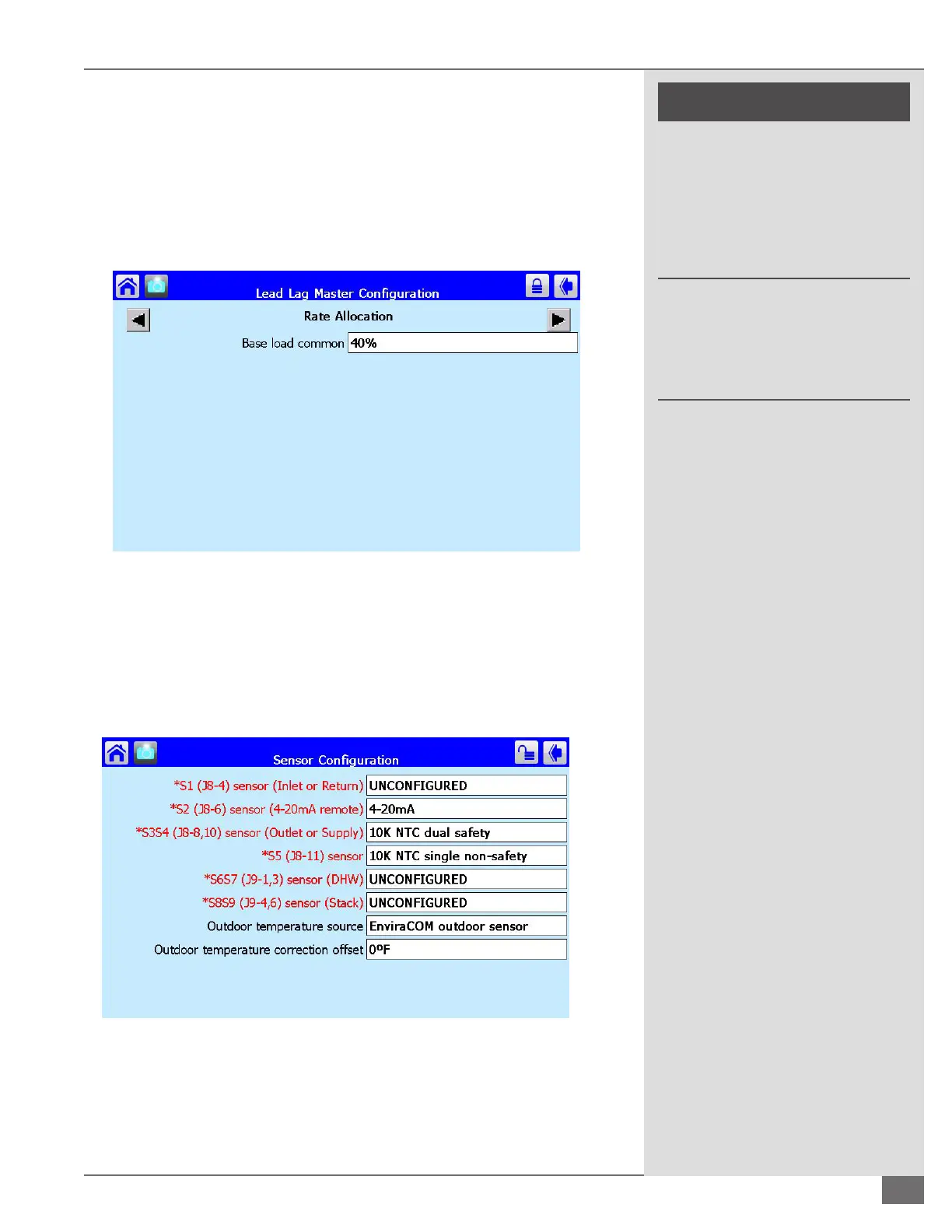
From the Lead Lag Master Conguration screen Select the box labeled Advanced
Settings in the bottom right hand corner. Use the left and right arrows to scroll
to the screen labeled rate allocation. The Factory default setting for base load
common is 40%.
Rate Allocation (Figure 57): Minimum percentage of fan RPMs a boiler will
operate. All boilers in the lead lag boiler plant have to be ring prior to any
boiler operating above 40% fan speed.
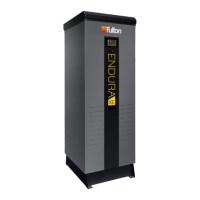
Domestic Hot Water (DHW) Temperature Sensor
From the boiler status screen select conguration. Scroll to and select Sensor
conguration (Figure 58). The row labeled “ *S6S7 (J9-1,3) Sensor (DHW) must be
set to 10K NTC dual safety.
For a lead lag boiler plant the DHW conguration must be done through the
master lead lag conguration advanced settings. From the conguration screen
scroll to and select Lead Lag Master Conguration. Select the box in the bottom
right hand corner labeled “advanced settings”. Using the left and right arrow
FIGURE 58 DHW SENSOR CONFIGURATION
FIGURE 57 RATE ALLOCATION





 To Next Page