© Fulton Group N.A., Inc. 2022
3-24
OPERATION EDR-SOLA-IOM-2022-0216 SECTION 3
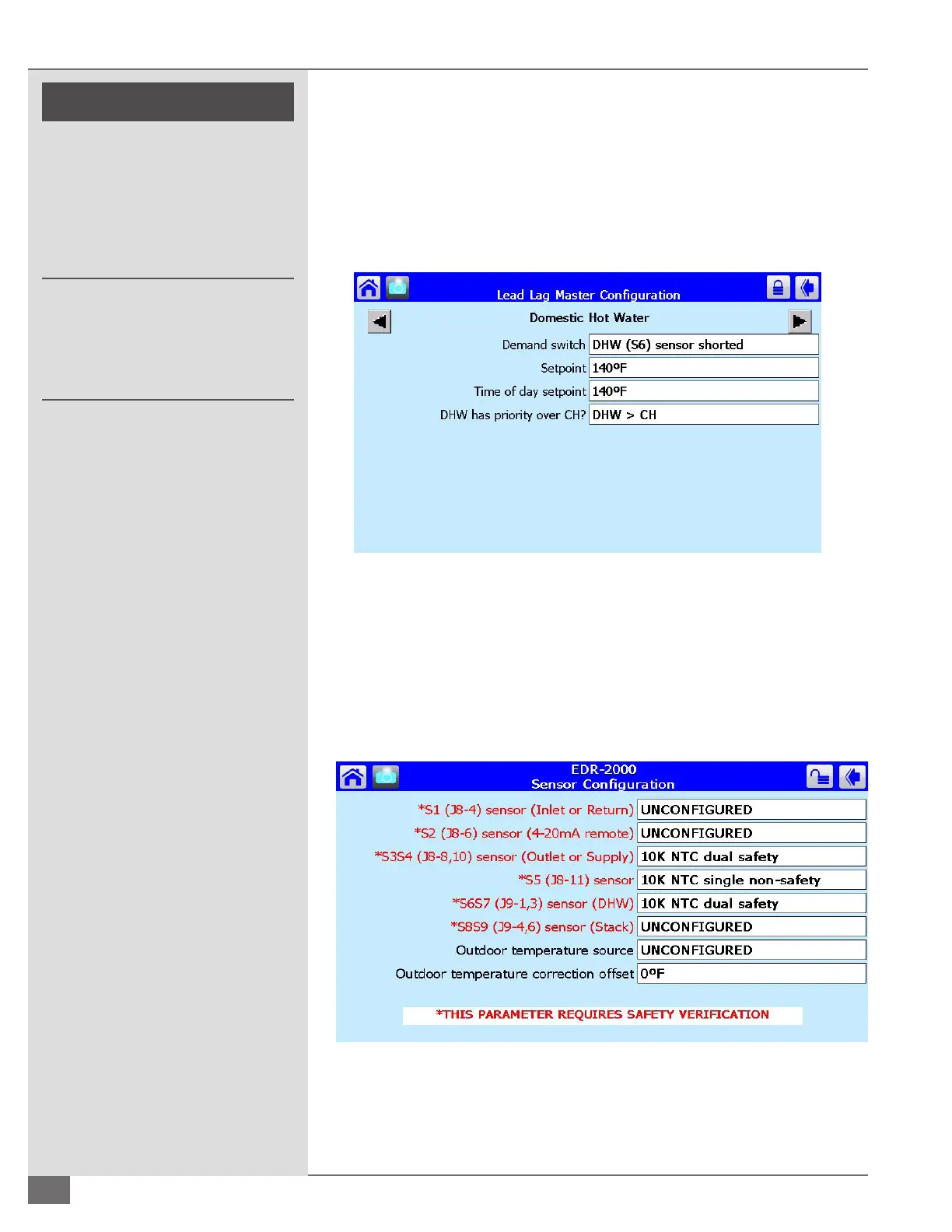
keys scroll to the screen labeled Domestic Hot Water. The row labeled Demand
switch needs to be set to DHW (S6). If it is desired to have the domestic hot water
demand take priority over the central heat demand the priority must be set in
the bottom row. See Figure 59.
For a standalone boiler the Domestic Hot water settings must be congured
through the domestic hot water conguration screen found on the conguration
screen menu.
Remote 4-20 mA Signal for Setpoint
Remote 4-20 mA setpoint is to be congured on the master boiler only or on a
standalone boiler application. To congure a remote 4-20 mA signal for setpoint
start at the boiler status screen. Select congure and scroll to and select the
sensor conguration. The row labeled “*S2 (J8-6) Sensor (4-20mA remote)” needs
to be set on 4-20mA as shown in Figure 60.
FIGURE 59 LEAD LAG MASTER CONFIGURATION DHW
FIGURE 60 REMOTE 420MA SENSOR CONFIGURATION
! WARNING
All information in this manual is for
reference and guidance purposes,
and does not substitute for required
professional training, conduct,
and strict adherence to applicable
jurisdictional/professional codes and
regulations.
Non-Fulton product information is for
reference purposes only. No Fulton
document may substitute for full
review of documentation available
from the component manufacturer.





 To Next Page