EasyManua.ls Logo

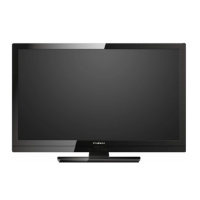
FUNAI 39FW702 - User Manual

FUNAI 39FW702
28 pages
Print Icon
To Next Page IconTo Next Page
Loading...
39FW702
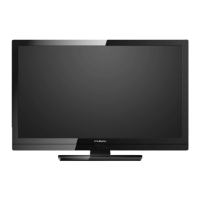
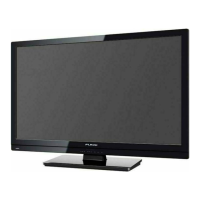
98cm(38.6 inch) 1080p LCD HD Television
INDEX
SAFETY INFORMATION...................................... 2
SUPPLIED ACCESSORIES ................................. 3
INSTALLING THE BATTERIES ........................... 3
ATTACHING THE BASE...................................... 4
MOUNTING THE UNIT ON YOUR FURNITURE
.... 4
SET-UP FOR ANTENNA...................................... 5
SET-UP FOR AC PLUG ....................................... 5
TURN ON THE UNIT ............................................ 6
AUTO TUNING ..................................................... 6
SELECTING A CHANNEL ................................... 7
ADJUSTING THE VOLUME................................. 7
HOOK-UP FOR HDMI .......................................... 8
HOOK-UP FOR PC............................................... 8
HOOK-UP FOR YPbPr ......................................... 9
HOOK-UP FOR COMPOSITE .............................. 9
HOOK-UP FOR COAXIAL ................................. 10
HOOK-UP FOR HEADPHONE........................... 10
UNIT INFORMATION ......................................... 11
OPERATIONS .................................................... 13
Watching a TV Programme ............................. 13
Favorite ........................................................... 13
Sleep Timer ..................................................... 13
Switching the Input Mode ................................ 13
Picture Format................................................. 13
Playback Mode................................................ 14
DETAIL SETTINGS ............................................ 18
Channel Settings ............................................. 18
Screen Settings ............................................... 19
Picture Adjustment .......................................... 19
Sound Adjustment ........................................... 20
Timer Settings ................................................. 20
Setup Adjustment ............................................ 21
OTHER INFORMATION ..................................... 22
Trademark Information .................................... 22
Cabinet Cleaning............................................. 22
Panel Cleaning ................................................ 22
Servicing.......................................................... 22
TROUBLESHOOTING GUIDE ........................... 23
SPECIFICATIONS .............................................. 24
MULTIMEDIA FORMAT ..................................... 26
Funai India Pvt Ltd
Toll free telephone : 1-800-419-6708
Email ID : customer.care@funai-india.com
Website : www.funai-india.com

Questions and Answers

  • D
    Dr. Jeffrey HallSep 7, 2025
    Why is the sound poor on my FUNAI 39FW702 LCD TV, but the picture is OK?
    • N
      Nathan AndersonSep 7, 2025
      If your FUNAI LCD TV has a picture that is OK, but the sound is poor, consider the following: * Try tuning to another channel to exclude poor channel reception. * Check for local interference.
  • B
    Brent Pierce MDAug 22, 2025
    What to do if my FUNAI 39FW702 has no picture or sound?
    • S
      Scott WatsonAug 22, 2025
      If your FUNAI LCD TV shows no picture or sound, try the following: * Try another channel to rule out poor channel reception. * Ensure the unit is plugged in and that there is power at the outlet. * Verify that the unit's power is on. * Check if the antenna is correctly connected to the terminal on the back. * If using an outside antenna, inspect it for broken wires. * As a last resort, unplug the AC power cord, wait a minute, then plug it back in and turn the unit on again.
  • T
    Travis HoweSep 4, 2025
    What causes bars on my FUNAI 39FW702 LCD TV screen?
    • S
      Susan AvilaSep 4, 2025
      If you notice bars on your FUNAI LCD TV screen: * If you're using an outside antenna, check for any broken wires. * Also, check for any local interference that might be causing the issue.
  • W
    wbarkerSep 3, 2025
    Why is there no color on my FUNAI 39FW702?
    • J
      jessicawaltonSep 3, 2025
      If there's no color on your FUNAI LCD TV, consider the following: * Try another channel to rule out a channel-specific issue. * Ensure the antenna is securely connected to the terminal on the back of the unit. * If using an outside antenna, check for broken wires. * Adjust the Color control.
  • J
    Jason RamirezSep 2, 2025
    Why are there ghosts in the picture on my FUNAI 39FW702?
    • A
      Annette RodriguezSep 2, 2025
      If you are experiencing ghosts in the picture on your FUNAI LCD TV, consider the following: * Try tuning to another channel to exclude poor channel reception. * Check the antenna connection to the terminal on the back of the unit. * If you're using an outside antenna, inspect it for any broken wires. * Check for any local interference.
  • P
    Patrick HurleyAug 31, 2025
    Why does the picture roll vertically on my FUNAI LCD TV?
    • B
      Brandon BenjaminSep 1, 2025
      If your FUNAI LCD TV picture rolls vertically, here are some things to try: * Try another channel to see if the issue is specific to the channel. * If using an outside antenna, check for broken wires. * Check for local interference.
  • U
    umartinezAug 30, 2025
    Why are there lines or streaks in the picture on my FUNAI LCD TV?
    • P
      powellstephenAug 30, 2025
      If you see lines or streaks in the picture on your FUNAI LCD TV, try these steps: * Switch to another channel to see if the problem is specific to one channel. * If you are using an outside antenna, check for any broken wires. * Check for any local sources of interference.
  • D
    David GardnerAug 29, 2025
    How to improve poor reception on some channels on my FUNAI 39FW702 LCD TV?
    • D
      Daniel ParkAug 29, 2025
      To address poor reception on some channels on your FUNAI LCD TV: * Try tuning to another channel to rule out a reception problem with the current channel. * Check the antenna connection to the terminal on the back of the unit. * If you're using an outside antenna, inspect it for any broken wires. * Check for any local interference that might be affecting reception.
  • R
    Roberto WareAug 27, 2025
    Why is the picture distorted on my FUNAI LCD TV?
    • B
      brittanyryanAug 27, 2025
      If your FUNAI LCD TV picture is distorted, consider the following: * Try another channel, as the issue might be poor channel reception. * If using an outside antenna, check for broken wires. * Be aware that a surrounding temperature that is too low may cause picture distortion.
  • D
    danielshawAug 27, 2025
    Why is the picture on my FUNAI 39FW702 LCD TV so weak?
    • M
      Maria SmithAug 27, 2025
      If the picture on your FUNAI LCD TV is weak, consider the following: * Try changing to another channel in case the issue is poor channel reception. * Ensure the antenna is properly connected to the terminal on the back of the TV. * If using an outside antenna, check for any broken wires. * Adjust the Contrast and Brightness controls. * Be aware that a surrounding temperature that is too low may affect picture quality.

Summary

SAFETY AND RECYCLING INFORMATION

CONNECTION GUIDES

Setting Up Antenna Connection

How to connect an antenna for receiving TV signals.

Connecting the AC Power Plug

Guide on how to connect the TV to a power outlet.

INITIAL POWER-ON AND TUNING

Turning On the Television Unit

Instructions for powering on the TV for the first time.

Automatic Channel Tuning Process

Steps for automatically scanning and setting up TV channels.

BASIC CHANNEL AND VOLUME CONTROL

Selecting TV Channels

Methods for choosing and changing TV channels.

Adjusting Audio Volume

How to increase, decrease, or mute the TV's volume.

VIDEO INPUT CONNECTIONS

HDMI Connection Guide

How to connect devices using the HDMI port for high-quality video.

PC Connection Setup (VGA)

Instructions for connecting a computer via VGA and audio ports.

ANALOG VIDEO INPUTS

AUDIO AND HEADPHONE OUTPUTS

UNIT INFORMATION AND REMOTE CONTROL

Remote Control Button Functions

Detailed explanations of each button on the remote control and their uses.

CONNECTIVITY PORTS OVERVIEW

CORE OPERATIONS GUIDE

Watching TV and Adjusting Volume

How to select channels, adjust volume, and use mute.

Favorite Channels and Sleep Timer

Setting and managing favorite channels and sleep timer.

Input Mode and Picture Format

Switching input sources and selecting picture display modes.

MEDIA PLAYBACK - PHOTO FEATURES

MEDIA PLAYBACK - MUSIC FEATURES

MEDIA PLAYBACK - VIDEO FEATURES

DETAIL SETTINGS - CHANNEL MANAGEMENT

Automatic Channel Tuning Process

Steps for automatic channel scanning and setup.

DETAIL SETTINGS - PICTURE AND SCREEN

Picture Mode and Manual Adjustments

Selecting picture modes and adjusting contrast, brightness, color, etc.

DETAIL SETTINGS - SOUND AND TIMER

Sound Mode and Equalizer Settings

Adjusting sound modes, treble, bass, and balance.

DETAIL SETTINGS - SYSTEM CONFIGURATION

Software Update via USB

Procedure for updating TV software using a USB flash drive.

TROUBLESHOOTING GUIDE

Picture Quality Troubleshooting

Remedies for distorted, rolling, weak, or lined pictures.

Sound and Integrated Issues

Troubleshooting sound problems or combined picture/sound faults.

FUNAI 39FW702 Specifications

General IconGeneral
Screen Size39 inches
Display TypeLCD
HDMI Ports3
USB Ports1
Aspect Ratio16:9
Refresh Rate60 Hz
Resolution1920 x 1080
InputsHDMI, Composite
Sound Output10W x 2

Related product manuals