FUNcube Dongle Copyright 2011 Page 18 of 23
5.4 Doppler Correction
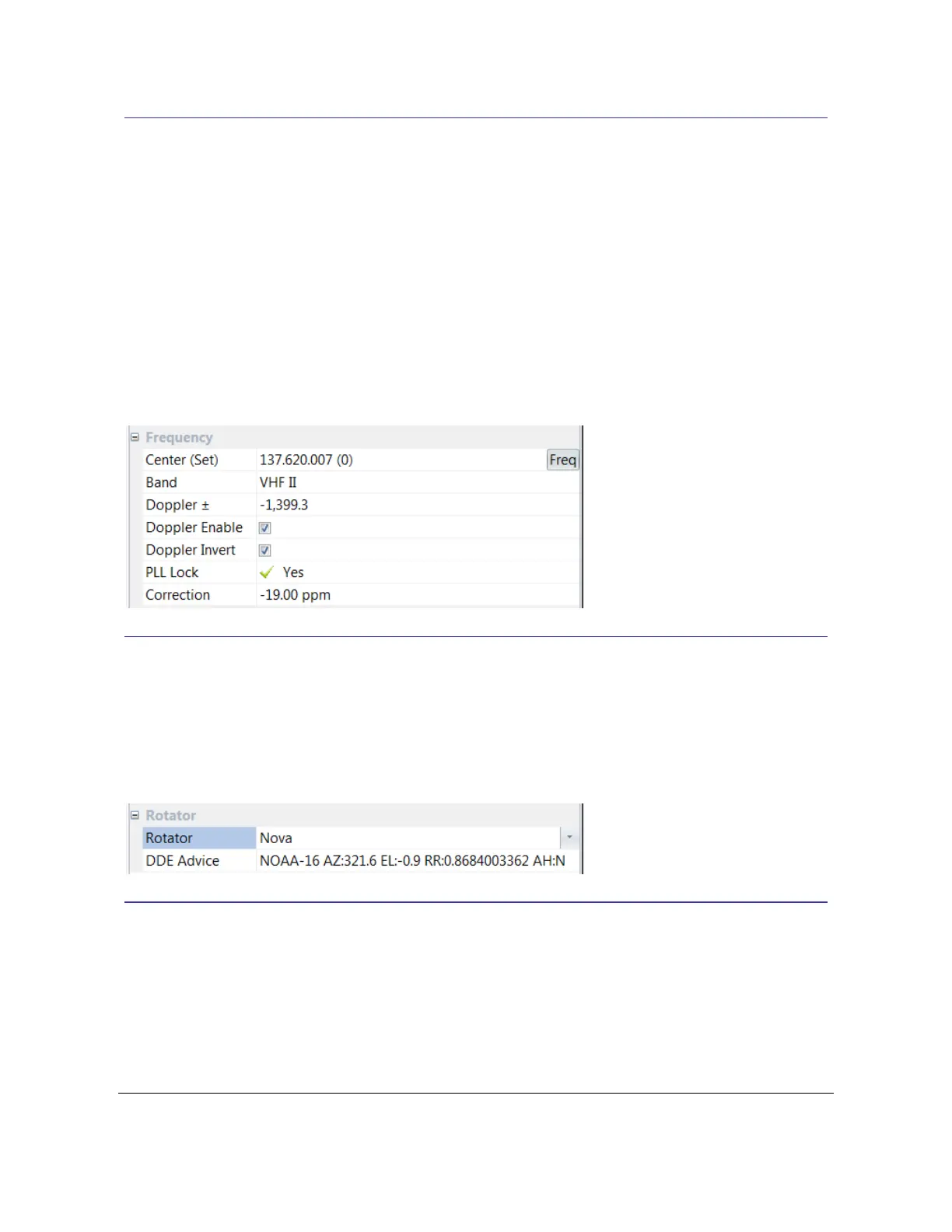
To apply Doppler correction for the current satellite:
1. Make sure the correct center frequency is selected,
2. Check Doppler Enable,
3. Check Doppler Invert (required because Swap IQ is selected when starting the
soundcard).
The current Doppler offset is shown in the Doppler ± field. When the satellite is visible this value
is updated twenty times per second. As a satellite passes overhead the rate of change of this
correction can be very high – higher than you could compensate for with manual tuning.
5.5 Rotators
The console interfaces with third-party programs which in turn connect to your rotator. The
interface used is known as Dynamic Data Exchange (DDE).
In the FUNcube Dongle pane select the required format or None if rotator support is not needed.
5.6 Announcements
Enable Text-To-Speech announcements to avoid missing interesting passes!
From the Options dropdown in the FUNcube Dongle pane make sure Pass Announcements is
Enabled for AOS and LOS (Acquisition of Signal and Loss of Signal).



 To Next Page