15
Installation
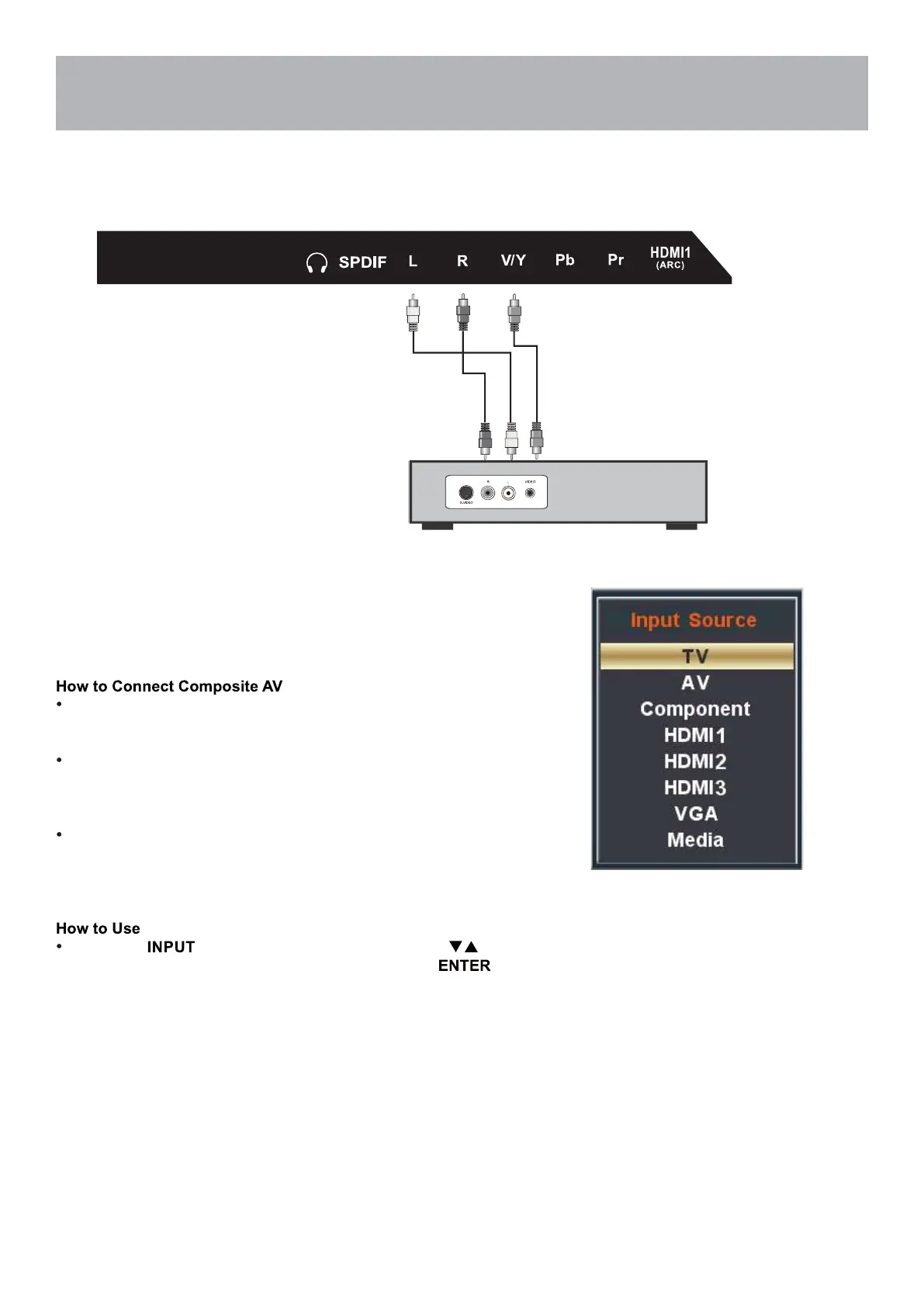
Connection to Composite Input
Connecting External Equipment to AV Composite IN on your
television
For GOOD video performance
Connect to external equipment using optional video and audio cables.
Composite output jacks are available on most set top cable / satel-
lite boxes and DVD players. (HDMI and Component connections are
recommended for the best performance.)
When connecting external equipment to your television, match the
colors of the connecting jacks (Video: Yellow Audio: White & Red).
Connect the yellow video cable from the video output jack on your
external A / V equipment (i.e.: DVD player, set top box) to AV input
on the TV’s panel.
Connect the white / red audio cables for sound from the audio (L /
R) output jacks on your external equipment ( i.e.: DVD Player, set
top box) to the AV (L / R) jacks on the TV’s panel.
Press the button on the remote control. Use arrow
buttons to highlight the input to view (AV) then press .
Audio Video Cable (not included)
Digital set top box, gaming console or DVD



 To Next Page