2. BASIC OPERATION
2-4
2.4 Displays
2.4.1 Choosing the display mode
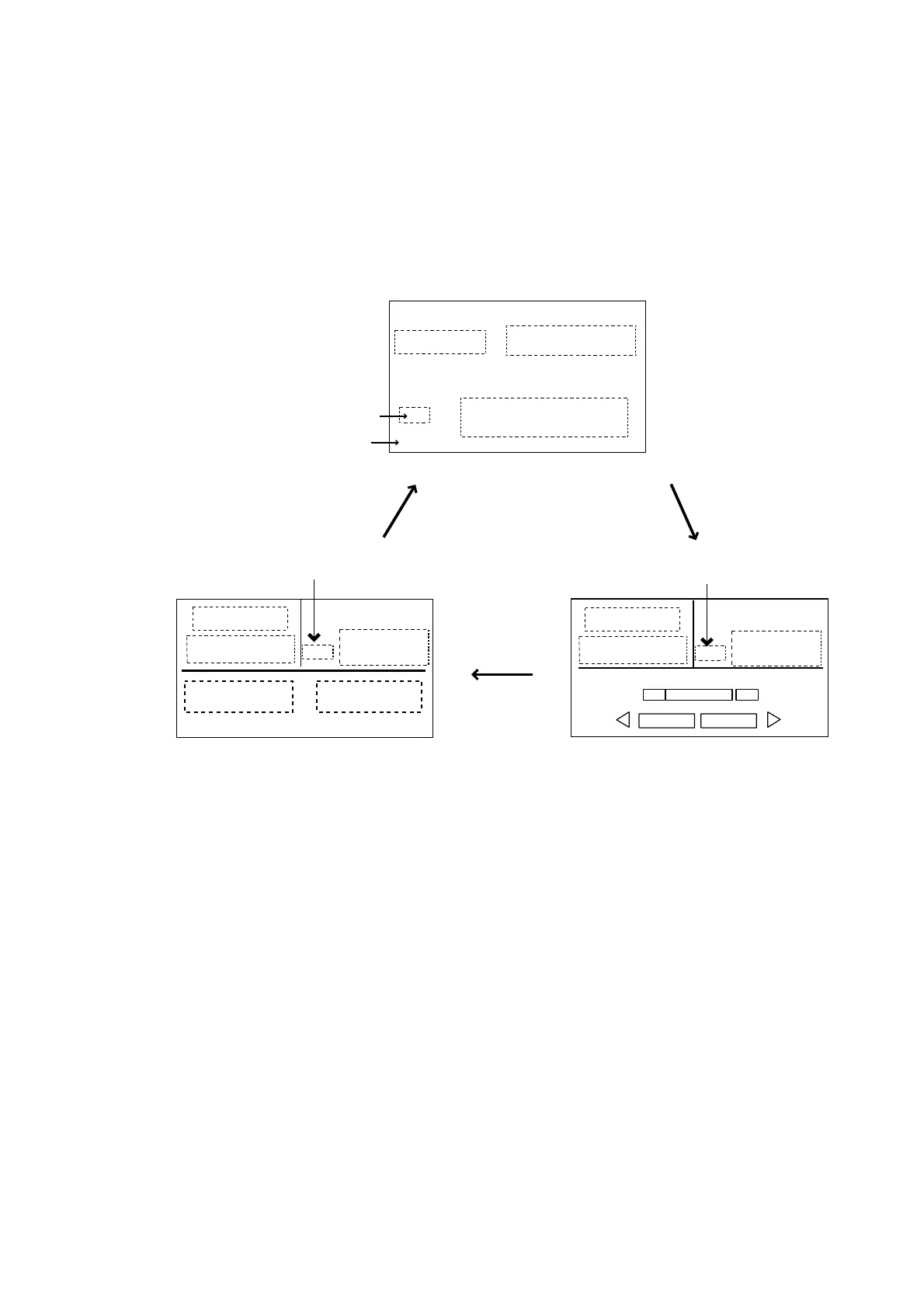
There are three types of displays: Normal display 1, Normal display 2, and Data
display.
To choose a display mode, press a mode key (AUTO, NAV, STBY). Each time a
mode key is pressed the display changes in the sequence shown below.
HDG
(Mode)
(Course)
(Heading)
Heading mode
HDG
(Mode)
(Course)
(Heading)
Heading mode
P
S
(Data)
(Normal display 1)
(Normal display 2)
Heading mode
(Data 2)*
(Data display)
HDG
(Mode)
(Course)
(Heading)
(Data 1)*
*: One or two data can be selected
to be shown at the installing.
For detail, see the Installation manual.
[1]
[2]
[3]
Page No.
Displays



 To Next Page