3. STEERING MODE
3-11
5. Rotate the course control knob to select "◄ORBIT" or "ORBIT►", and then
press it.
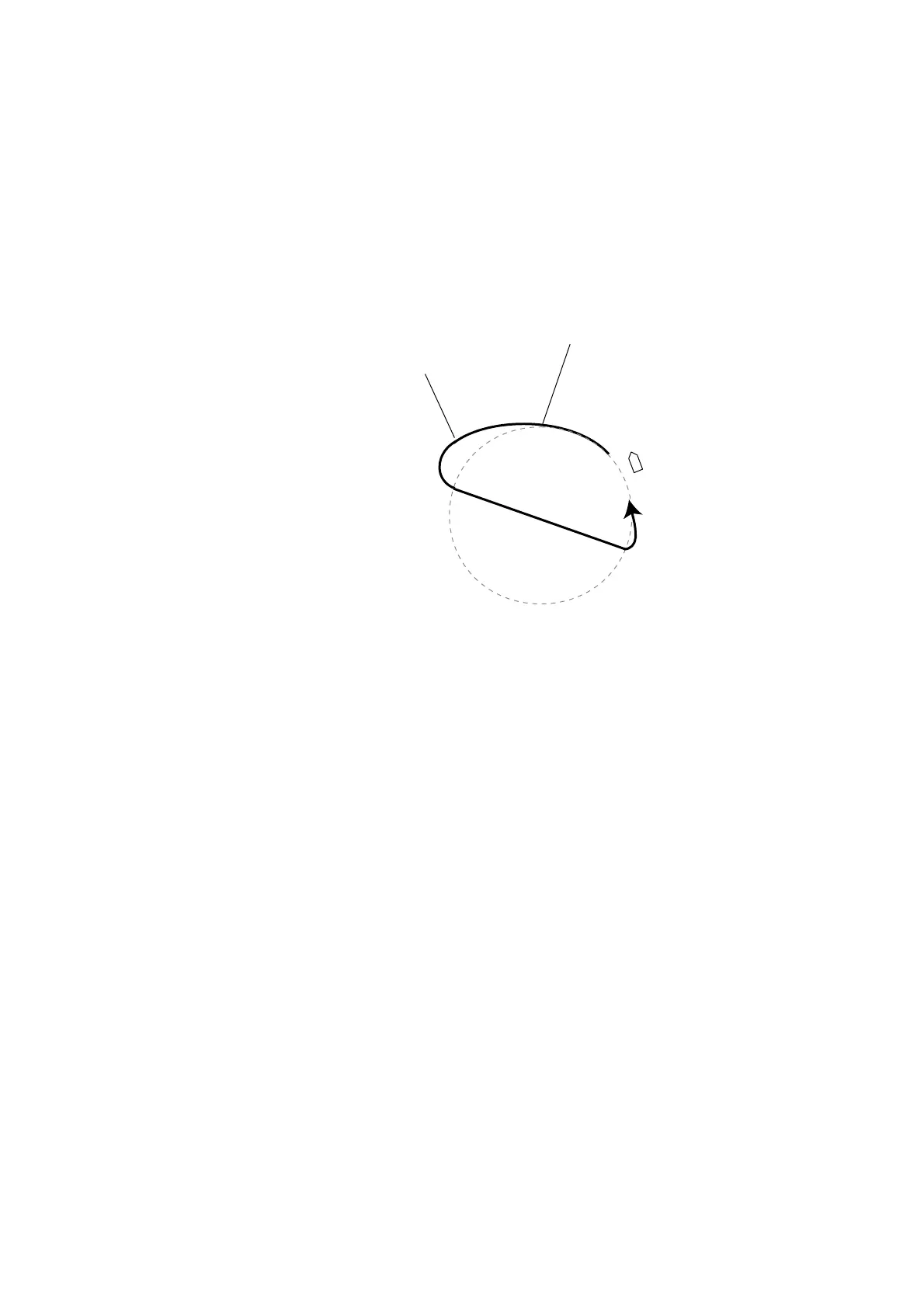
The message “START TO TURN BY FISHING MODE” appears, and the boat
runs for the distance set at step 3, and then starts making an orbit similar to the
figure on the previous page.
If the boat's speed becomes more than 10 kt while orbiting, the message "TOO
FAST TO FISHING MODE. PLEASE SLOW DOWN LESS THAN 10 kt. PUSH
MENU KEY TO CANCEL AND GO TO AUTO MODE." appears. Reduce boat’s
speed less than 10 kt. In this case, the boat runs as shown below.
The boat’s speed becomes
more than 10 kt.
The boat’s speed becomes
less than 10 kt.
To escape from the ORBIT while it is in use, press [STBY] key.
Note: You can set the radius of orbit also at “PARAMETER SETUP” in the main
menu.



 To Next Page