EasyManua.ls Logo

Furuno 821 - Control Description

Furuno 821
64 pages
Print Icon
To Next Page IconTo Next Page
To Previous Page IconTo Previous Page
Loading...
3
2. OPERATION
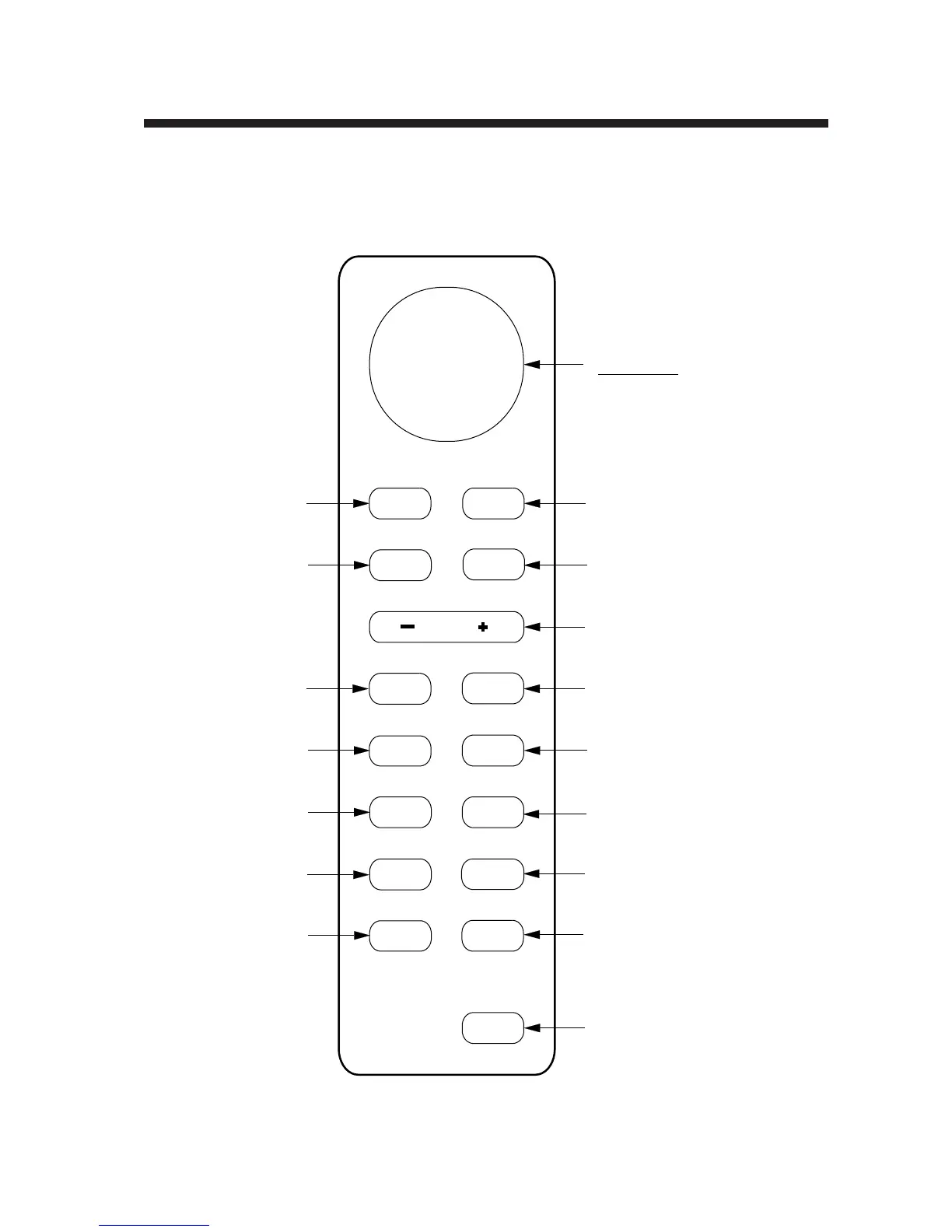
2.1 Control Description
Cursor pad
Shift cursor, VRM
and EBL; select
items and options
on menu.
Selects display mode;
erases heading error
indication.
Turns power on/off.
Adjusts display brilliance.
Sets radar in stand-by;
transmits radar pulse.
Selects radar range.
Plots targets' trails.
Opens/closes menus.
Turns the VRM on/off.
Turns the EBL
on/off.
ENT MENU
ECHO
HM
OFF
RANGE
TONE BRILL
EBL
VRM
TRAIL
RINGS
GUARD
OFF
CENTER
DISP
MODE
ST-BY
TX
POWER
Erases heading marker;
selects cursor data (Lat/Long, R/B);
outputs cursor position.
Turns the range
rings on/off.
Off centers
the display.
Sets guard
zone area.
Adjusts display
tone.
Press to adjust gain,
A/C RAIN, STC
and FTC.
Registers selection
on menus.
Figure 2-1 Control panel

Table of Contents

Related product manuals