11
2.13 Selecting the Display
Mode
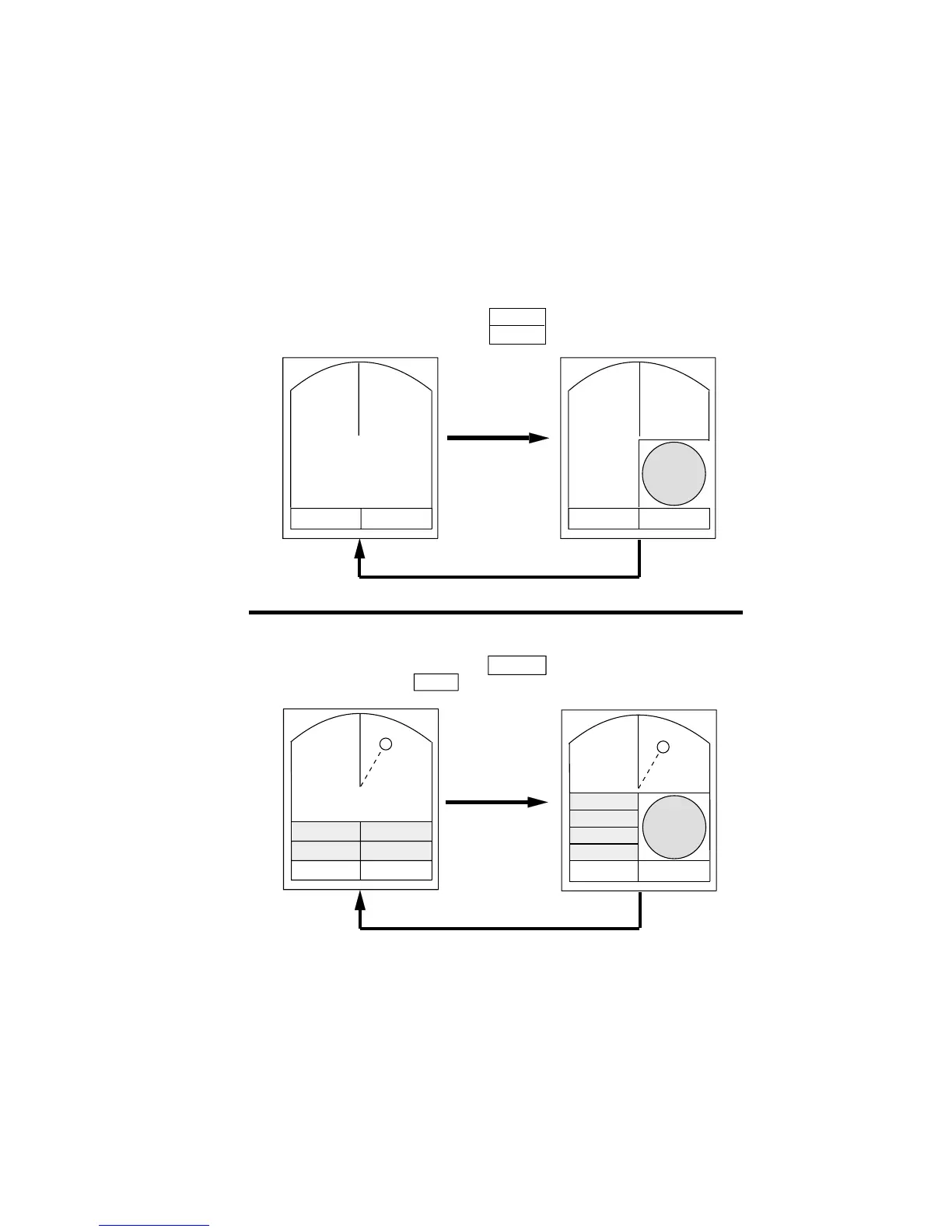
The display mode may be selected with the
[DISP MODE] key. Four modes are avail-
able (with navigation input): Normal, Nor-
mal + Window, Normal + Nav Data, and
Normal + Window + Nav Data.
Each time the key is pressed the display
mode changes in one of the sequences shown
below, depending on equipment connected
and menu settings.
Note: In the window display mode, the [DISP
MODE] key reselects zoom area. To select the
display mode while in the window display
mode, press the key twice.
Window Display
Nav Display
WIDE / ZOOM
ON / OFF
VRM EBL +CURSOR
**.** NM ***.*°R ***.**NM ***.*° R
VRM EBL +CURSOR
**.** NM ***.*°R ***.**NM ***.*° R
ZOOM
VRM EBL +CURSOR
**.** NM ***.*°R ***.**NM ***.*° R
WIDE / ZOOM
ON / OFF
Window Display
Nav Display
VRM EBL +CURSOR
**.** NM ***.*°R ***.**NM ***.*° R
ZOOM
Figure 2-11 Display modes



 To Next Page