17
1.5
NM
0.5
HDG 326.8°
66° 04. 00N
166° 04. 00E
VRM EBL + CURSOR
0.675
NM
240.1°
R
0.646
NM
308.7°
R
DEPTH XTE SPD
350.0m 0.05NML 30.0KT
WAYPOINT POSI L/L
12.0
NM
45.0°
M
AUTO
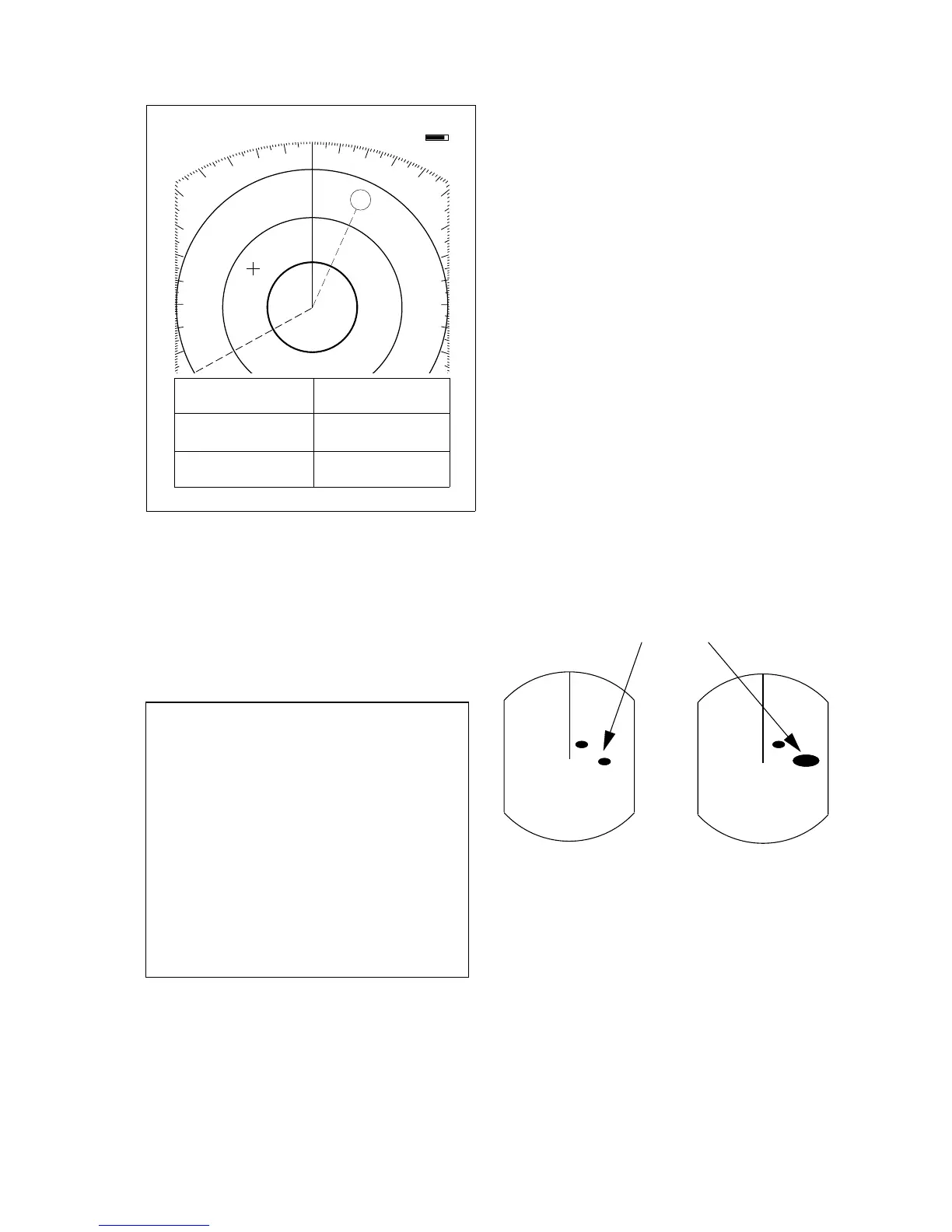
Figure 2-18 Sample nav data display
Setting up the nav data display
1) Press the [MENU] key.
2) Select Nav Data and press the [ENT] key.
● NAV DATA MENU ●
Select item and option
by ▲▼ keys.
1. Navigator
2. Nav Data Disp
3. Pos Disp Mode
4. Depth Unit
5. Temp Unit
6. STBY Display
. . . . . . . . . . . . . . . . .
Press HM-OFF to temporarily
hide menu.
<Press MENU for main menu.>
ALL GPS LC
OFF ON
L/L TD
M FA FT
°C °F
NORM NAV
Figure 2-19 Nav data menu
3) Select Navigator; GPS, Loran C or ALL
(Select all if several navigators are con-
nected to the radar. In this case, position
data is selected in order of GPS, Loran C
and other.)
4) Select Nav Data Disp to OFF or ON.
5) Select Pos Disp Mode to L/L (latitude and
longitude or TD (Loran C).
6) Select unit of depth measurement to
meters, fathoms, or feet.
7) Select unit of measurement for water tem-
perature to Centigrade or Fahrenheit.
8) Select whether to display nav data or "ST-
BY". "NORM" for stand-by; NAv for
navigation data.
9) Press the [ENT] key followed by the
[MENU] key.
2.23 Echo Stretch (magnifying
long range echoes)
Normally, the reflected echoes from long
range targets appear on the display as weaker
and smaller blips even though they are com-
pensated by the radar’s internal circuitry. To
stretch long range echoes, in the range di-
rection, turn on the echo stretch function.
Figure 2-20 Echo stretch
Turning echo stretch on or off
1) Press the [MENU] key.
2) Select P/L & Int/Noise Rej & ES and
press the [ENT] key.
3) Select Echo Stretch.
4) ON or OFF.
Echo stretch OFF Echo stretch ON
Distant
echo



 To Next Page