2.1.3 Function page
Function page is used to set some operation and installation parameters.
- Alarm History
- Selection of Back-up navigator*
- Installation parameters**
- Selection of over-head panel display presentation (optional feature)
*: not accessible to other persons than captain or other authorized person.
See the leaflet “HOW TO SELECT BACK-UP NAVIGATOR”.
**: not accessible to other persons than service engineers.
See the leaflet “INSTALLATION PARAMETER SETTING”
How to print out the History Alarm:
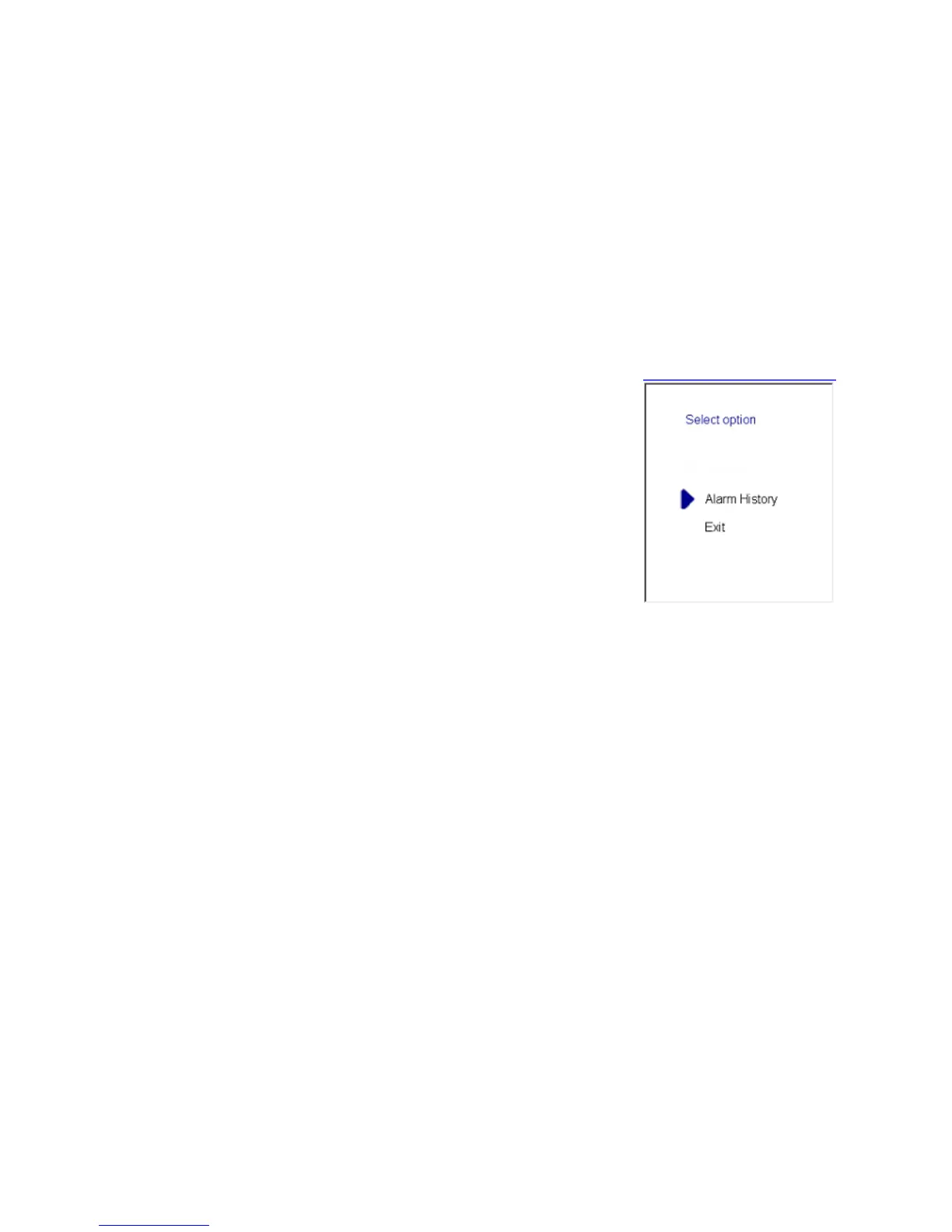
1) Press the FUNC SET key. A menu window will appear on the
screen. The menu contains a cursor (blue triangle) and three items.
2) Move the cursor to the “Alarm History” position with the MOVE
UP and MOVE DOWN keys, and press the ENTER–key. The printer,
connected to the display control computer print a alarm log table.
3) Press the FUNC SET button again. The menu window is closed.



 To Next Page