3. INITIAL SETTINGS
3-6
Transducer Setup menu
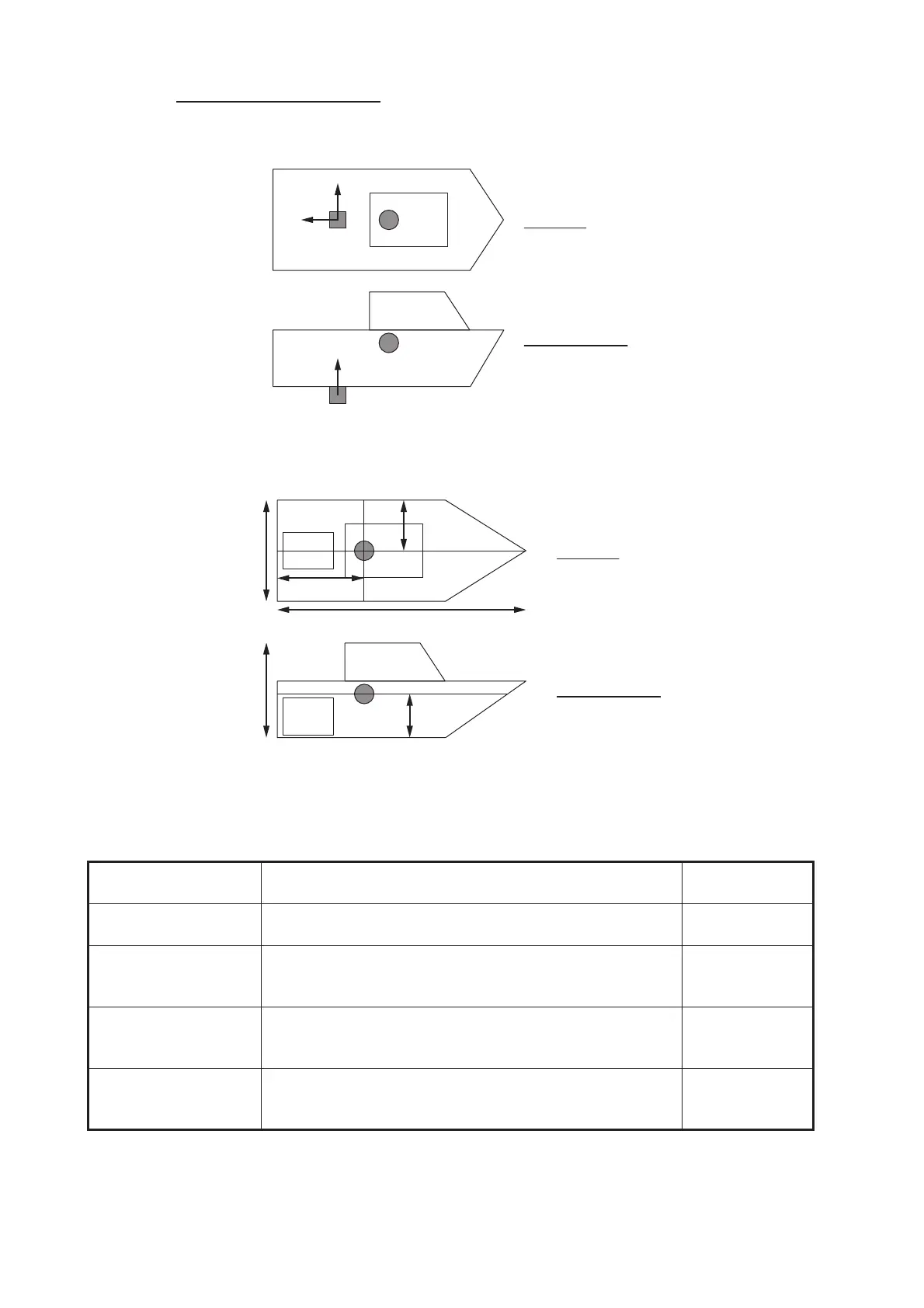
For the oscillation center see “Motion Sensor menu” on the next page.
If the center of gravity is not known, see the drawing below.
Note: The location of the center of gravity may be different than as shown in the fig-
ures above, depending on hull shape, engine position and the installation status of
other equipment.
Menu item Description
Options
(setting range)
[Transducer Mis-
mount Correction]
Set to [ON] if the transducer is installed facing the stern. [ON], [OFF]
[Transducer Position
Bow/Stern]
Set the distance from the transducer to the ship’s center
of gravity in the bow/stern direction. For stern location,
set a positive value.
-100.0 to 100.0
(m)
[Transducer Position
Up/Down]
Set the distance from the transducer to the ship’s center
of gravity in the up/down (vertical) direction. For upward
location, set a positive value.
-100.0 to 100.0
(m)
[Transducer Position
Port/Starboard]
Set the distance from the transducer to the ship’s center
of gravity in the port/starboard direction. For port location,
set a positive value.
-100.0 to 100.0
(m)
GCTD
GC
TD
Up dir.: "+"
Stern dir.: “+”
Port dir.: "+"
Top view
Starboard view
GC: Gravity Center, TD: Transducer
GC
GC
W
W/2
Top view
Starboard view
Engine
H
H/2
L/3
L
GC: Gravity Center
Engine


 To Next Page