2-16
2.16 White Marker
The white marker functions to display a particular echo color in white. For example, you may
want to display the bottom echo (reddish-brown) in white to discriminate fish echoes near the
bottom. Note that the bottom must be displayed in reddish-brown for the white marker to
function.
1. Set the [MODE] switch in the MENU position.
2. Press [▼] to select MARKER.
3. Press [+] to select WHT.
4. Set the [MODE] switch in desired mode position.
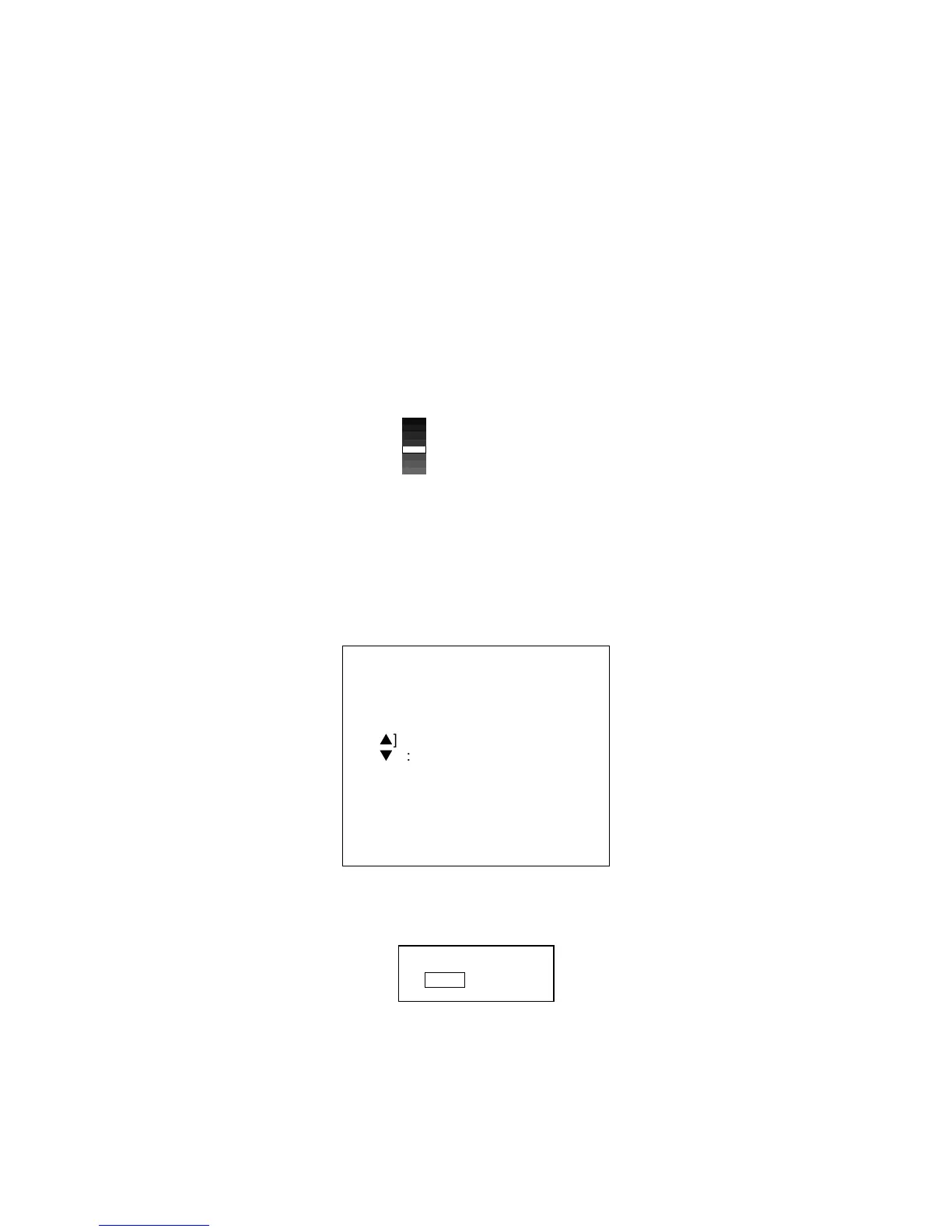
5. Press [▲] or [▼] to select color to display in white. The indication WHITE MARKER appears.
As you press those keys the white cursor on the color bar shows the color currently
selected to display in white.
White cursor shows
color currently displayed
in white.
2.17 Demonstration Picture
Your unit incorporates a convenient demonstration display to help you become acquainted with
how it works. Connection of the transducer is not required.
1. Turn on the equipment while pressing any key. The following display appears.
*** OPTION MODE ***
[−] : SELF TEST
[
s
] : SET DATA TO DEFAULT
[
t
] : DEMONSTRATION
PLEASE HIT ANY KEY.
PROG-NO. 025-2179-0**
** Program version No.
2. Press [▼] to select DEMONSTRATION. The following display appears.
*** DEMO MODE ***
OFF ON
3. Press [+] to select ON.
4. Turn the power off and an again.
5. To turn off the demonstration mode, press [-] to select OFF at step 3 in this procedure.



 To Next Page