27
16 71 No INFO
12 74
14 69 MANUAL
11 79
13 80 CH Busy
68
Com channel
NO INFO: Receiving station
sets channel.
MANUAL: Enter channel
with numeric key.
"CH BUSY" means the selected
channel is busy now.
6. Press the [Enter] key.
Call type:
ALL SHIPS CALL
Priority:
SAFETY
Com channel:
12
Send message
7. Press the [Call] key to send the call.
4.8 Receiving DSC Calls
When your FM-2721 receives the DSC call, follow the
steps shown below.
1. Confirm the message on the screen.
The stand-by display is restored if the handset is not
picked within two minutes of receiving a DSC call.
2. Press the [Cancel] key to silence the beep.
ANSWER DEL
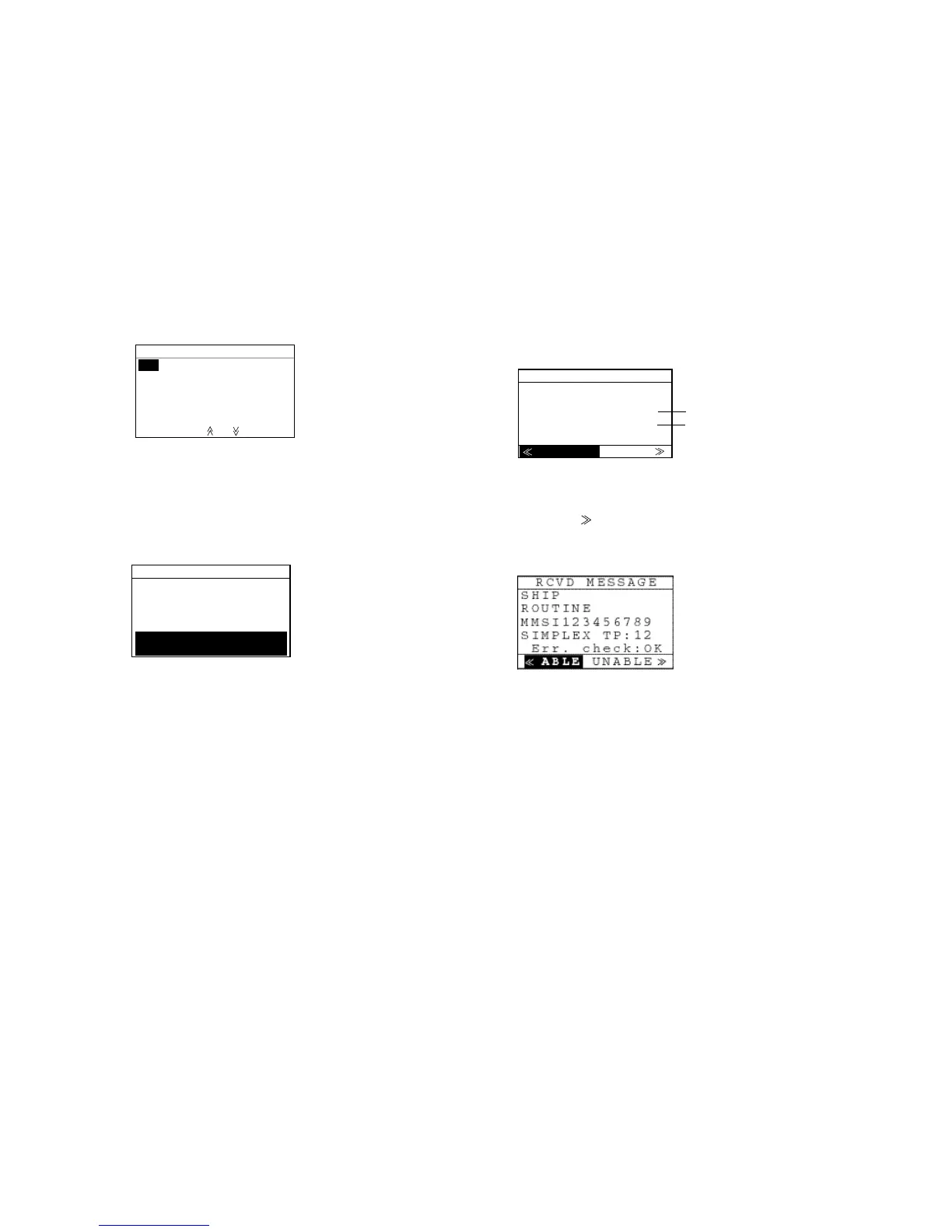
RCVD. MESSAGE
SHIP
ROUTINE
NMSI123456789
SIMPLEX TP:12
Err. check:OK
Sending station ID
Designated channel
3. Select ANSWER and press the [Enter] key.
If you don’t want to communicate with other party,
press the [ ] key to select “DEL” and then press the
[Enter] key. However, the party is still waiting for your
acknowledgment.
4. Select ABLE and press the [Enter] key.
Note: When selecting “UNABLE”, you can select
channel in available and transmit individual call.
5. Press the [Call] key to send acknowledgement.
6. Start communications with designated channel.



 To Next Page