34
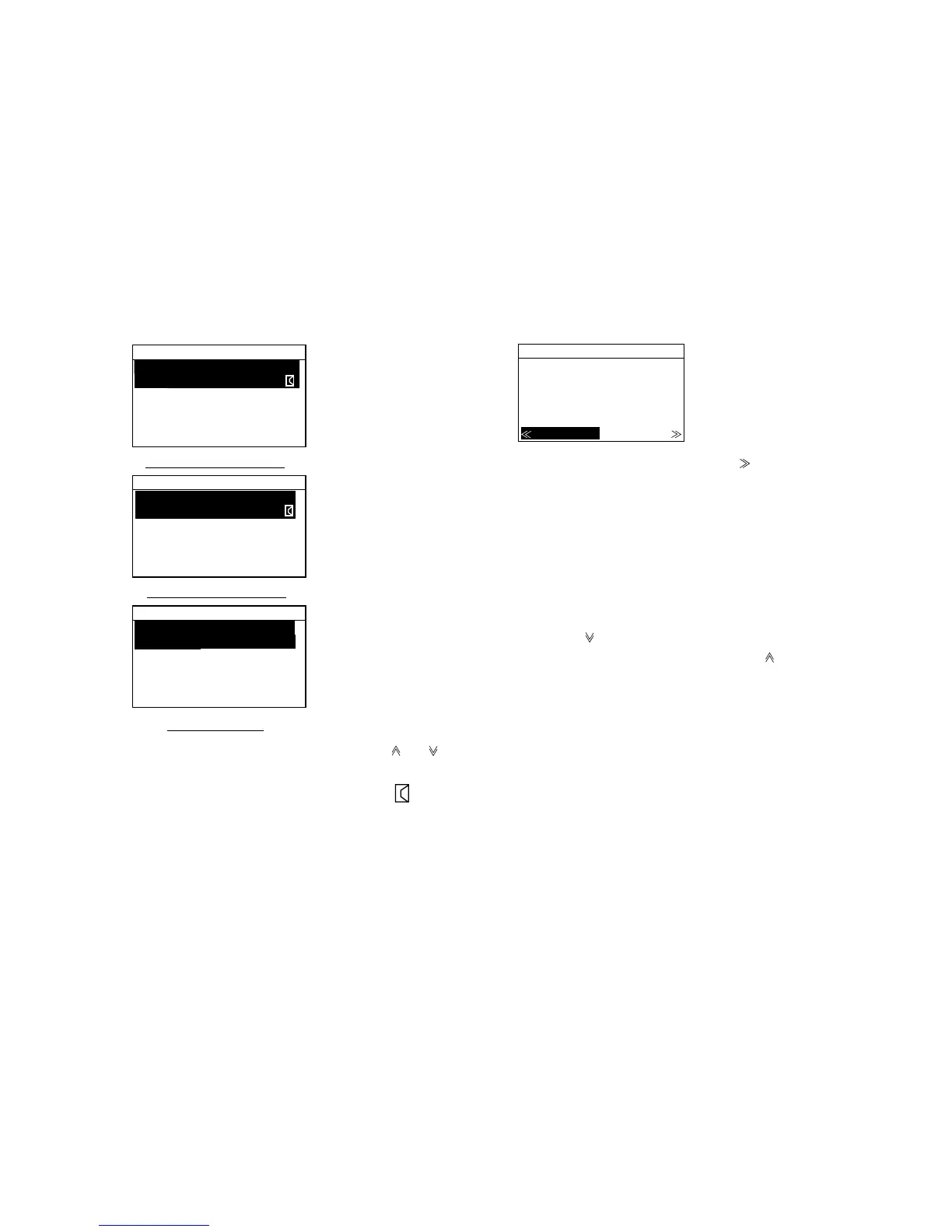
RCVD.ORDINARY
RCVD.DISTRESS
TRANSMITTED
Received ordinary log
Received distress log
Transmitted log
01.Ship Call
23-12:40
02.Coast call
23-12:34
03.Coast call
23-12:11
01.Group call
23-12:40
02.Ship call
23-12:34
03.Ship call
23-12:11
01.Acknowledge
23-12:40
02.Distress
23-12:34
03.Distress
23-12:11
3. Select the message to view by using the [ ] or [ ]
key or entering message number with the numeric
keys. Unread messages are marked with
.
4. Press the [Enter] key to display the message. The
example below shows a received ordinary message.
RCVD MESSAGE
SHIP CALL
ROUTINE
MMSI123456789
SIMPLEX TP:16
Err. check:OK
RESEND DEL
5. To delete the message, press the [ ] to select DEL,
and then press the [Enter] key.
6. To resend (or answer) the message, confirm that
the cursor is selecting RESEND (or ANSWER) and
then press the [Enter] key followed by the [Call] key.
The message of ANSWER changes to RESEND if
there is no operation within 4 minutes and 30
seconds.
7. When the
appears at the bottom of the display, it
means that there are more messages. (
is means
the end of message.)
8. To escape from the log, press the [Cancel] key
several times.



 To Next Page