3.1 MMSI Number, Model and Group ID
3-3
3.1.3 Group ID
The group ID is registered for up to 150 groups from DSC setup menu.
1. Press [SETUP] on DSC display.
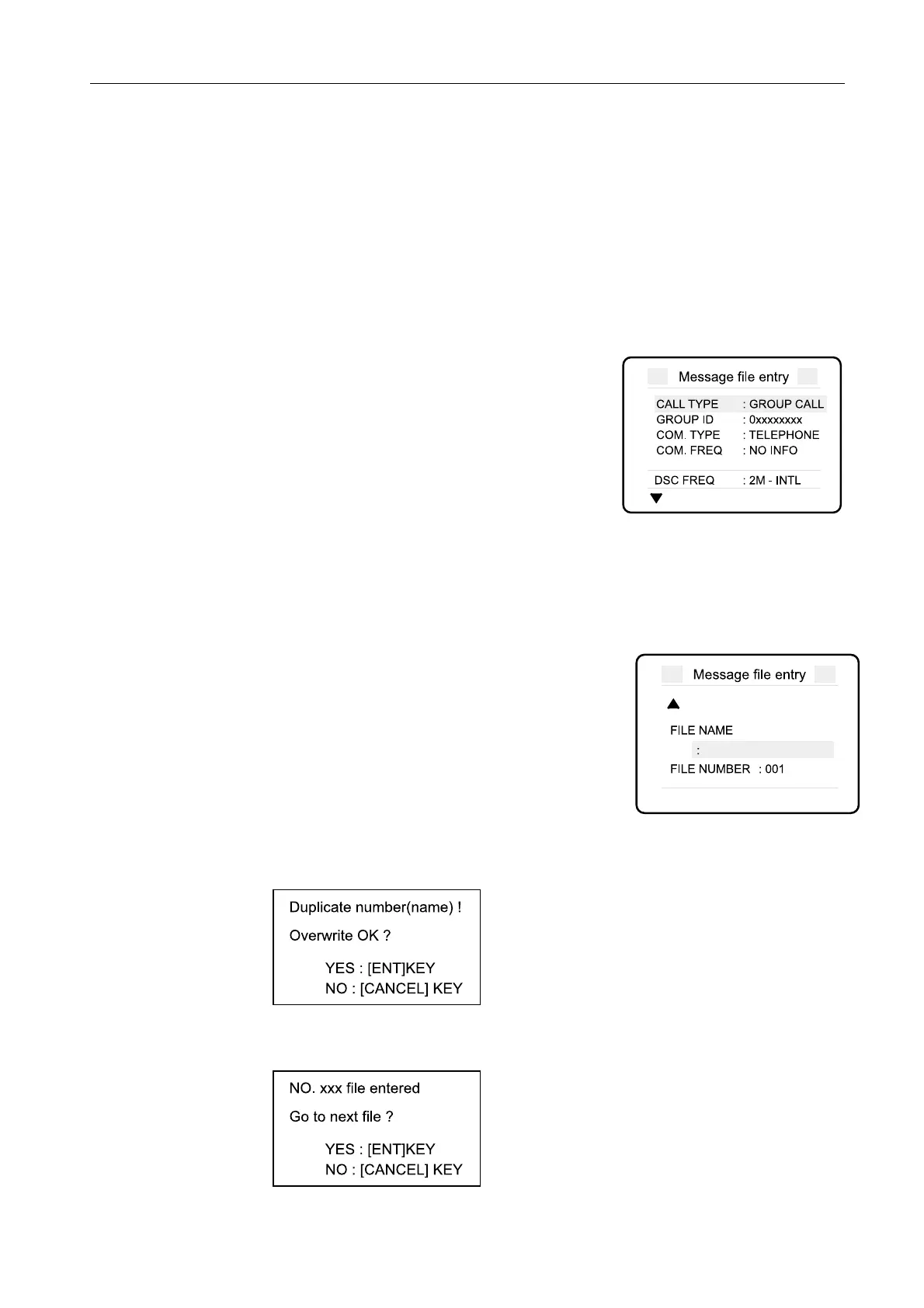
2. Move the cursor over “MESSAGE” and then press [ENT]. “Message File entry”
appears.
3. Complete the “Message file entry” display.
· CALL TYPE: Set to “GROUP CALL”.
· GROUP ID: Far left digit is always 0 (one leading
zero).
4. Move down the cursor until the “FILE NAME” and “FILE NUMBER” lines are
displayed.
5. Enter file name and file number.
· FILE NAME: 16 character long
· FILE NUMBER: Any number from 001 to 999,
except from 800 to 899.
6. Press [ENT]. When the “File name” and “File number” are ones that already exist,
“Duplicate number (name)!” prompt appears. To overwrite, press [ENT].
When the registration is carried out correctly, the pup-up below is displayed.



 To Next Page
 Loading...











