3.2 RT SETUP
3-11
3.2.1 USER CH Registration
A maximum of 255 user channels are registered for radiotelephone, NBDP and DSC
calls. The user channels are available in the following menus.
· Compose Message
· “MESSAGE” in DSC SET UP menu
· “SCAN Freq. Setup (Routine frequency only)” in DSC SET UP menu
To register a user channel;
1. Press [SETUP] in RT display.
2. Select “USER CH “ in RT SETUP menu and then press [ENT]. If “USER CH” is not
displayed, set “USER CH” in “SYSREM” menu to ON. See page 3-9.
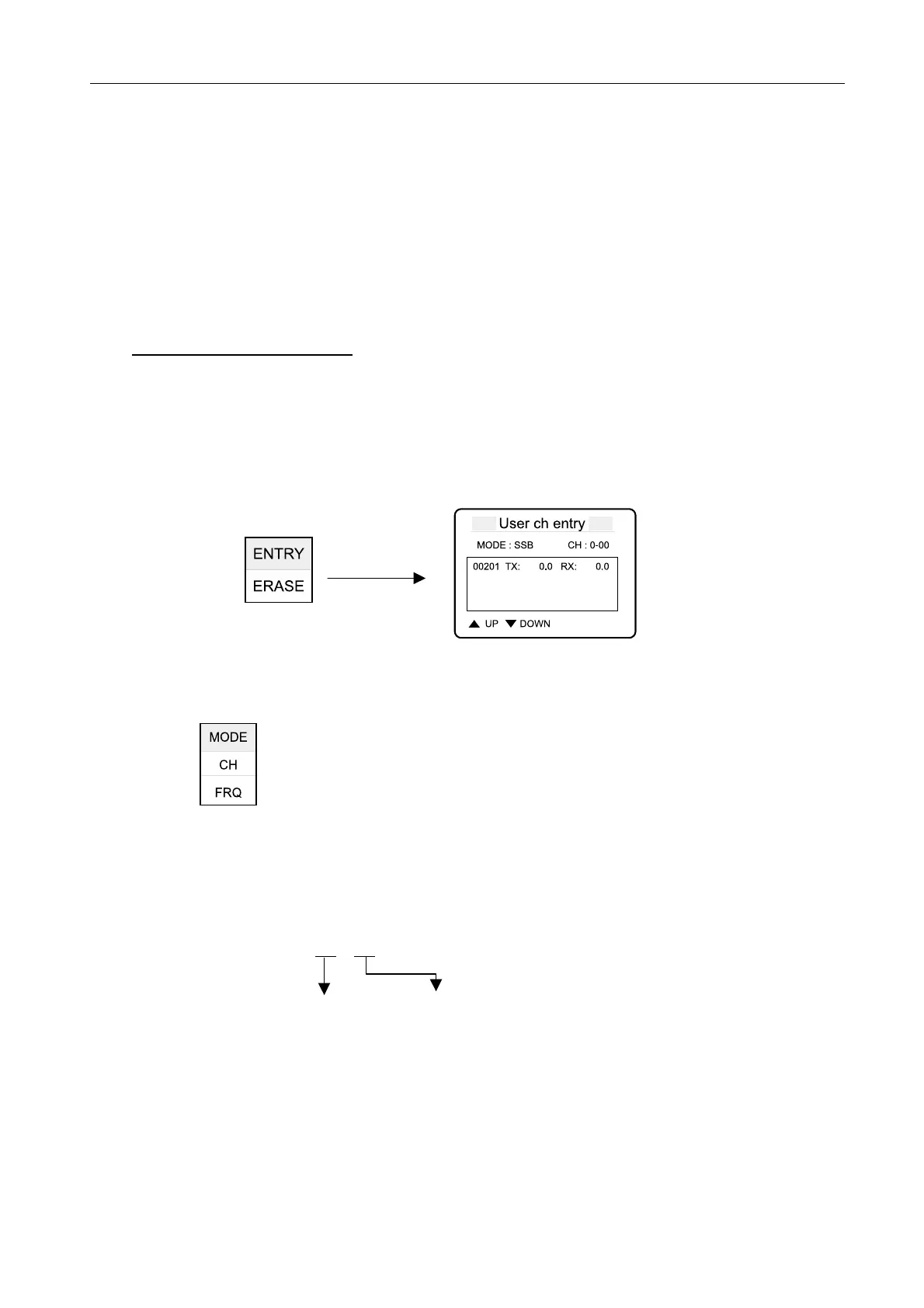
3. Select “ENTRY” in “ENTRY/ERASE” pop-up display and then press [ENT].
4. Press [ENT] to show “MODE, CH and FRQ” pop-up display. Set MODE, and enter a
channel number and transmission/receiving frequencies.
· MODE: Set to SSB, NBDP or DSC.
· CH: Enter a user channel (0-01).
· FRQ: Set the transmission and receiving frequencies.
The channel number is entered in four digits. The left digit(s) is a band (0 to 29) and the
right 2 digits a channel number (01 to 99). For example, if 4567 kHz is registered to
channel number 18, CH is “4-18”.
CH
:
00
–
00
Band (0-29) Channel (01-99)
[ENT]



 To Next Page
 Loading...











