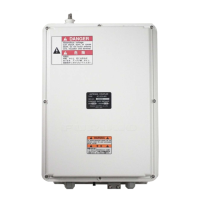
KU-BAND ANTENNA FV-110
Quick guide
Introduction
This quick guide aims at experienced service personnel who have installed the FV-110 system and
connected power. It lists the minimum configuration tasks you have to make before the system. can be
used on-air on a satellite.
Prerequisites
1. Connect a PC to the front LAN connector or the LAN3 connector at the rear of the Antenna Control
Unit.
2. Open an Internet Browser and type the default IP address of the FV-110: http://192.168.0.1 to access
the web interface.
Configuration tasks (minimum)
You find a flow chart for the calibration procedure on page 5-13.
i
Configuration task What to do and where to find more information
Heading input
Configure the heading input to External under SETTINGS >
Navigation. For more information see Table 5-1 on page 5-4.
Connect the ship’s heading (RS-422, NMEA0183) to the NMEA 0183
multi-connector. Pin 8 Ship Ground/Shield (connect only one end), Pin 9
Line B +, and Pin 10 Line A-. For more information see NMEA 0183
connector on page 3-3.
Azimuth calibration
Make an azimuth calibration under SERVICE > Calibration to ensure
that the FV-110 can point and receive satellite signal. For more
information see Azimuth calibration on page 5-7.
TX cable calibration
Make a Tx cable calibration under SERVICE > Calibration to ensure
that Tx power is calibrated at all frequencies. For more information see
Cable calibration on page 5-11.
See Appendix E or http://www.lyngsat.com for DVB-S transponder
information.
Modem connection
Connect cables between the modem and the ACU. For more information
see VMU settings on page C-1.
Modem profile
Configure the modem profile under SETTINGS > Modem profiles. For
more information see Modem profiles on page 5-22.
Network settings
Configure the network settings under SETTINGS > Network if the
modem communicates with IP to the ACU. For more information see To
configure the LAN network on page 5-29.
Satellite profile
Configure the satellite profile under SETTINGS > Satellite profiles and
then activate the satellite profile and wait for the system to acquire the
satellite and start tracking. For more information see Satellite profiles on
page 5-24.



 To Next Page