Installation of the ADU
2-23
2.3.2 To open and remove the service hatch
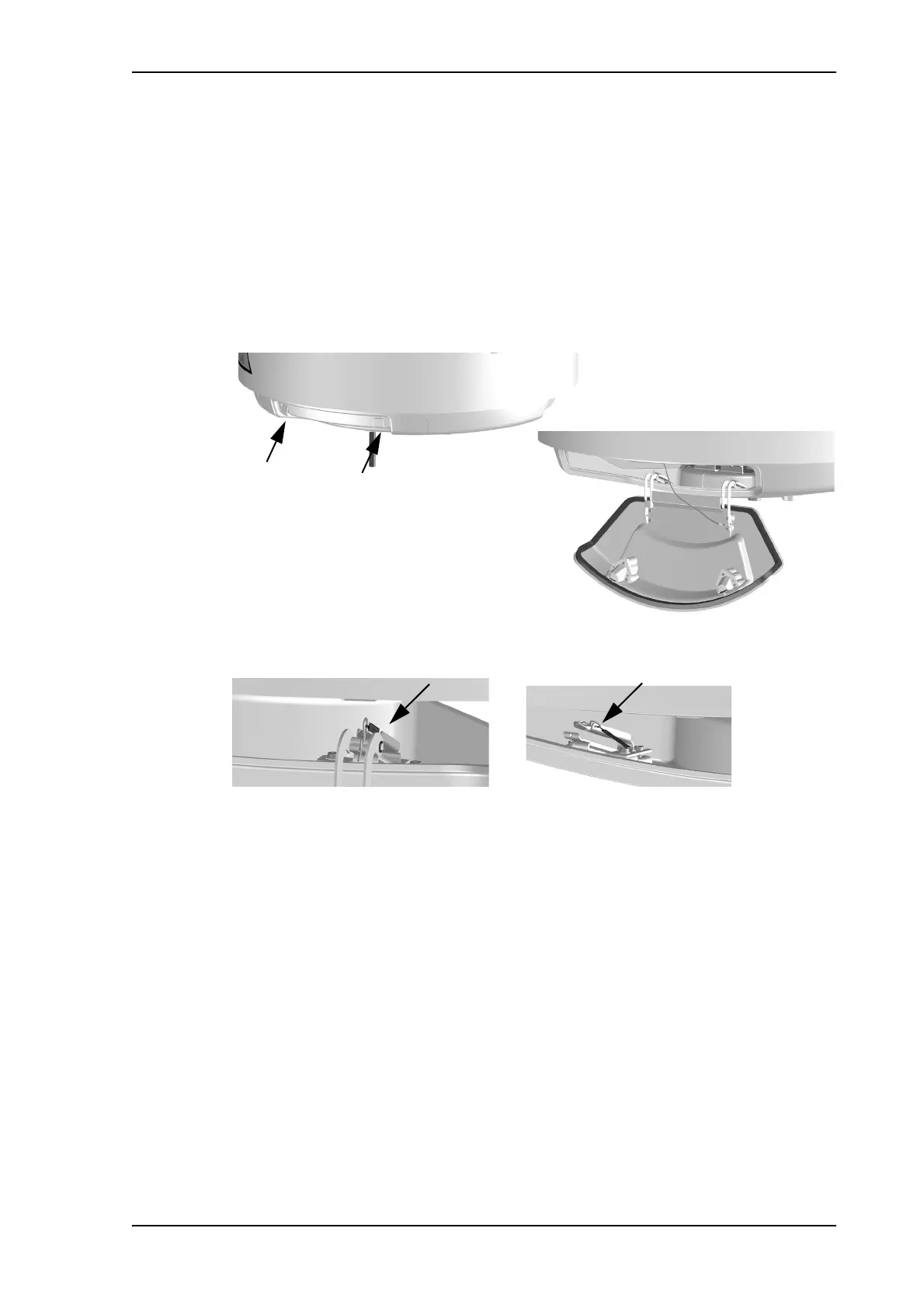
Open the hatch to access the antenna modules. The two latches of the service hatch must
be locked by fastening the two screws in the latches with a Torx TX20 screw driver to
protect the ADU modules against unauthorised access.
You can remove the hatch for better mobility when servicing the antenna. Do as follows
to open and remove the service hatch:
1. With a Torx TX20 screw driver, remove the two screws locking the latches.
2. Pull open the two latches and let the lid fall open.
3. Remove the 2 split pins and park them.
4. Pull the service hatch free.
Figure 2-19: FV-110: Opening the service hatch
Figure 2-20: Removing the 2 split pins



 To Next Page