Configuration with the web interface
5-27
5.3.3 To set up blocking zones (RX and TX)
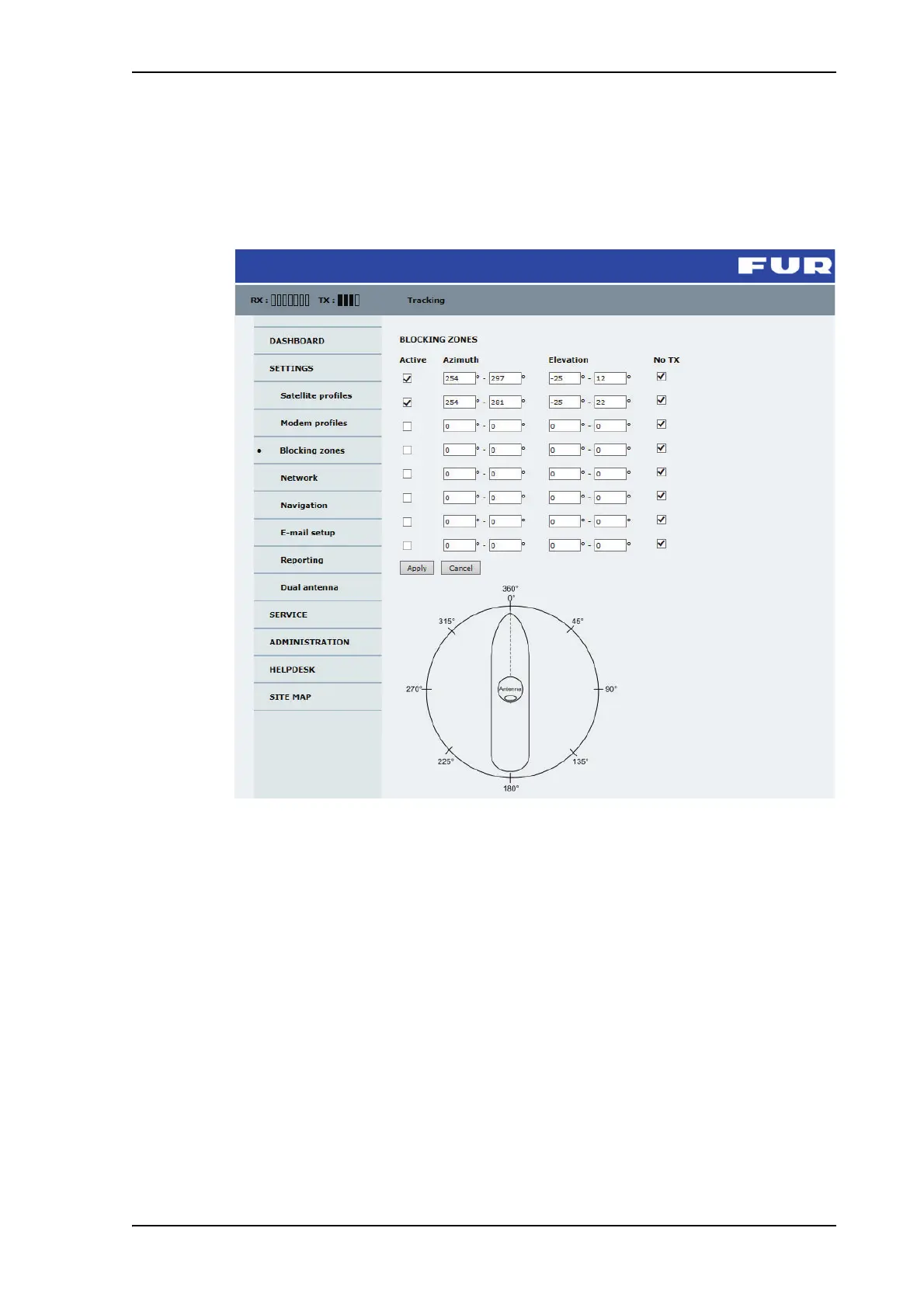
On this page you define blocking zones, i.e. NO TX and RX zones, enter azimuth values
and elevation angles for each blocking zone. You must select Active to enable a blocking
zone.
Figure 5-21: Web interface: SETTINGS, Blocking zones — azimuth and elevation
To define and set a blocking zone, do as follows:
1. Select SETTINGS > Blocking zones.
2. Select Active to enable the blocking zone.



 To Next Page