Configuration with the web interface
5-29
5.3.4 To configure the LAN network
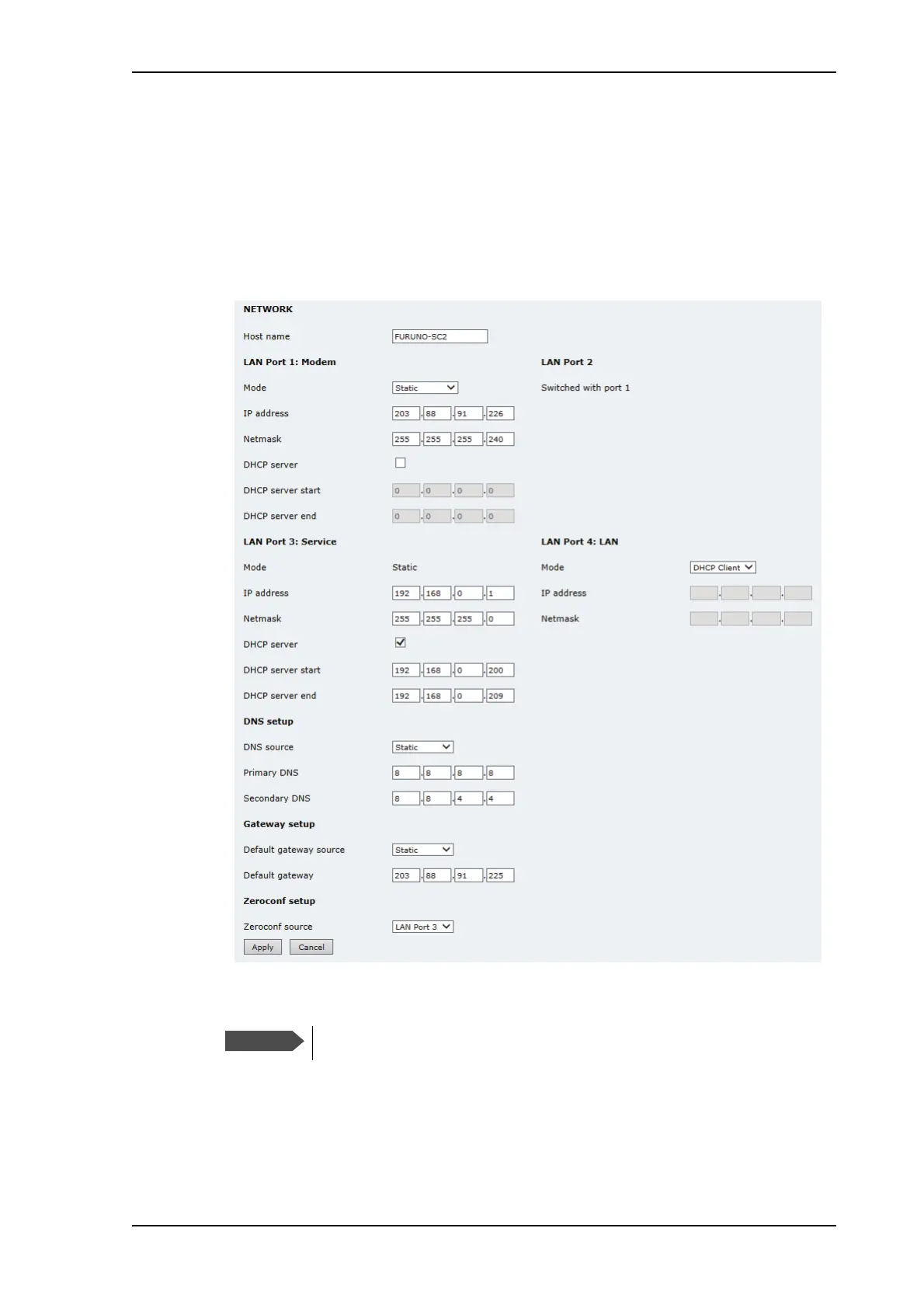
You can enter a host name. The host name helps identifying the FV-110 system when
sending e-mail reports. The ACU has four 10/100 Mbit Ethernet ports labelled LAN port
1, 2, 3 and 4. The ports are divided in three groups, each group operating in its own
network. You can setup DNS and Gateway.
To configure the LAN network go to SETTINGS > Network.
Figure 5-24: Web interface: SETTINGS, Network (default settings)
Make sure that the 3 networks do not use IP address ranges that overlap.



 To Next Page