Calibration
5-10
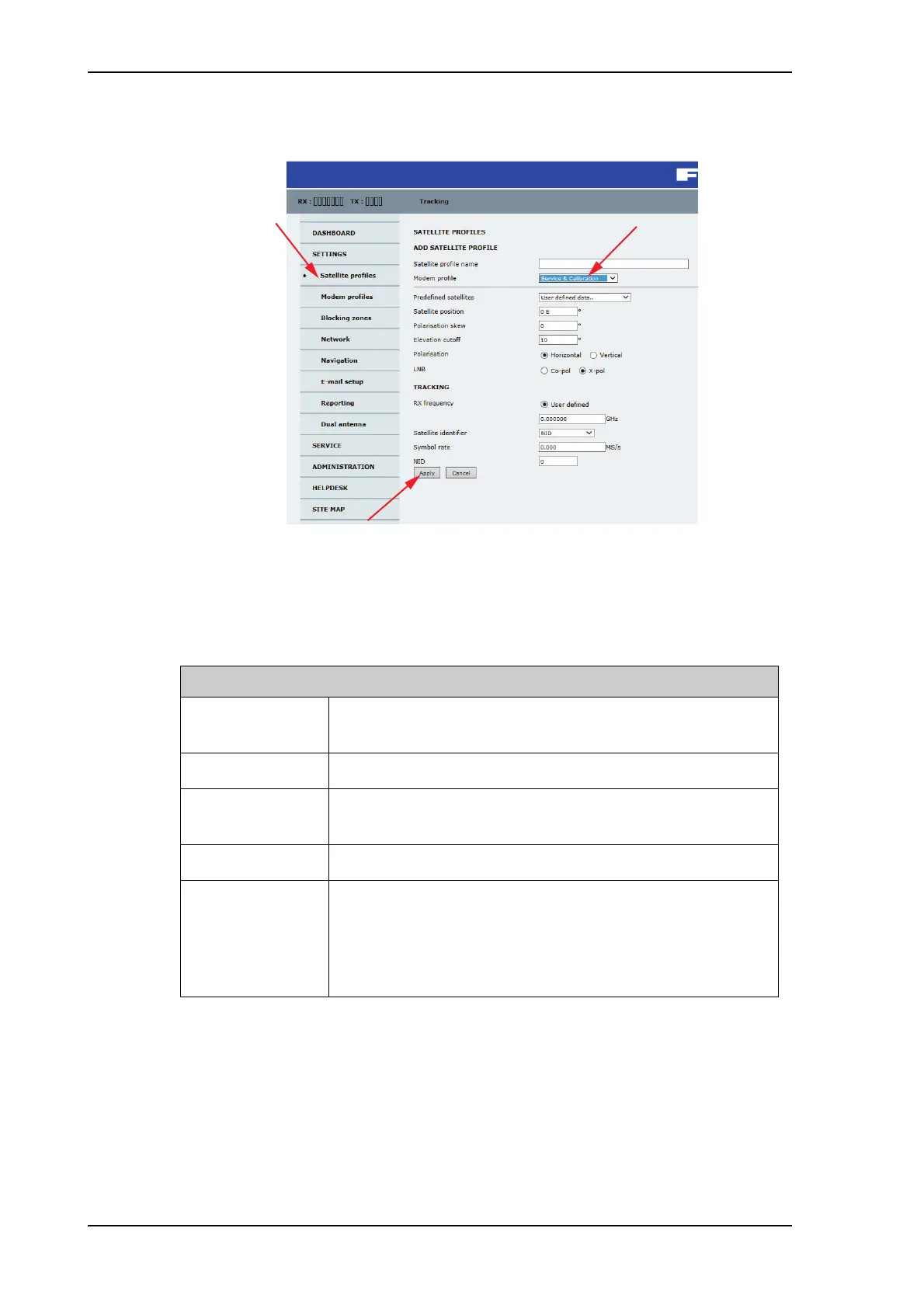
3. Select the VSAT modem profile Service & Calibration from the drop-down list.
Figure 5-8: Service profile for calibration
4. Enter the data for the satellite that you want to use as a calibration reference. You can
enter the satellite data manually or select a satellite from the list of predefined satellites
(Eutelsat). For satellite information see DVB-S satellites on page E-1 or
www.lyngsat.com.
Note the following calibration requirements:
Elevation cutoff: Not relevant for calibration.
LNB: Co-pol or X-pol, use this for test if both the LNBs and RX cables function
properly in case of issues with the reception of a signal. The polarisation must remain
the same as stated for the transponder used for the azimuth calibration. The antenna
will just turn the polarisation motor 90 degrees to use the other LNB to receive the
same signal.
5. Click Apply to save the settings for the service profile for calibration. The system is
ready for the azimuth and cable calibration.
Satellite requirements for successful calibration
Elevation Elevation angle: 5 – 70 degrees
Not allowed for calibration: Inclined orbit.
System encryption DVB-S or DVB-S2
Polarisation Horizontal or vertical polarisation.
Not allowed: Left-hand circular (L) or right-hand circular (R).
Symbol rate The DVB symbol rate must be >5 Ms/s.
NID Preferably a unique NID (ONID).
An azimuth calibration without NID can be useful in regions
where the satellite operators do not broadcast NID (US, China,
Australia etc.).
For NID=0 the NID is not used when checking the satellite link.
Table 5-6: Satellite requirements for elevation and carrier



 To Next Page