3. EQUIPMENT SETUP
3-21
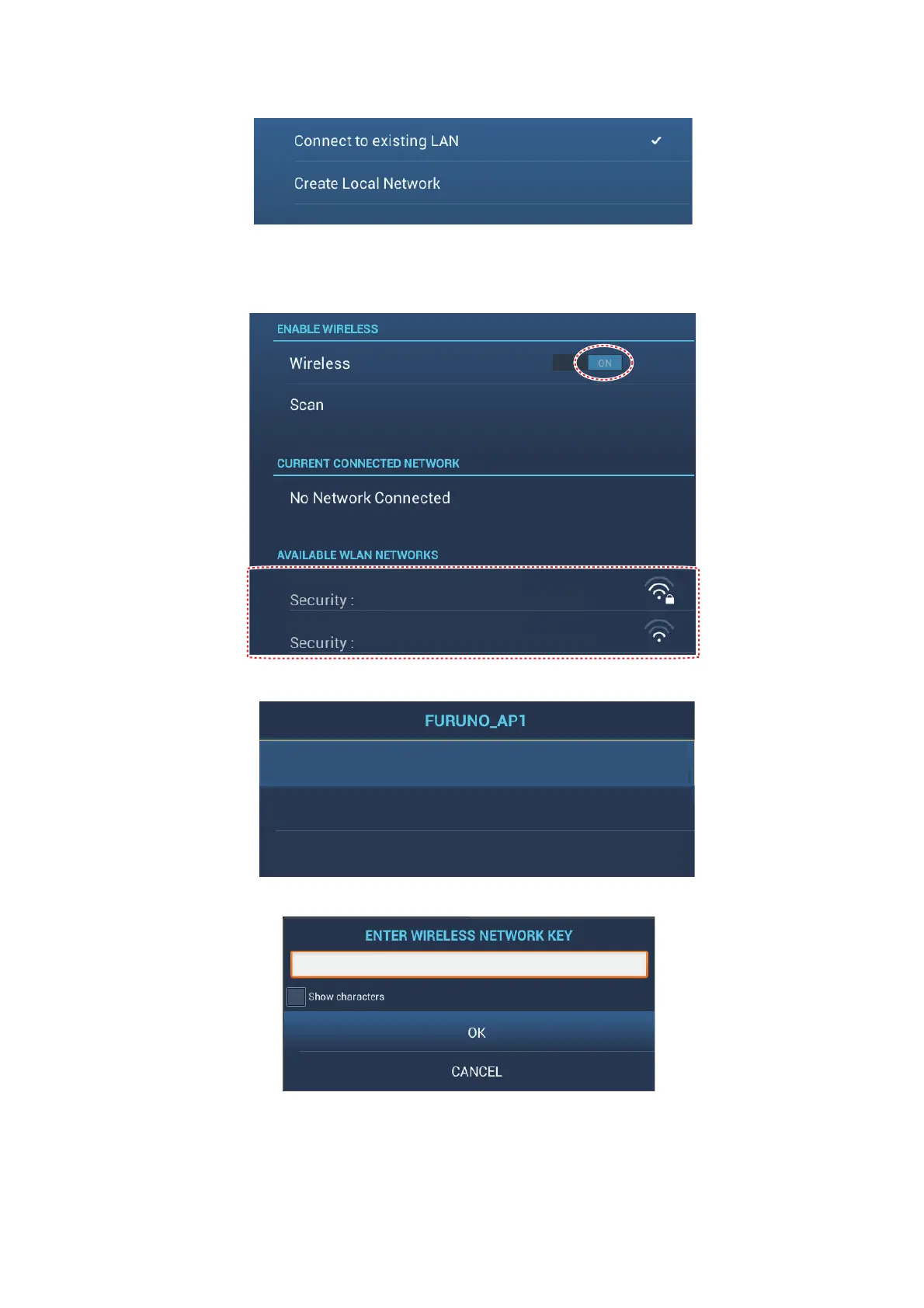
3. Tap [Wireless LAN Settings][Wireless Mode].
4. Tap [Connect to existing LAN]. Tap “<“ to go back one layer.
5. Turn on [Wireless] to see the available WLAN networks at the bottom of the
screen.
6. Tap the network to use.
7. Tap [Connect] to show the network key input window.
8. Enter the network key, then tap [OK].
Note: If the network key is incorrect, an error message appears. Enter the correct
key and tap [OK] again.
9. Tap [X] on the title bar to close the menu.
XXXX
XXXX
XXXX
XXXX







 To Next Page