211
Curve setting operation
This section describes the setting procedure of curves which are used with the AFR function and each
mixing function.
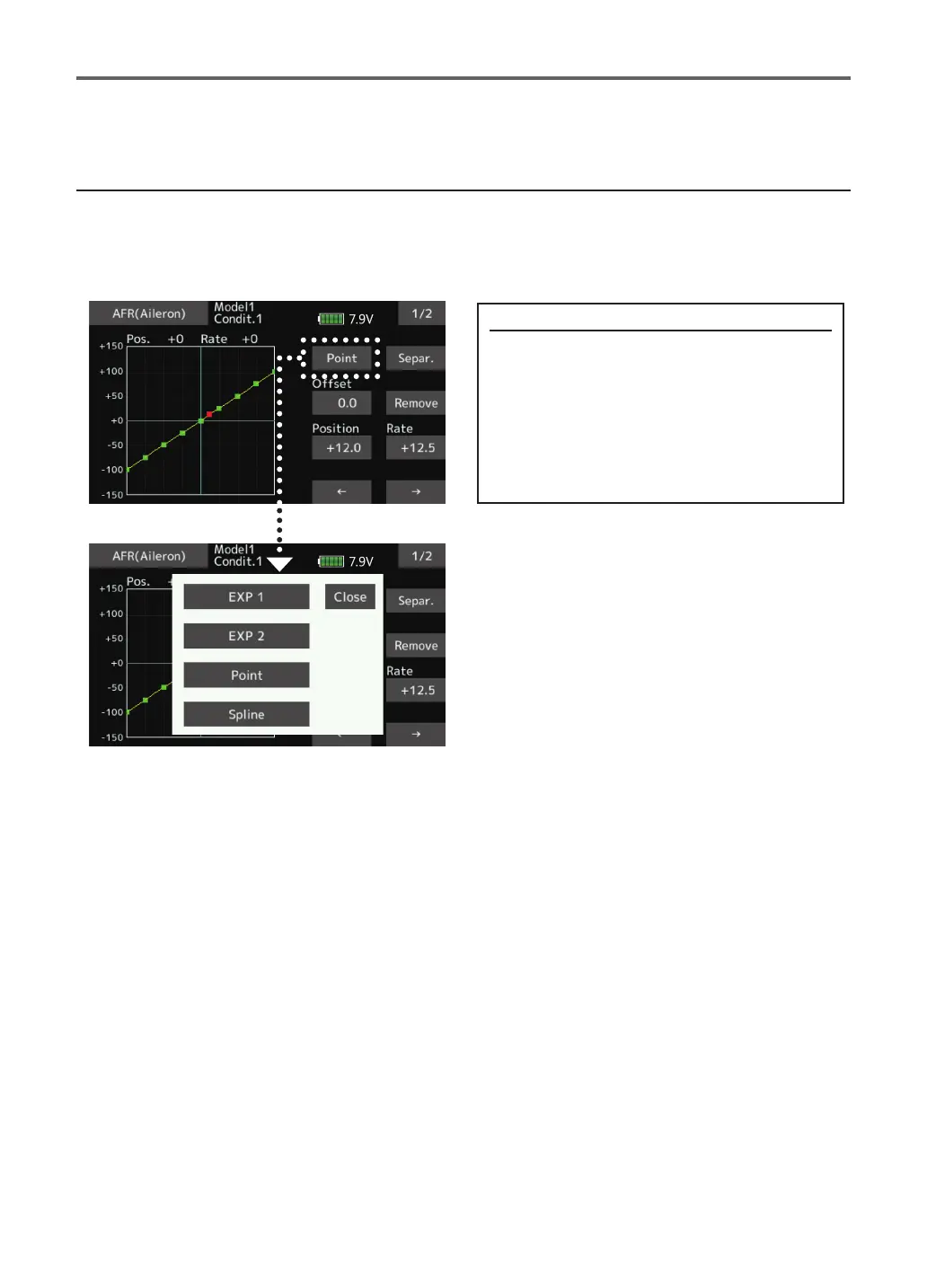
Curve type selection
Four types of curves (EXP1, EXP2, Point and
Spline) can be selected.
Curve type selection
1. Tap the button of the curve type you
want to use.
*The curve type changes and the display
returns to the original screen.
[EXP1]: EXP1 curve
[EXP2]: EXP2 curve
[Point]: point curve
[Spline]: spline curve


 To Next Page