53
The System menu sets up functions of the
transmitter. This does not set up any model data.
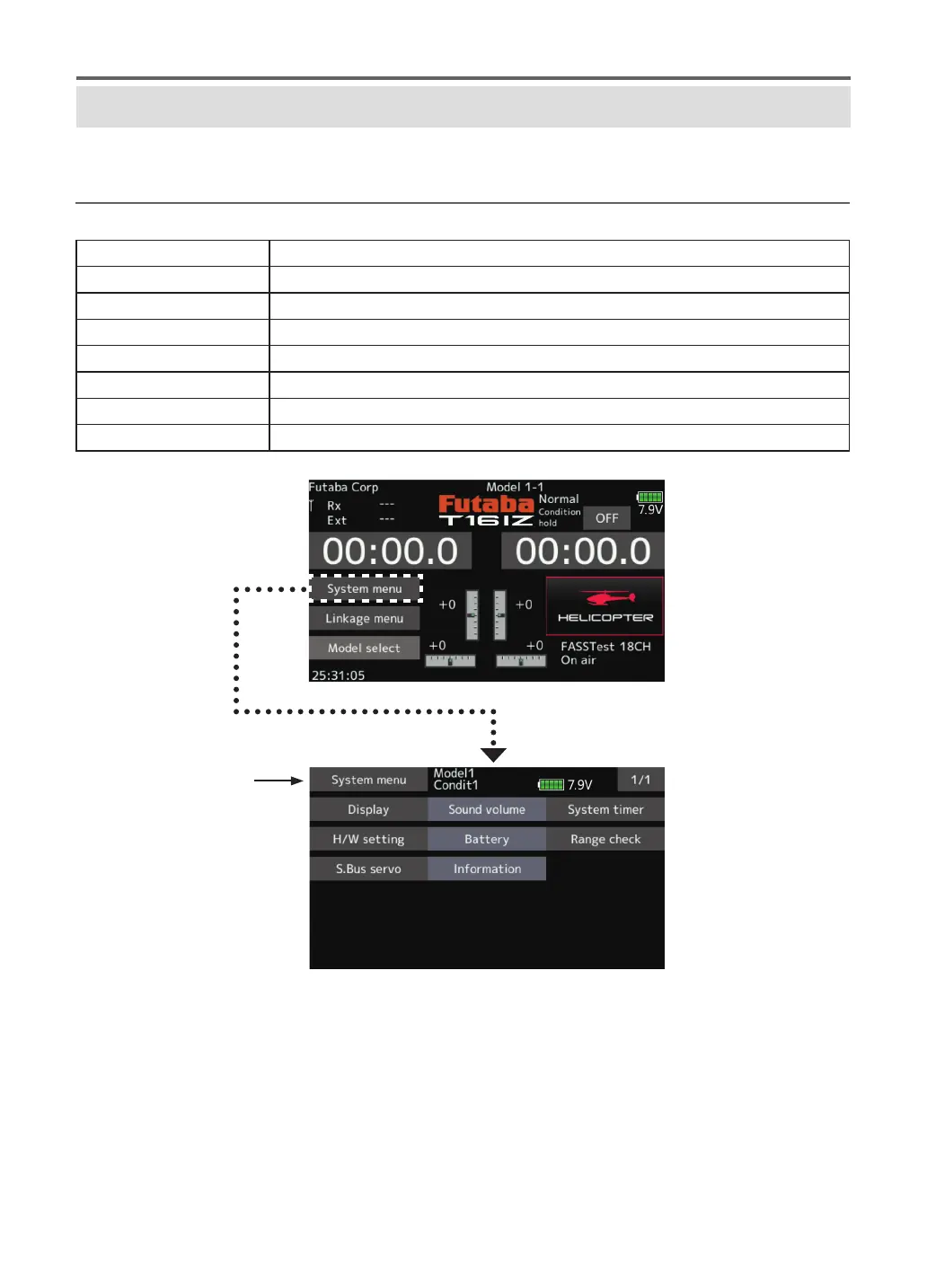
● When the System menu button is tapped,
the menu shown below is called up. Tap the
function button that you want to enter.
SYSTEM MENU
System menu functions table
Display
Display adjustment.
Sound volume
Adjust the volume of: Other sound, Warning, Voice
System timer
Resets the system timer.
H/W setting
Stick mode selection (Mode 1 - Mode 4 ). J1-J4 sticks correction can be performed.
Battery
Battery alarm voltage setting. Auto power o time setting.
Range check
The output of the transmitter is lowered, for Range checking.
S.Bus servo
S.Bus servo setting.
Information
Sets the User name, Language, and Unit system. Displays the program version, and micro SD card information.
●Return to Home screen


 To Next Page