218
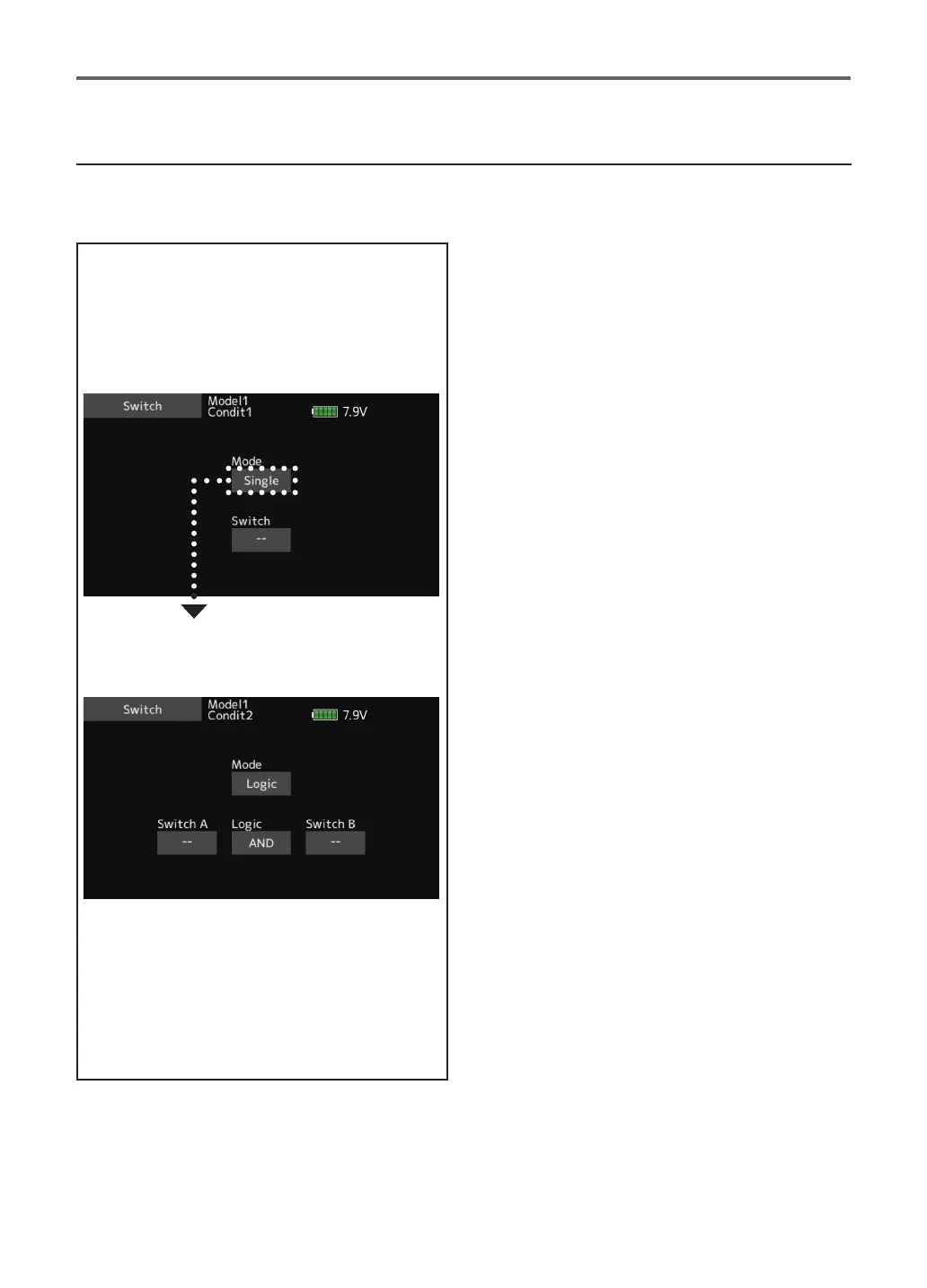
Logic mode
AND: When both switches are ON, the
condition is ON.
OR: When either switch is ON, the condition
is ON.
EX-OR: When the two switches are in
different states, the condition is ON.
Switch mode selection
1. Tap to the [Mode] "Single" item.
(Logic switch setting screen)
Switch selection
1. Select the switch A and B.
Logic mode selection
1. Tap to the [Logic] item.
2. Select the logic mode.
Logic switch (Condition select and DG1, DG2)
The logic switch function lets you turn operation on and o by combining two switches. For instance, the
condition is activated when 2 switches are turned on.



 To Next Page