p. 25
Using Your Drive
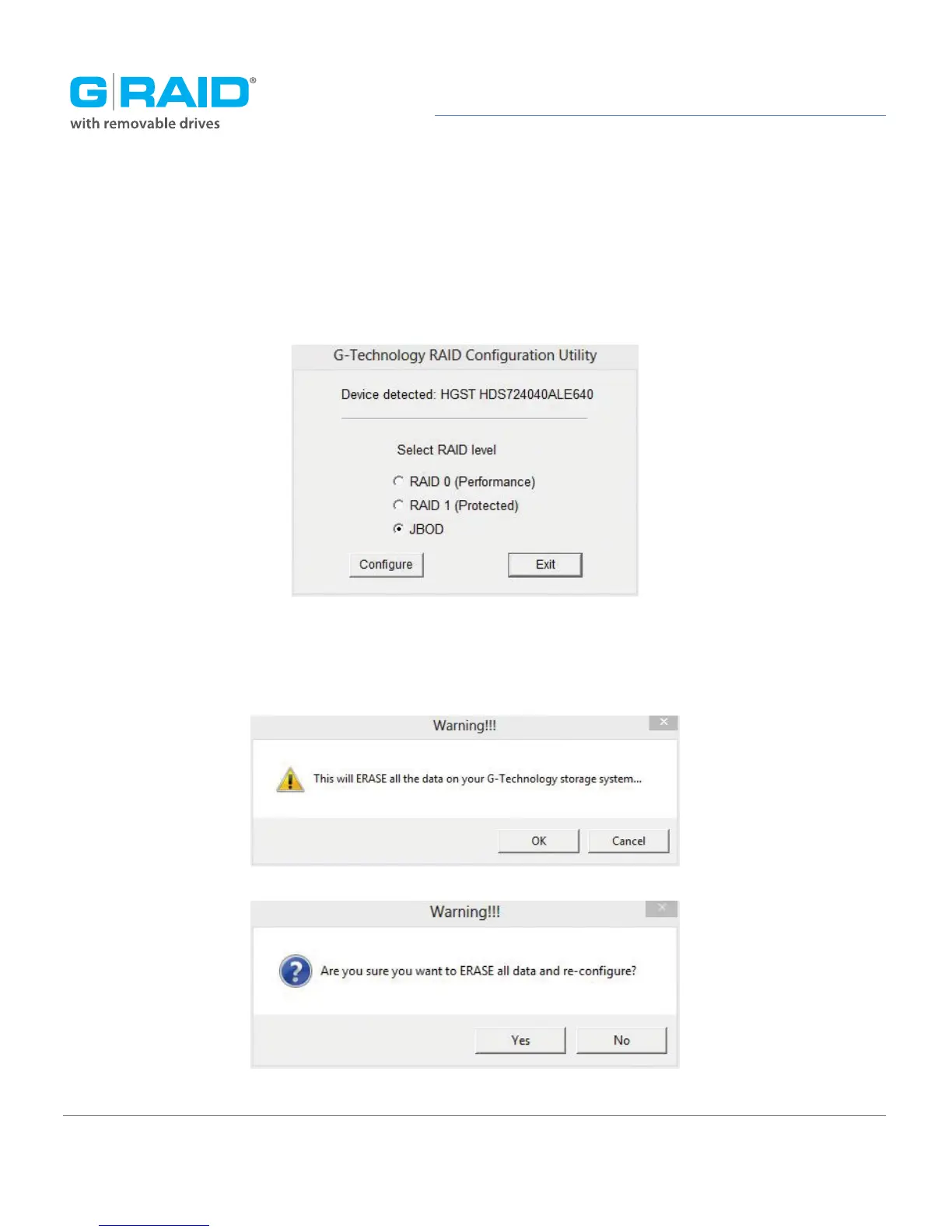
3. Once the utility finds your G-RAID, the following window will appear. Select your desired
configuration: RAID 1 (Protected), RAID 0 (Performance) or JBOD. Then click the Configure
button to continue.
4. Two warning windows will appear, letting you know that the following step will erase
all your data. Click the Yes buttons to continue.














 To Next Page