p. 9
About Your Drive
Overview of the Drive
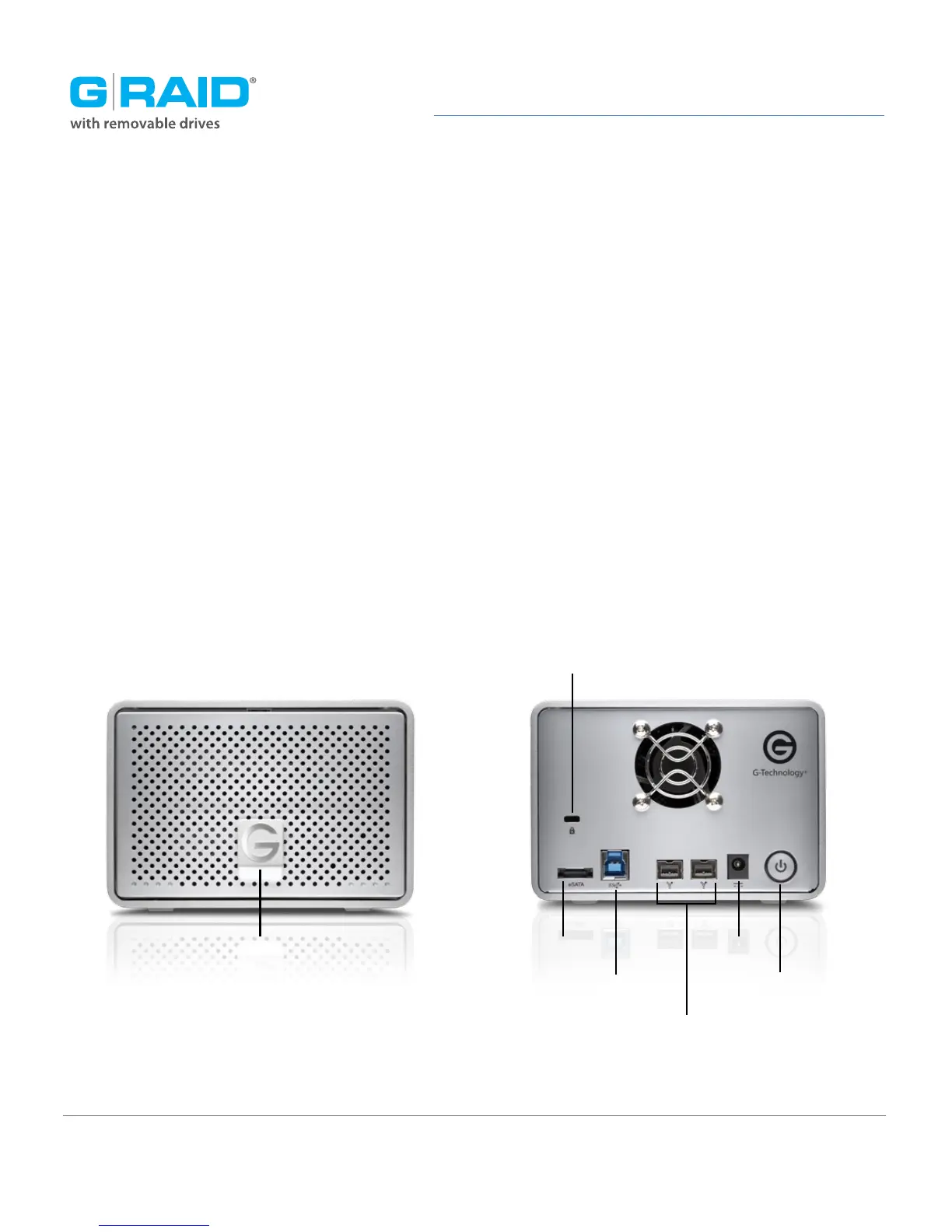
The following diagram shows the helpful features of your G-RAID.
The compact and quiet G-RAID features two removable HGST 7200 RPM SATA III hard
drives. It has a uniquely designed all-aluminum enclosure with an activity/failure
LED in the front panel. The rear panel features a Kensington™ security slot, a high-speed
USB 3.0 port, two FireWire 800 ports, an eSATA port, a DC power in slot and a soft-touch
on/off switch. The features combine to provide universal connectivity and industry-lead-
ing performance. All cables are included.
IMPORTANT: G-RAID has been set up at the factory in RAID 0 (Performance) mode.
To change to RAID 1 (Protected) mode or JBOD mod, read Configure the RAID Mode.
Activity LED
Kensington
®
Security Slot
eSATA Port
USB 3.0 Port
Dual FireWire
®
800 Ports
DC In
On/Off Switch














 To Next Page