16
MEMORY FUNCTION
Viewing the Stored Values
The device stores 90 most recent blood pressure test results along with
respective dates and times in the monitor memory for each user.
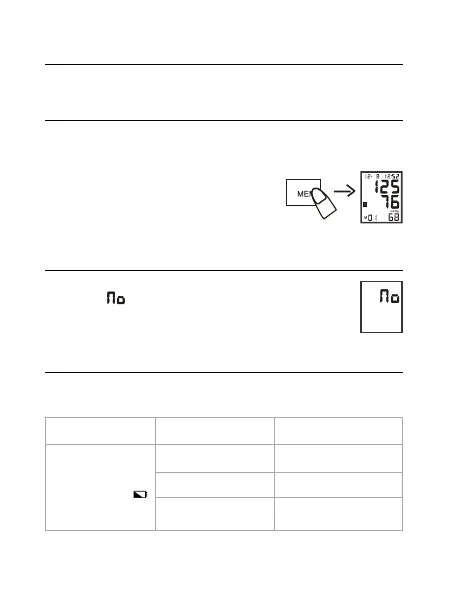
When the monitor is turned off, press «MEM»
button, a memory reading of the latest
measurement will display. To see the next page
(old measurements) press «SET».
Delete Memories
To delete memory, hold «MEM» button for ve seconds, the LCD
will display «
» - this means that all the memory has been
deleted.
TROUBLESHOOTING
lf you have trouble in using the unit please check the following points rst.
ERROR DISPLAY POSSIBLE CAUSE HOW TO CORRECT
Nothing is displayed.
When you push the
POWER button or
battery icon ash
No battery installation Insert batteries
Battery worn out Replace with new batteries
The polarities of
batteries placed wrongly
Insert battery in the correct
polarities


 To Next Page