6
1.5. Control Panel
1.5.1. Overview of control panel
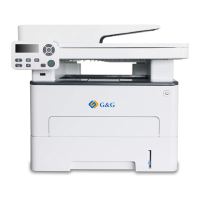
The layout of the printer control panel is shown below:
LCD control panel
Display operation interface and product information.
Wi-Fi
indicator/save toner
indicator
Indicate Wi-Fi connection status (applicable to Wi-Fi model only).
Indicate the on/off of save toner function (applicable to non-Wi-Fi
model only). (Please refer to Chapter 1.5.2.1)
Toner
cartridge/status
indicator
Indicate the status of toner cartridge and printer (please refer to
Chapter 1.5.2.1)
Open the main menu of control panel.
Confirm the selection on screen.
Scroll through the menus and options .
For menu items need to input, change the numeric value by cycle
accumulating.
Scroll through the menus and options .
For menu item needs to be input, shift the entry positions from left
to right, for example, IP address entry.
Return to the previous menu.
Short press Wi-Fi button to turn on direct Wi-Fi connection of the
printer and automatically print out "Mobile Device Wi-Fi Connection
Wizard" page (for models with Wi-Fi function only).


 To Next Page
 Loading...