VI
Table of Contents
1. Before Using the Printer .......................................................................................................... 1
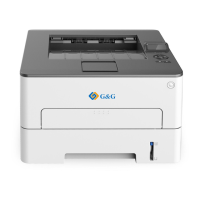
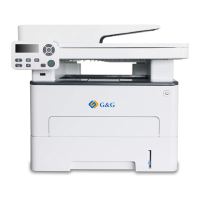
1.1. Product series introduction ............................................................................................ 1
1.2. Supplied Accessories .................................................................................................... 2
1.3. Product View ................................................................................................................. 3
1.4. Laser Toner Cartridge ................................................................................................... 5
1.5. Control Panel ................................................................................................................ 6
1.5.1. Overview of control panel .................................................................................... 6
1.5.2. Indicator function of control panel........................................................................ 8
2. Paper and Print Media .......................................................................................................... 10
2.1. Paper Specification ..................................................................................................... 10
2.2. Special Paper .............................................................................................................. 11
2.3. Loading Paper ............................................................................................................. 12
2.3.1. Loading into the Automatic Feeder Tray............................................................ 12
2.3.2. Install manual feed tray ..................................................................................... 13
2.4. Non-printable Area ...................................................................................................... 15
2.5. Paper application rules ................................................................................................ 15
3. Driver installation and uninstallation ...................................................................................... 16
3.1. How to install Windows printer driver ........................................................................... 16
3.1.1. One-click Installation ......................................................................................... 16
3.1.2. Manual installation ............................................................................................ 29
3.1.3. Method of driver unistallation ............................................................................ 36
3.2. macOS system driver installation ................................................................................ 36
3.2.1. Driver installation .............................................................................................. 36
3.3. Add printer to macOS system ...................................................................................... 38
3.3.1. Add up the printer via USB ................................................................................ 38
3.3.2. Add up the printer via wireline connection (applicable to wired network models)38
3.3.3. Add up the printer via wireless connection(applicable to Wi-Fi models) ............ 38
3.3.4. Add AirPrint printer ............................................................................................ 39
4. Wired network setup (applicable to wired network models) ................................................... 40
4.1. Set IP Address ............................................................................................................ 40
4.1.1. Automatic Setting .............................................................................................. 40
4.1.2. Manual Setting .................................................................................................. 40
5. Wireless network setup (applicable to Wi-Fi models) ............................................................ 41
5.1. Basic structure mode ................................................................................................... 41
5.1.1. Wireless network setup tools ............................................................................. 41
5.1.2. Wi-Fi Protected Setup (WPS) setup .................................................................. 45
5.1.3. How to disable the Wi-Fi network connected ..................................................... 46
5.2. Wi-Fi Direct mode ....................................................................................................... 46
5.2.1. Preliminary preparations ................................................................................... 46
5.2.2. Wi-Fi Direct connection ..................................................................................... 46
5.2.3. How to disable the Wi-Fi Direct ......................................................................... 47
5.3. Wireless network setup FAQs ..................................................................................... 48


 To Next Page
 Loading...